Do you need a time clock in Israel? What the law requires you to record
No physical time clock is required. Israel’s Hours of Work and Rest Law requires a running record of each employee’s actual working hours and does not prescribe a device. Paper, a terminal or a phone can work, provided hours are recorded as the work happens, and a manual record is signed daily by the employee and approved by a supervisor.
By Merav Sella and Shai Truchman ·
Published · Last reviewed .
Legal rules on this page are quoted with their source. This is general information, not legal advice.
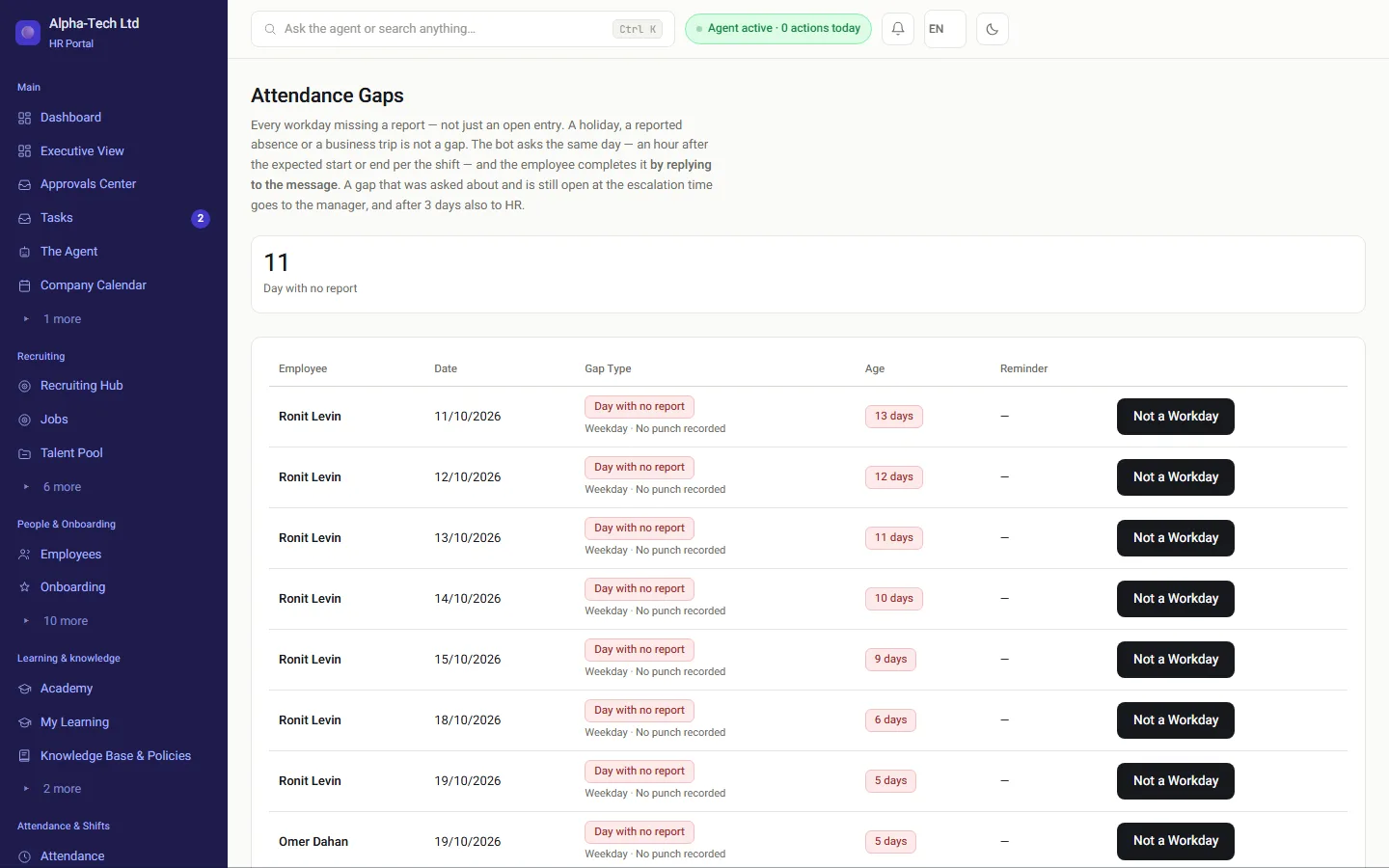
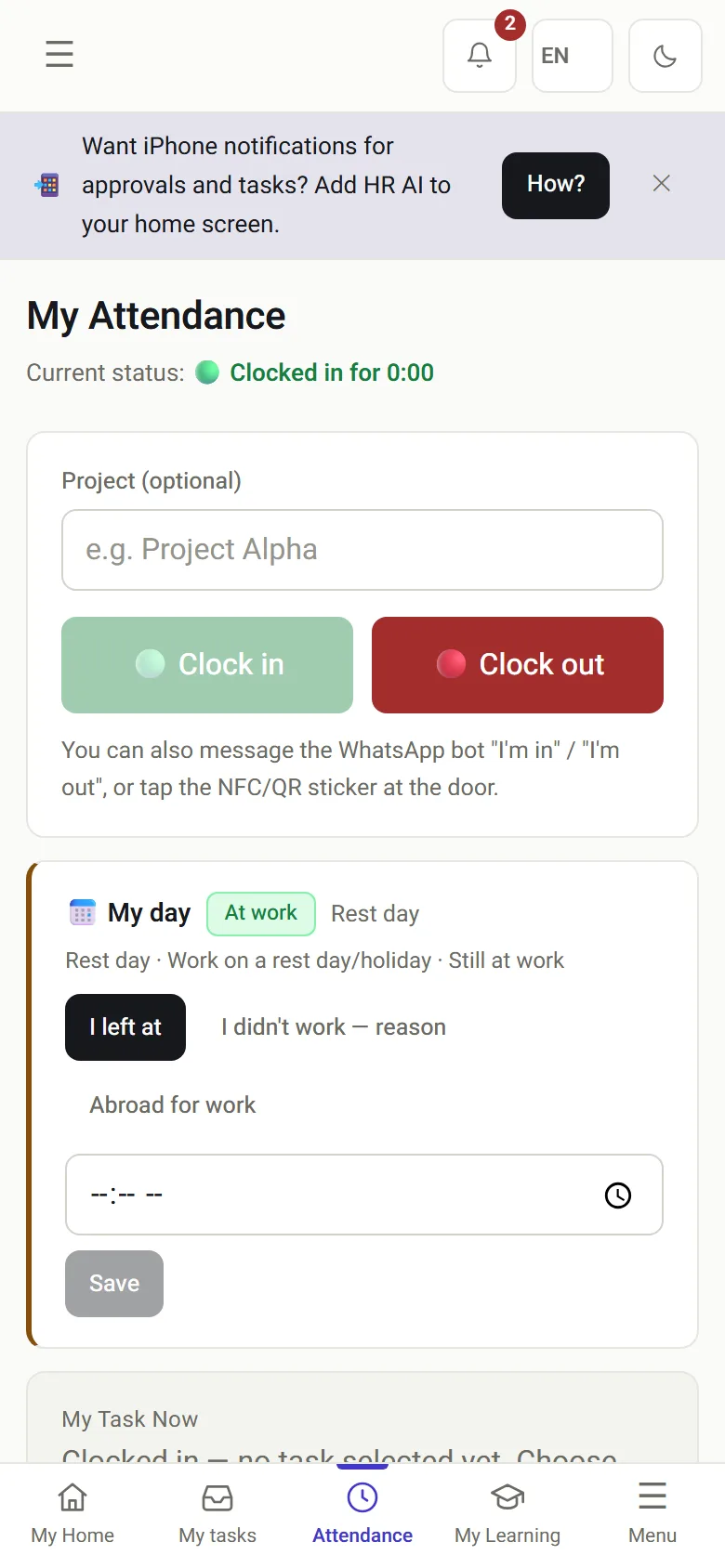
Desktop: days with no record, flagged before the month ends. Phone: clock in and out with one tap.
The law
What does Israeli law require you to record?
The right question is not which clock to buy. It is which record you will hold at the end of the month, and what it will be able to show a year or three later.
The Hours of Work and Rest Law, 5711-1951 (Hok Shaot Avoda u'Menucha, חוק שעות עבודה ומנוחה) requires employers to keep an hours-of-work register (section 25). Amendment No. 24 to the Wage Protection Law (Tikun 24 le'Hok Haganat Ha'Sachar, תיקון 24 לחוק הגנת השכר) connected that register to the payslip: the payslip lists working days and actual working hours, and next to overtime pay it shows the number of hours paid. What is recorded in attendance is what ends up printed on the payslip, and an employer without a proper record will struggle to explain the payslip if asked.
The law recognizes a record kept by mechanical, digital or electronic means, and also a manual record, which must then be signed daily by the employee and approved by a supervisor appointed by the employer. It names no manufacturer, model or terminal location.
This section describes the general principle. For a question about a specific employee, role or workplace, check with an employment lawyer or your accountant.
Ways to record
Which ways of recording attendance exist today?
Each of the methods below can produce a proper record, and each fails somewhere different. First, find yourself on the tree:
Attendance recording methods compared: where each fits and what to check
Method
Fits
What to check
Manual attendance sheet
A small business on one site, with few employees
A daily signature by the employee and a supervisor’s approval. A sheet filled in at month end is not a running record.
Shared Excel sheet
A temporary transition only
Any cell can be changed after the fact without a trace, so it is hard to show what was recorded when.
Fixed terminal at the entrance
One site with a main entrance
What happens to people who start the day off-site, and who corrects a forgotten clock-in.
Portal or phone app
Field staff, several branches, or working from home
Which data is collected at clock-in, and whether location is verified per site.
WhatsApp message
Employees who will not install an app
That the message is recorded with its time and source, not copied by hand.
NFC tag or QR code on site
Sites without a terminal, client sites, small branches
That the code rotates and the tag is tied to a specific site.
Many organizations combine methods, for example a terminal at headquarters and phones for field teams. That is fine, provided every record reaches the same timecard and the source of each is known. How clocking in by phone, WhatsApp, NFC or QR works: mobile time clock.
Choosing
How do you choose a recording method that fits?
Before comparing prices, answer these six questions. The answers narrow the field faster than a feature comparison.
1Where are employees when the day starts?One site, several branches, at clients or at home. A fixed terminal suits only the first.
2Who corrects a forgotten clock-in, and who approves it?Two different people. If the same person enters and approves, the approval is not a check.
3Can you see what was recorded on time and what was completed later?A manual completion should look different from a regular clock-in, on the timecard and in the report.
4How do the hours reach the payroll department?Retyping hours from a sheet or spreadsheet is one more place for errors.
5What is collected about employees, and why?Location, photo or biometrics. Collect only what is needed, and tell employees what is collected.
6How long is the record kept?And can you retrieve a month from several years ago without searching boxes or old files?
Which mistakes turn a proper record into an incomplete one?
Attendance problems usually come from small habits that repeat every month, not from choosing the wrong device.
A manual fix with no approvalA manager who changes a clock-in time without anyone else seeing the change creates a record that cannot be checked. Every correction should carry the name of whoever entered it and someone else’s approval.
A missing clock-outA card with a clock-in and no clock-out stays open, and at month end someone guesses when the day ended. The longer you wait, the worse the guess. Close open cards the same week.
A record rebuilt after the factA sheet filled in entirely at month end, even if accurate, is not a running record. Whoever reads it cannot tell what was recorded on time and what was reconstructed from memory.
Clocking in for someone elseA code shared by the whole shift, or a card passed from hand to hand, creates hours that cannot be tied to a specific person.
Rounding in one directionA policy that rounds late arrivals up and late departures down shaves minutes off employees every day. If you round, round both ways, and check the policy with your accountant.
In HRAI
How does HRAI record attendance?
Every clock-in is stored with its time and its method
Employees clock in the way that suits them, and manual completions are checked by someone else before they count.
Clock in from the portal, the iOS and Android app, a WhatsApp message, an NFC tag, a QR scan or a personal code at a terminal.
A manual completion is marked as such and goes for approval by someone who is neither the employee nor the person who entered it.
Until a completion is approved, its hours are not counted in the monthly payroll report.
In the demo: clock in from a phone and by WhatsApp, complete a forgotten day, and watch the completion wait for approval before it counts for payroll.
In the demo we clock in from a phone and by WhatsApp, complete a forgotten day, and watch the completion go for approval before it counts toward payroll.
Hours of Work and Rest Law, 5711-1951, Nevo (Hebrew)Section 25: the hours-of-work register, a running record of actual working hours, and a record that is not mechanical, digital or electronic, signed daily and approved by a supervisor. Section 30: who the law does not apply to.
Nevo texts are consolidated versions; the authoritative text is the one published in the official gazette (Reshumot). All sources are in Hebrew. Sources checked on October 24, 2026.
Frequently asked
What people ask before they start
Does clocking in from a phone count as a proper record?
Generally yes, if it meets the same conditions as any other record: it is made at the time of work, it is tied to a specific employee, and it cannot be changed without leaving a trace. If the clock-in collects location, collect only what verification needs and tell employees what is collected and why.
Can we keep attendance in Excel?
Excel itself is not prohibited, but it is hard to show that hours were entered on the working day and not later: any cell can be changed without a trace. If you work in a spreadsheet, insist on a daily entry, the employee’s signature and a supervisor’s approval, or move to a record that keeps its own history.
What do we do when employees forget to clock in?
Complete the record, mark it as a manual completion, document the reason and send it for approval by someone who did not enter it. If the same person keeps forgetting, check whether the clock-in method suits them, for example a phone instead of a terminal at the entrance.
Do we need to record hours for employees on a global overtime arrangement?
In most cases yes. A fixed monthly payment for overtime does not necessarily remove the need to know how many hours were actually worked. Some roles are outside the Hours of Work and Rest Law, and for those it is worth checking with an employment lawyer what is required.
Can employees clock in with a fingerprint?
That is a privacy question, not only an attendance one. Under the Protection of Privacy Law, a biometric identifier used for computerised identification is information of special sensitivity. Before choosing it, check whether an option that collects less data would do, and take advice. Daily attendance can be recorded without biometrics: by phone, tag or personal code.
Get started
Book a demo
Leave your details and we will get back to you within one business day to set a time for a 30-minute demo on your own processes.
If it turns out not to be a fit, we will say so.
About the details you share. Data controller: Career and Content ltd (operator of HR AI), company no. 515523934, [email protected].
You are not legally required to provide them; without a name and email we cannot get back to you, and that is the only consequence.
The information is used to respond to your inquiry, kept for up to 24 months, and shared only with our email provider and our sales team.
You may review, correct or delete it at any time at the same address —
Privacy Policy (Hebrew),
English summary.
We only keep what we need
Essential cookies run the site and cannot be switched off. Everything else is your
choice, and you can change it whenever you like.
Cookie policy (Hebrew), English summary.