

Wellbeing budgets

A wellbeing budget you can see in advance

HRAI wellbeing manages an annual employee wellbeing budget by category. The moment an event is approved its planned cost is committed against the budget, before any invoice arrives; after the event the actual cost is recorded. Employees RSVP from a message, and every invoice is archived with the event for next year.

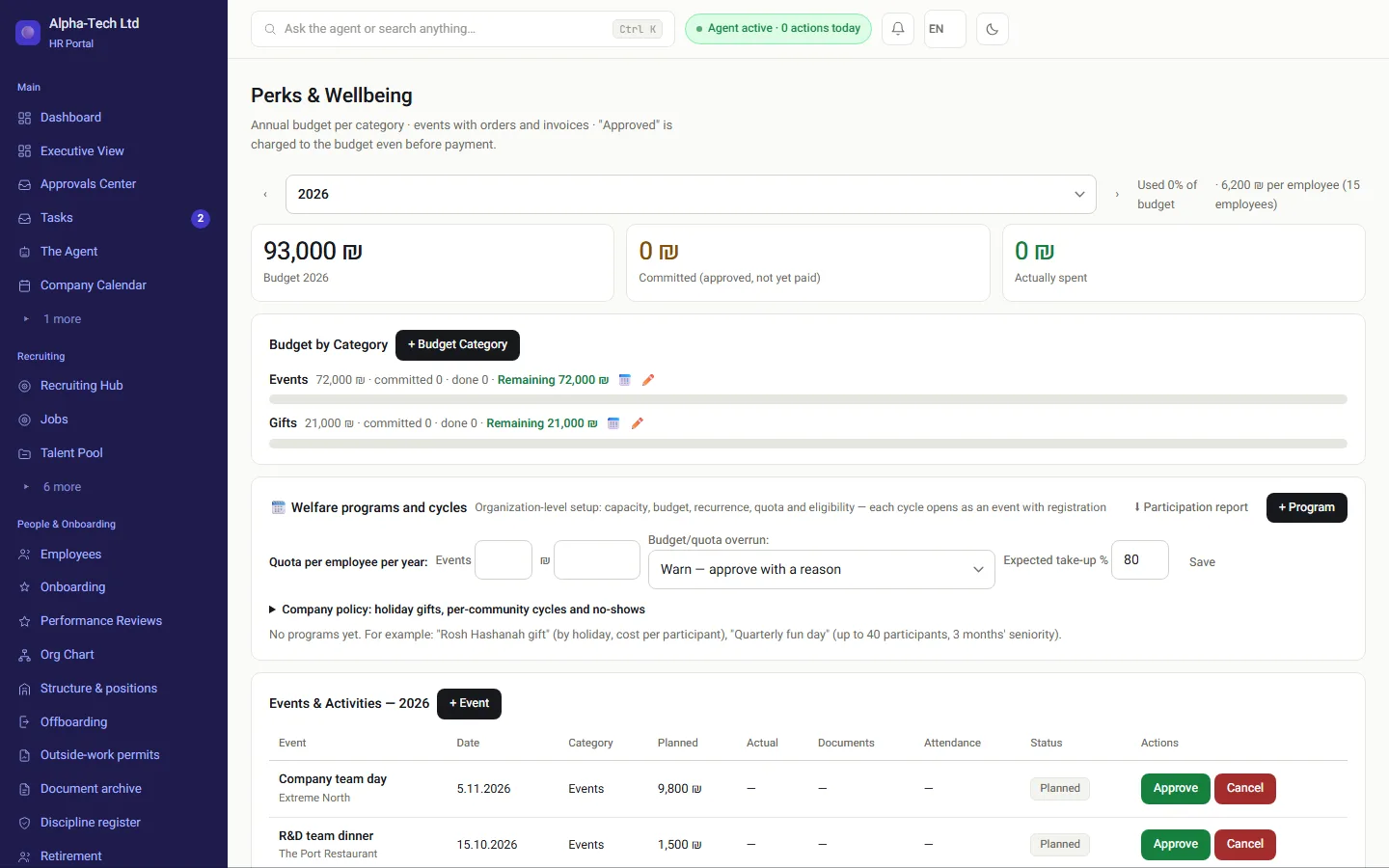
The wellbeing screen: annual budget, committed, actually spent, budget by category and events
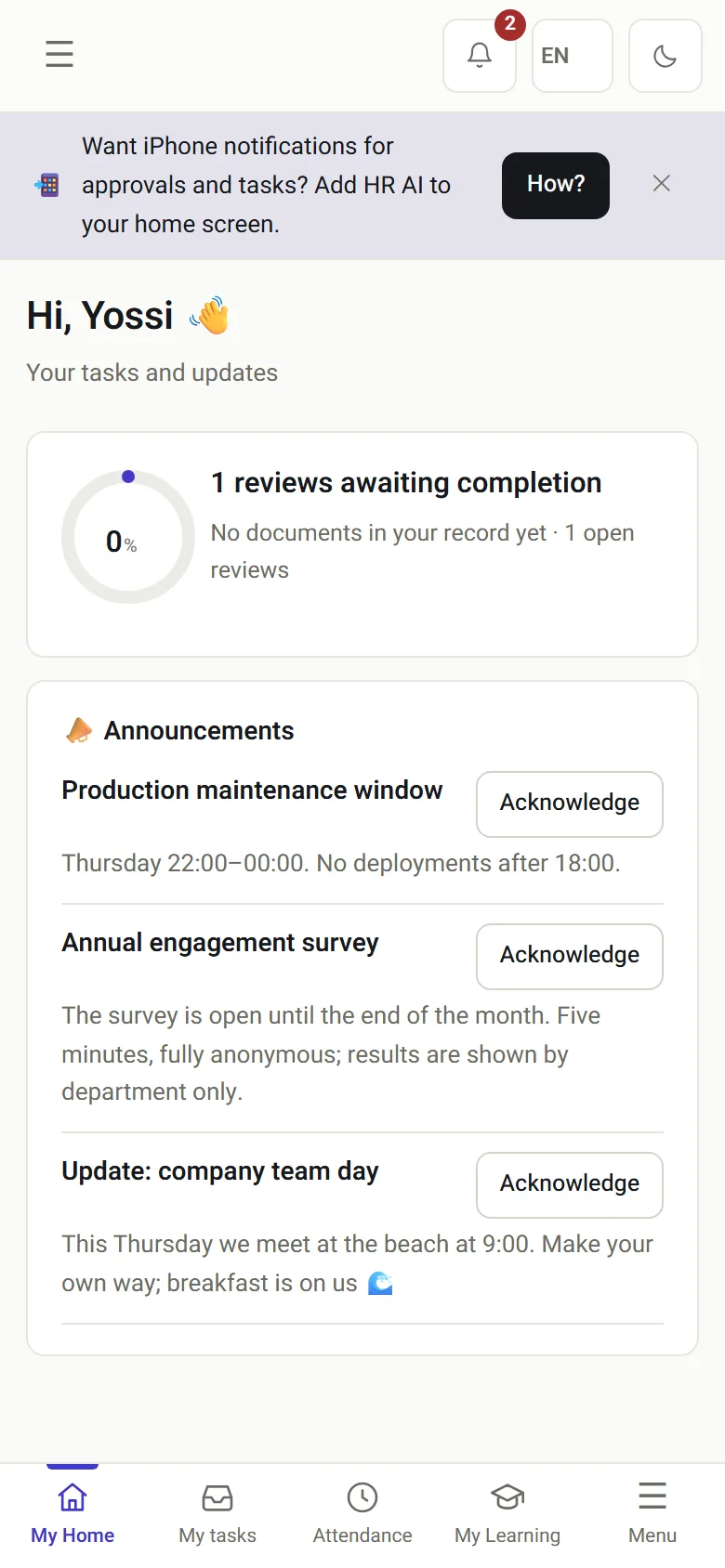
The employee’s home screen on the phone, with a team-day announcement
The wellbeing screen on desktop, and the employee’s home screen on the phone.

The problem

Where does a wellbeing budget leak?

A wellbeing budget almost always erodes in the same place: two events approved in parallel, nobody saw the running total, and the overrun is discovered in December.

Two approvals at onceEach looks fine against its own spreadsheet.
An invoice that arrives lateAnd the event was already “closed” without it.
Who is coming?A manual count in WhatsApp the day before the event.
What we did last yearAnd what it really cost, and with which vendor.
Without a system
  • The budget is updated after the invoice
  • RSVPs counted by hand
  • Invoices scattered in email
  • Last year’s events remembered by one person
With HRAI
  • An approval is committed immediately
  • Attending / maybe / not this time, counted for you
  • Invoices stored with the event, with a hash
  • A multi-year archive with real costs

The principle

Committed is not paid, and both count against the budget

From approval, the planned amount counts against the budget. After the event, the actual cost is recorded.

1BudgetBy categoryand a cap perevent2ApprovedAmount committedbefore the invoiceCounted at once3OverrunOnly by arecorded decision4RSVPsAttending, maybenot this time5DoneActual costvs. planned6ArchiveWith the invoicesfor next year
1BudgetBy categoryand a cap per event2ApprovedAmount committedbefore the invoiceCounted at once3OverrunOnly by arecorded decision4RSVPsAttending, maybenot this time5DoneActual costvs. planned6ArchiveWith the invoicesfor next year
Closing an event without an invoice requires explicit approval.

In practice

What happens around each event?

01 · The budget

How much was planned, committed and paid

  • An annual budget per category: company events, courses, gifts
  • An optional cap per event, with an overrun flagged to management
  • Orders and prices for each event, with a running total against the planned cost
  • Invoices stored with a SHA-256 hash, in the same document record as the company’s documents
Budget by category, and events and activities with approve or cancel on each
02 · Management

A CEO view that already includes wellbeing

  • Budget versus committed versus done, by category and by year
  • What is planned and when, and how many people are coming
  • The same picture in the management WhatsApp channel
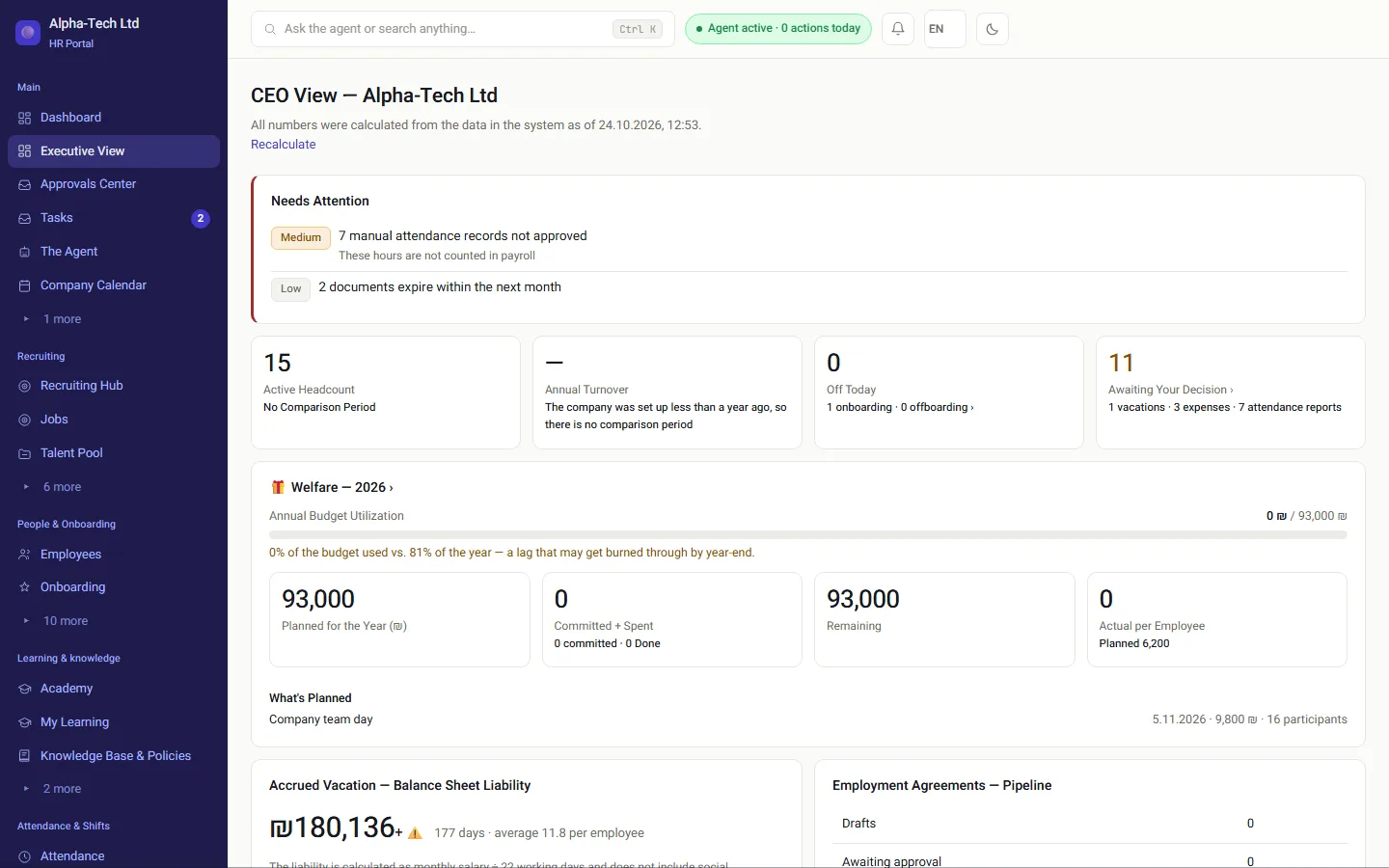
In the demo: approve an event and watch the remaining budget update in the CEO view.
CEO view: wellbeing 2026, use of the annual budget and what is planned

Definitions

How is each budget figure calculated?

Wellbeing budget figures in HRAI
FigureWhat it includesWhen it changes
BudgetThe annual amount set per categoryWhen management sets or updates it
CommittedApproved events not yet held, at planned costThe moment an event is approved
Paid (done)Actual cost of events that took placeWhen the event is closed with its invoice
RemainingBudget minus committed minus paidOn every approval and every closure
Approved eventplanned costCommitted vs. budgetRSVPs from employeesInvoice with hashMulti-year archivereal cost, by vendor

Who uses it

Who does what in a wellbeing event?

HR and wellbeing

Plan events, set caps per event and close them with invoices.

Management

Sees budget, committed and done, and decides on overruns.

Employees

RSVP from a message and see upcoming events at home.

Finance

Gets the actual cost with the invoice, per event and vendor.

The rules

What can never happen silently?

0silent budget overruns: each is a recorded decision
3RSVP answers: attending, maybe, not this time
2figures against the budget: committed and paid
SHA-256hash stored on every invoice

Frequently asked

What people ask before they start

What is the difference between “committed” and “paid”?

Committed means events that were approved but have not happened yet, at their planned cost. Paid means the actual cost of events that took place. Both count against the budget, so two large events cannot be approved in parallel without the overrun showing immediately on the wellbeing screen and in the CEO view.

Can we go over budget?

Yes, through an explicit decision that is written to the audit log and marked on the event. A silent overrun is not possible. Closing an event without an invoice also requires explicit approval, so the archive shows what each event really cost and with which vendor.

How do employees RSVP?

Publishing an event sends a message with three buttons: attending, maybe, not this time. Employees can change their answer, and the count updates on the wellbeing screen. Nobody has to collect replies by hand in a chat the day before the event.

We have managed the budget in Excel for years. What is the problem?

Excel knows what was typed into it; it does not know another event was approved yesterday. The gap opens between decisions: two approvals in parallel, each fine against its own sheet, and the overrun found in December. Here the approval itself is committed against the budget, so an overrun is visible the moment it is created.

Get started

Book a demo

Leave your details and we will get back to you within one business day to set a time for a 30-minute demo on your own processes. If it turns out not to be a fit, we will say so.

About the details you share. Data controller: Career and Content ltd (operator of HR AI), company no. 515523934, [email protected]. You are not legally required to provide them; without a name and email we cannot get back to you, and that is the only consequence. The information is used to respond to your inquiry, kept for up to 24 months, and shared only with our email provider and our sales team. You may review, correct or delete it at any time at the same address — Privacy Policy (Hebrew), English summary.