

Digital employee file

A digital employee file that holds the whole history

HRAI’s digital employee file keeps the whole history of each employee in one place: what exactly was signed, who approved it and when, and what they saw before approving. Salary agreements carry a chain of approvals and a countersignature, license and permit expiry is tracked with advance alerts, and the audit log is read-only.

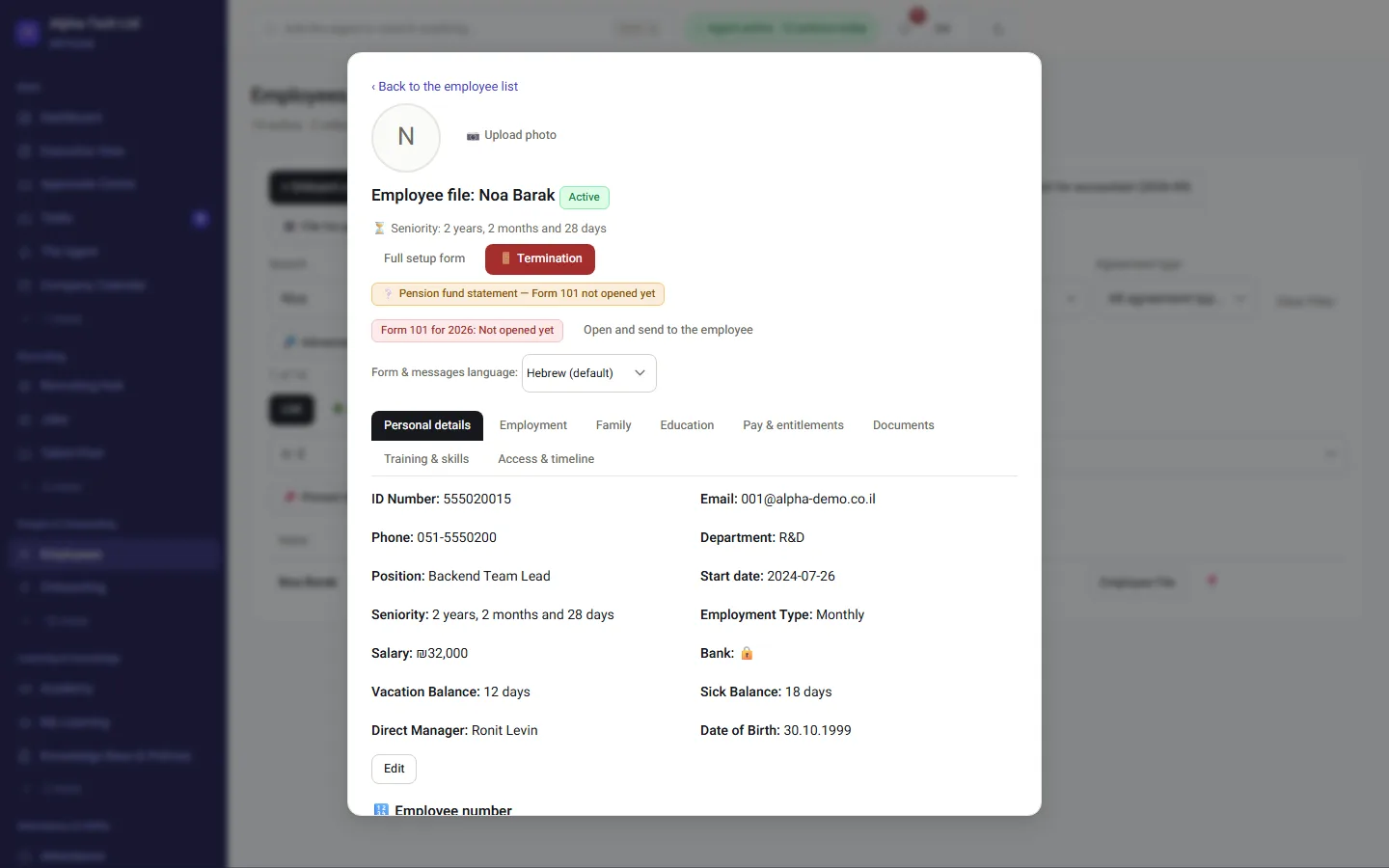
The employee file: details, signed agreement, documents and history
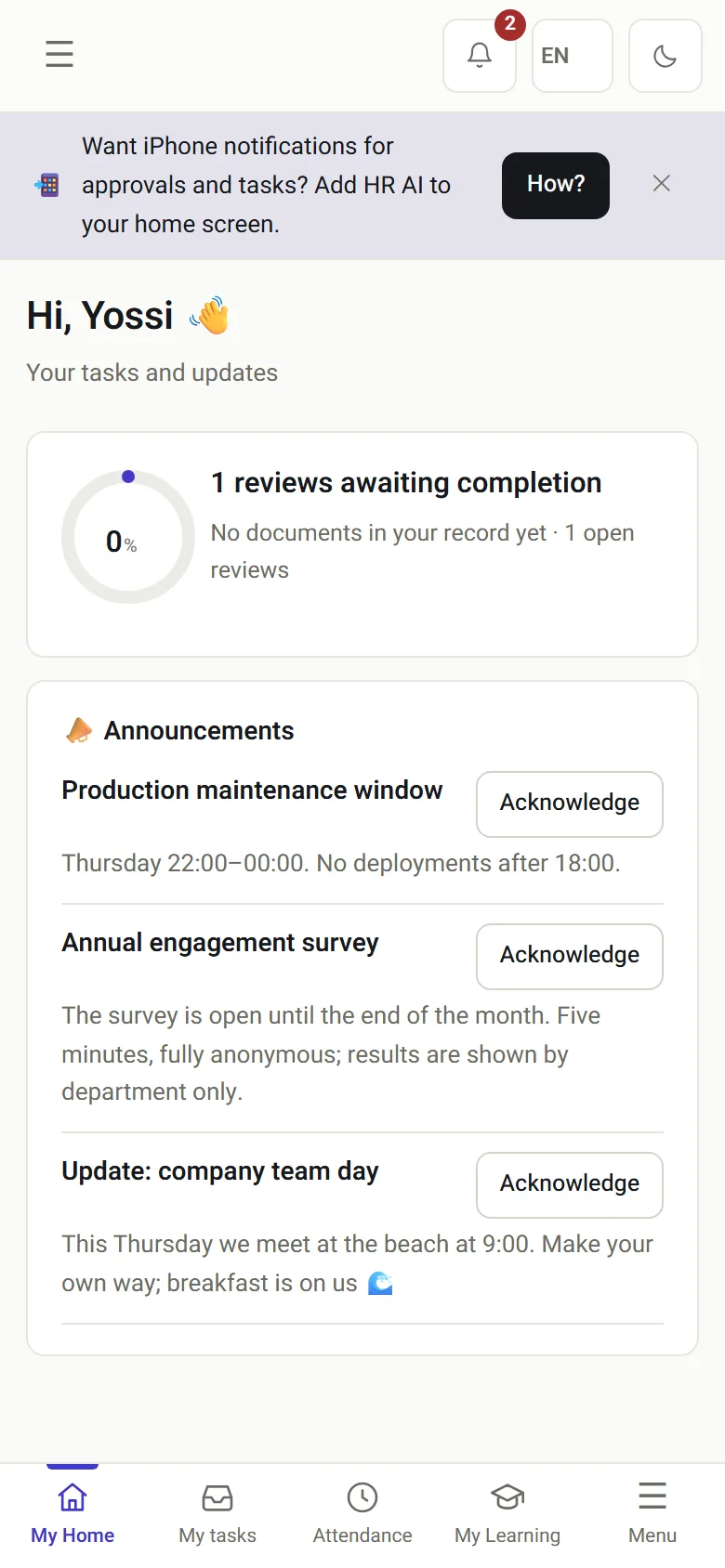
The employee’s own screen on a phone: signed documents and documents waiting
The employee file on a computer, and the employee’s own screen on a phone.

The problem

What does an audit ask about an employee file?

Which version was signed?And how many versions went by email before it.
Who approved, and when?And what they saw at the moment they approved.
The license expiredAnd nobody noticed until it was too late.
Who opened the file?And how do we know nobody saw what they should not have.
A paper or shared-folder employee file compared with the HRAI digital employee file
Paper or shared folderHRAI digital employee file
Which version was signedWhatever file is in the folderA hash of the signed content, checked on every view
Who approved, whenAn email thread, if it was keptEach approval with identity, time and IP address
Expiring licenses and visasA calendar someone maintainsAlerts at 60, 30 and 7 days by default, per item
Who saw the fileUnknownPermission scopes, and a read-only audit log

Salary agreements

How is a salary agreement documented from both sides?

Each step carries a hash derived from the previous one. An integrity check runs on every view and shows that the record is complete.

1DraftFrom a template orfilehash of the content2Sent for approvalThe text is lockedevery version kept3ApprovalTime and IP addressrecorded4Employee signsReads it in fullthen signs5CountersignatureCompared withthe approved text
1DraftFrom a template or filehash of the content2Sent for approvalThe text is lockedevery version kept3ApprovalTime and IP addressrecorded4Employee signsReads it in fullthen signs5CountersignatureCompared withthe approved text
Had the content changed between approval and countersignature, the signatory would be told explicitly before signing.

In practice

What is underneath the file?

01 · Signatures

See who signed, what, and when

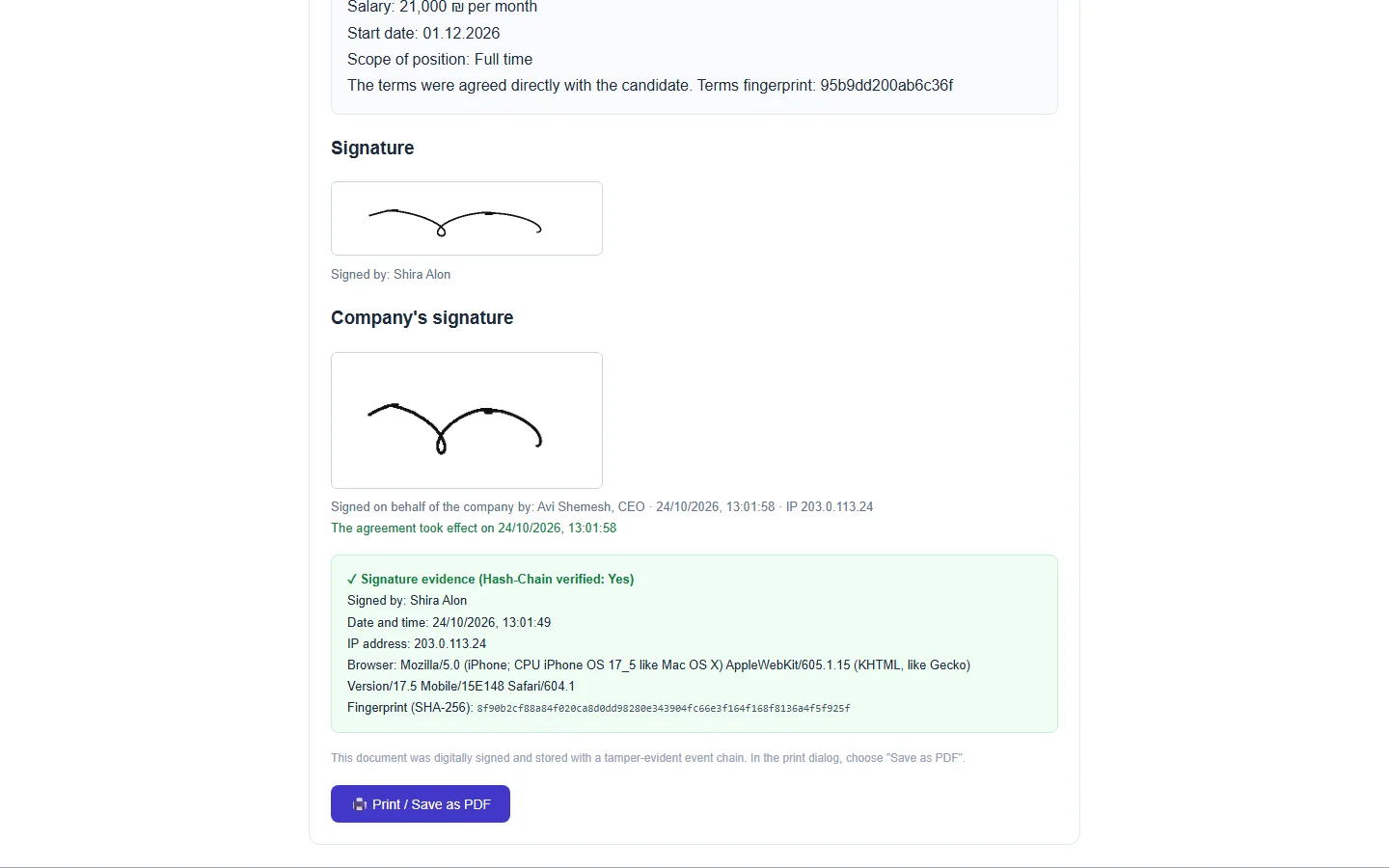
  • Every signed document carries a SHA-256 hash derived from its content and the signature
  • The sequence of events is linked by hashes, and can be verified in one click
  • Audit log: creation, edits, approvals, permissions and balances, read-only

How the documented record works →

A signed document: the signatures, who signed and when, and the document fingerprint
02 · Expiry

Renewals that arrive on time

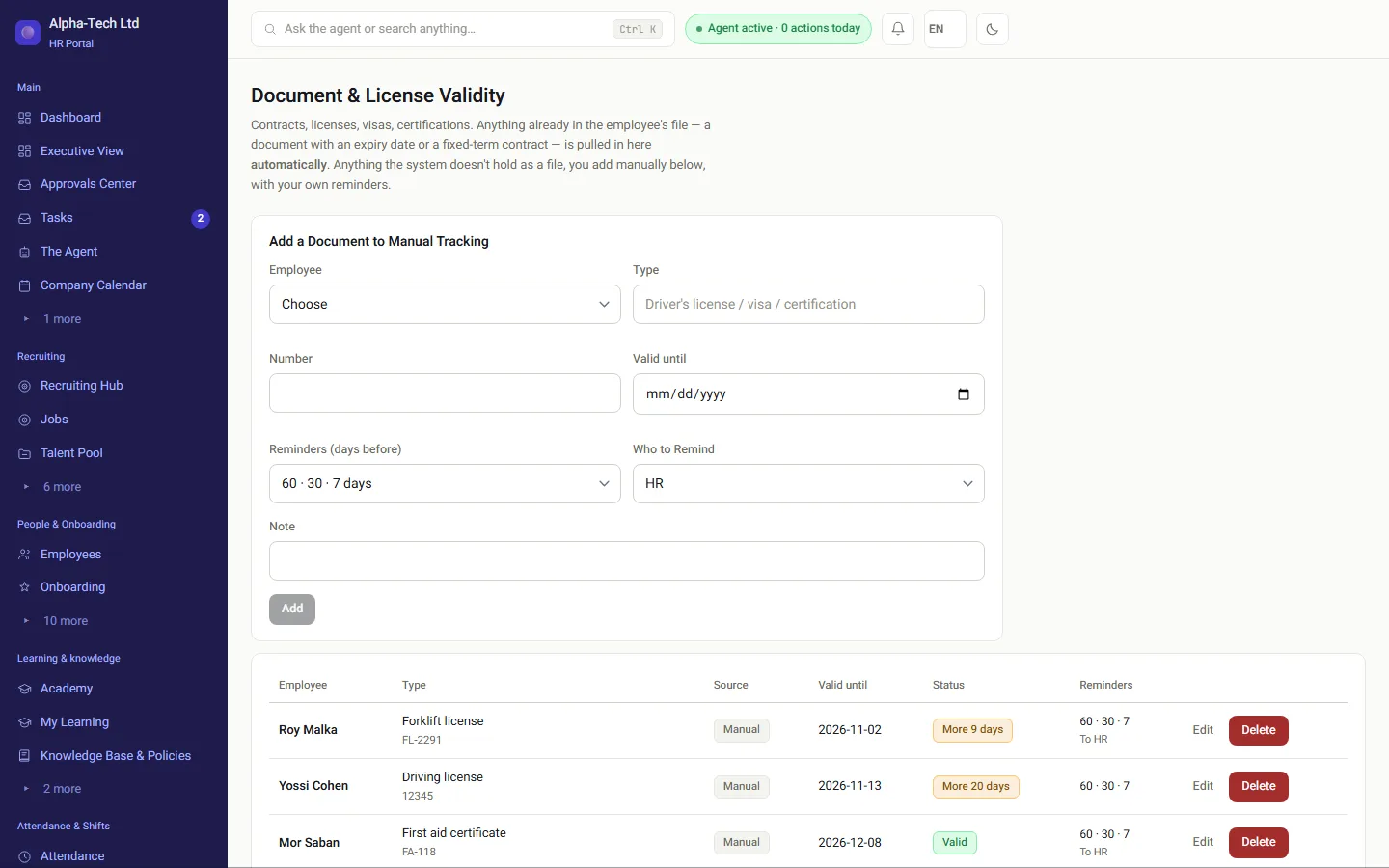
  • Licenses, visas, certifications and fixed-term contracts, from the file, without entering them twice
  • Alerts at 60, 30 and 7 days by default, with a recipient for each item
  • A renewal resets the alert cycle, so the system does not go quiet next time
Document and license expiry: what expires soon, with reminders per item

The foundations

What protects the file?

Separation between companies

Enforced in the database with row-level security, not only in the application code.

A chain of hashes

Each event carries a hash derived from the event before it.

Confidentiality that holds

A file outside your permissions is returned as “not found”, so its existence stays confidential.

A read-only log

Every significant action is recorded with who, when and from which address.

SHA-256Hash on every signed document
60 · 30 · 7Default days of expiry alerts
Read-onlyAudit log of significant actions

No one to keep the files and the policies? Outsourced HR in Israel: an HR team that runs the function for you, inside the same system.

Frequently asked

What people ask before they start

How do we know the document shown is the one that was signed?

Every signed document carries a SHA-256 hash derived from its content and the signature, and its sequence of events is linked by hashes. An integrity check runs on every view and confirms that the record is intact, exactly as it was created.

What goes into the audit log?

Creating and editing employees and documents, approvals and rejections, permission changes, changes to a job’s publishing channel, and balance updates, each with the identity of the person who acted, a timestamp and the IP address. The log is read-only.

Do we get an alert before a license expires?

Yes. By default at 60, 30 and 7 days before expiry, and you can set other steps and a different recipient for each item. Licenses, visas, certifications and fixed-term contracts are tracked from the file, without entering them twice, and a renewal restarts the alert cycle.

Can another manager see that a file exists?

No. A file outside a user’s permission scope is returned as “not found”, so that even its existence stays confidential. Separation between companies is also enforced in the database with row-level security, not only in the application code.

Get started

Book a demo

Leave your details and we will get back to you within one business day to set a time for a 30-minute demo on your own processes. If it turns out not to be a fit, we will say so.

About the details you share. Data controller: Career and Content ltd (operator of HR AI), company no. 515523934, [email protected]. You are not legally required to provide them; without a name and email we cannot get back to you, and that is the only consequence. The information is used to respond to your inquiry, kept for up to 24 months, and shared only with our email provider and our sales team. You may review, correct or delete it at any time at the same address — Privacy Policy (Hebrew), English summary.