

The AI agent and channels

An HR agent that works alongside you, around the clock

The HRAI agent handles the follow-ups HR forgets: reminders, leave accrual, expiring documents and attendance gaps. You choose its autonomy level, from suggesting only to approving short leave. It answers employees from your own policies with the source cited, and every action is logged. Sensitive actions always need a person.

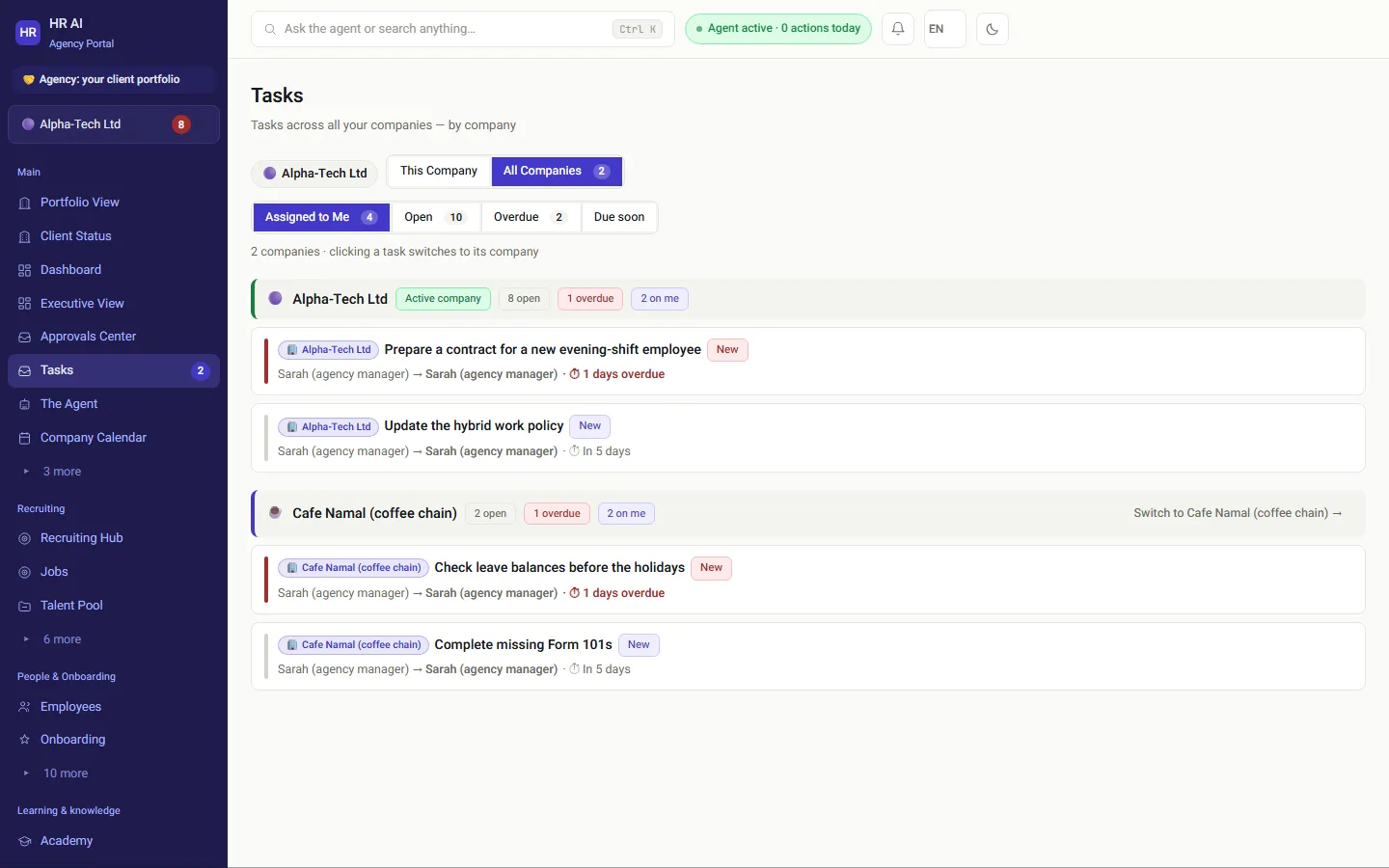
Tasks across all companies: open, overdue and assigned to me, grouped by company
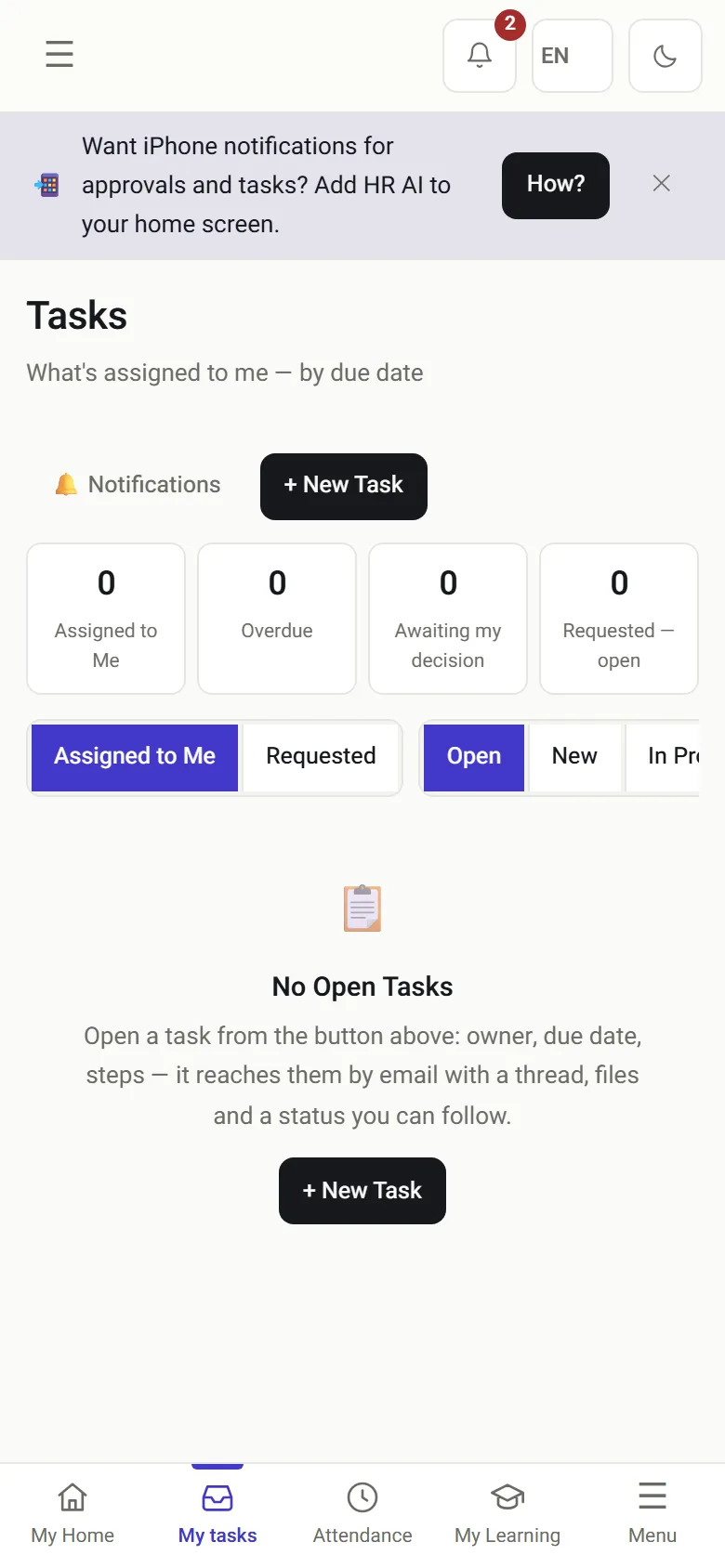
My tasks on the phone
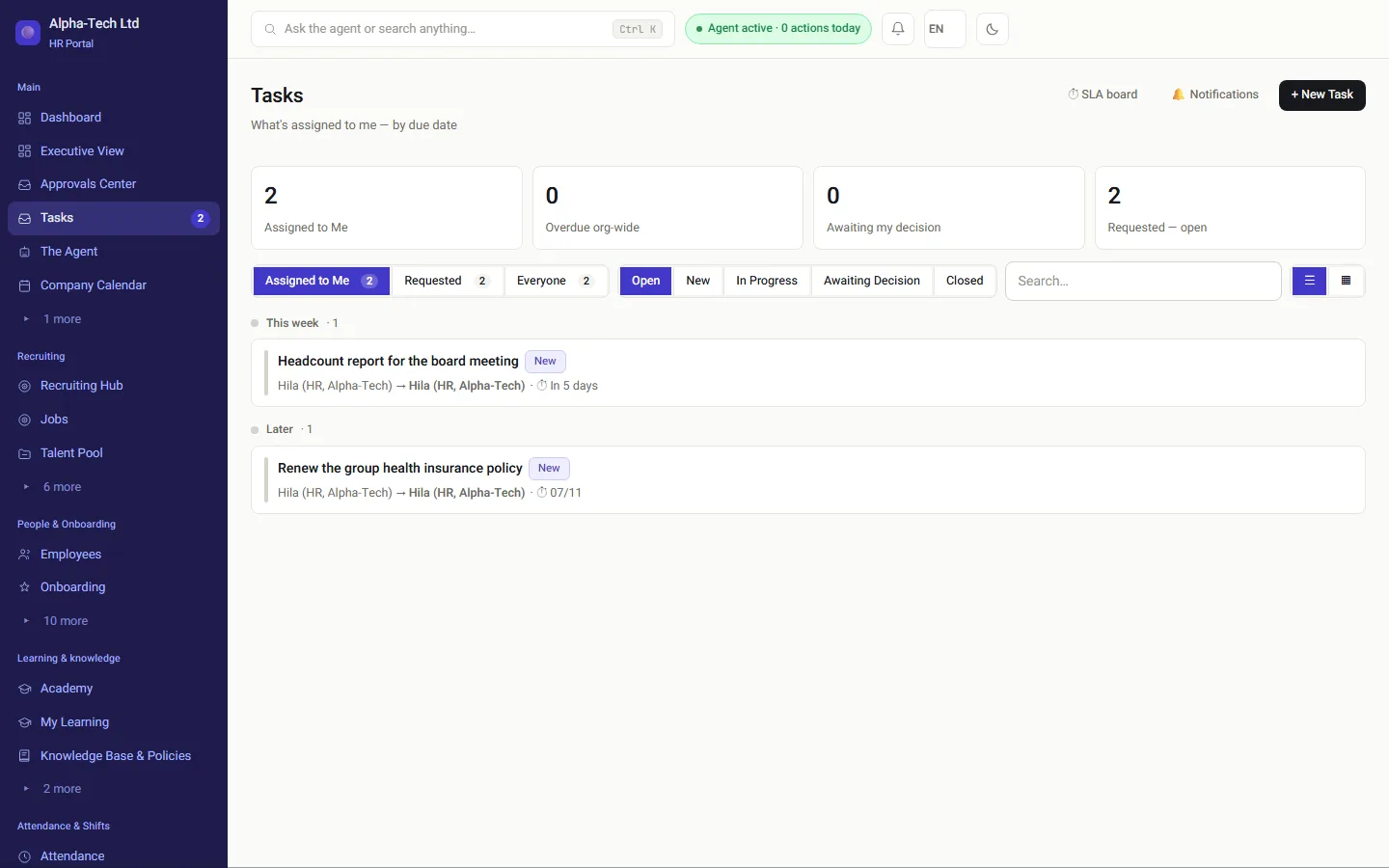
Tasks and reminders on desktop and on the phone.

The problem

What do all of us forget?

A question in the evening should not wake HR. From the recruiting status to who is coming to tomorrow’s company event, the answer is already in the system, and the agent simply reads it. What sets it apart is that it is clear exactly what it may not do.

A reminder that never went outOnboarding stuck for three days because someone forgot to send a link.
A question in the eveningThat waits until morning, and then another phone call.
A license that expiredAnd an alert that never fired because “we already warned once”.
A policy nobody can findAnd a generic answer from the internet instead of your own handbook.
Without a system
  • Reminders depend on someone remembering
  • Employees ask HR the same questions again
  • Managers wait for a report
  • An AI tool with no limits on what it touches
With HRAI
  • Reminders and escalations run by themselves
  • Answers from your policies, with the source cited
  • Aggregates on WhatsApp, from a verified number
  • Autonomy levels, a full log and actions it can never take

Autonomy

How much does the agent do on its own? You decide

At every level, every action the agent takes is written to the feed and the audit log. Some actions are never automatic.

1Level 0Suggests onlyeverything waits for you2Level 1Reminders andreversible actionsOur recommendation3Level 2Also short leaveand contact updatesThe default4Never on its ownBank detailsending employment
A new company starts at level 2. We recommend level 1 at the start, and lowering it is one click.

In practice

What does the agent do, and where?

01 · In the background

The things everyone forgets

  • Onboarding reminders after 24 hours, and an unsigned document every 48 hours
  • Leave and sick-day accrual on time, with no helper spreadsheet
  • Document expiry in steps of 60, 30 and 7 days
  • Attendance gaps: asks on WhatsApp and routes after-the-fact entries for approval
  • Tasks that open by themselves, also for people who manage several companies
The tasks screen: mine, overdue and waiting for a decision
02 · Knowledge base

Answers from your policies, not from the internet

Upload the handbook, procedures and agreements, and an employee who asks “how many sick days do I get?” receives an answer from the organization’s own documents, with the source cited.

Isolation: results are filtered by company and then checked again after the search, so one customer’s policy never reaches another’s question.
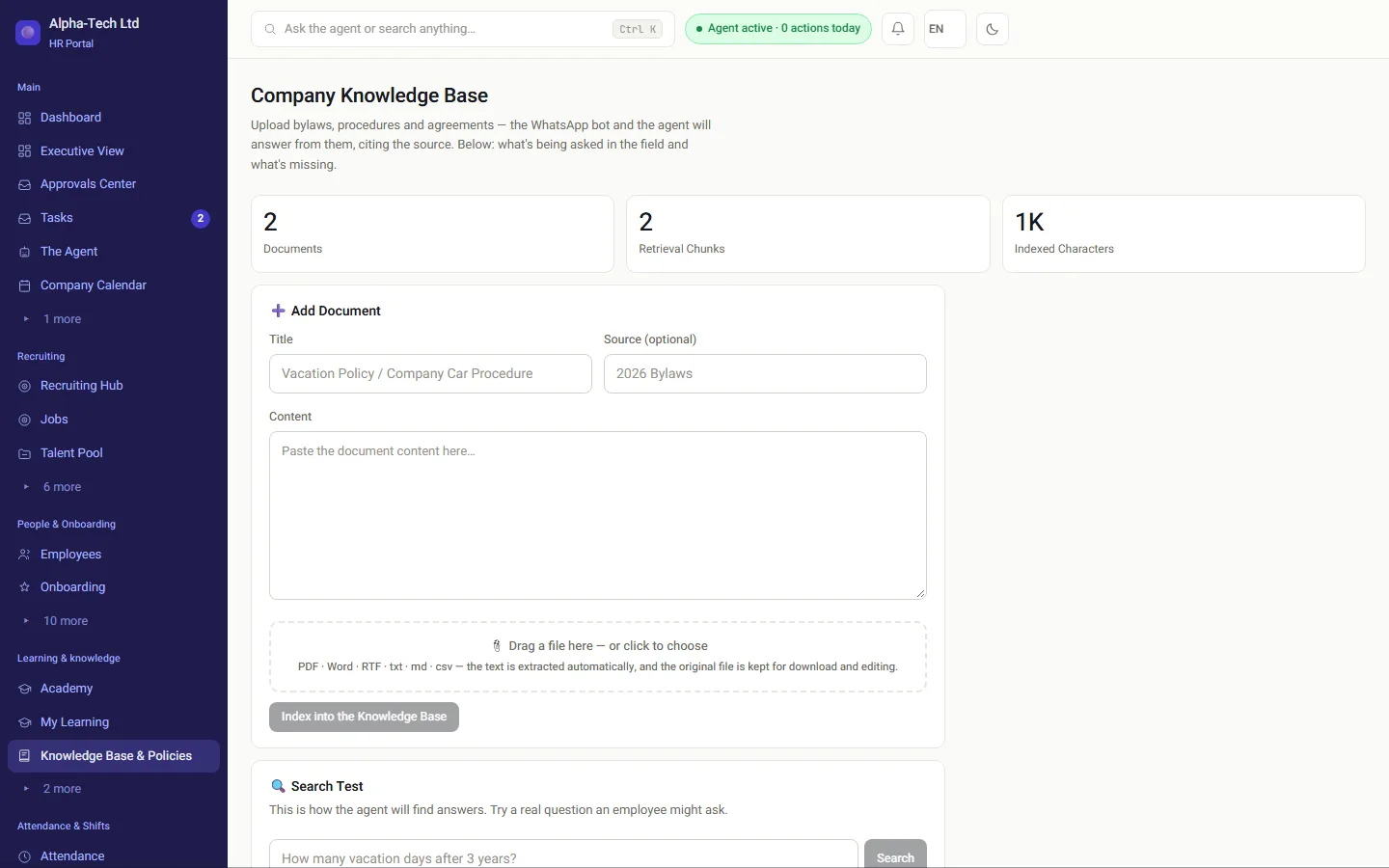
Organizational knowledge base: adding a document, indexing and a search test
03 · Managers’ channel

The dashboard answers on WhatsApp

Managers’ channel · verified WhatsApp chat

What’s the status?

Headcount: 128 employees (4 joined this month) · Attendance today: 119/124 · Recruiting: 6 open roles, 23 candidates · Waiting for your approval: 3

What is Dana’s salary?

I don’t share salary data in this channel. WhatsApp is not a suitable channel for personal, identifying information.The block is in code, before the question reaches the model: not an instruction that clever wording can get around.

Verification: the message must come from a number an admin registered in advance, and the verification code goes to the work email, not back to WhatsApp.
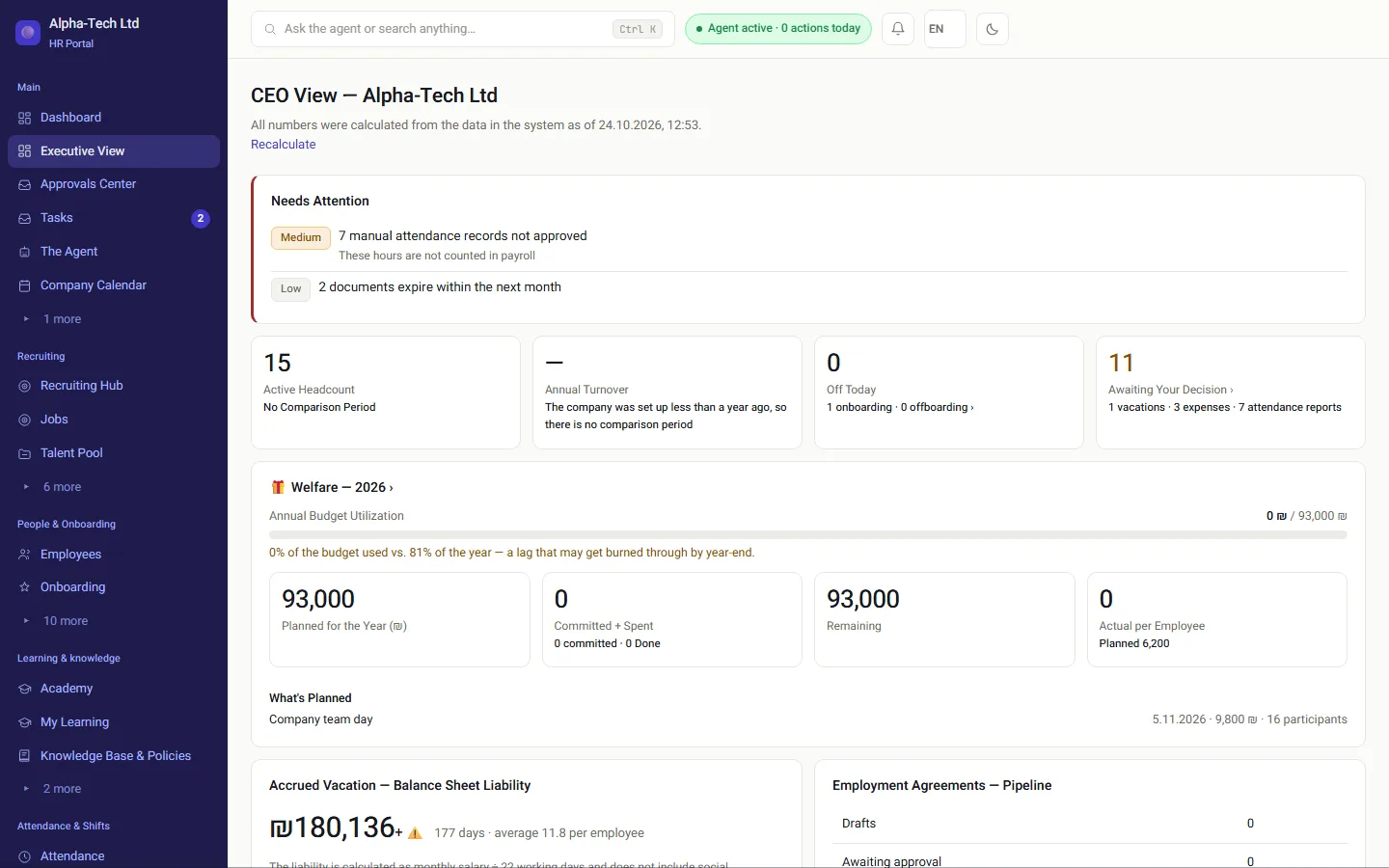
CEO view: the same figures the agent shares in the managers’ channel
04 · Your AI assistant

Connect the AI assistant you already use, with your own permissions

A user can connect an external AI assistant to HRAI with a personal token. The assistant works through the same permission checks as the screen, and gets less than the screen, not more.

  • The token belongs to one person and one role, and is stored only as a hash
  • ID numbers and bank account numbers never leave, even for users who see them on screen
  • A write is a request in the same approval flow as a click; no tool approves, ends employment, changes salary or touches a bank account
  • An action that goes outside the system takes two steps: a preview, then confirmation
  • A module switched off for the company is closed to the assistant as well
Logged: every assistant action is checked by reading it back, and appears in the agent action log in the portal.
1. Module on for the company2. User’s role3. User policy4. Token scopeToolrunsThe strictest gate wins; a token can only narrow access
Four gates on every assistant action

Autonomy levels

What may the agent do at each level?

What the HRAI agent may do at each autonomy level
ActionLevel 0Level 1Level 2 (default)
Suggest actions in the feedYesYesYes
Send reminders and open tasksSuggestsYesYes
Approve leave of up to three days within the balanceNoNoYes
Update an employee’s phone or emailNoNoYes
Change bank details or end employmentNeverNeverNever
Questionportal, WhatsApp orassistantSensitive-data blockCompany filterYour policiesAnswer with sourceand an audit log entry
Questionportal, WhatsApp or assistantSensitive-data blockCompany filterYour policiesAnswer with sourceand an audit log entry

Cost

How does automation stay predictable on the bill?

Rules first, a model second

Most questions are answered by a rules engine at no cost; a language model steps in only when needed, with caching and a hard budget.

Quota used up? Work continues

CV scoring switches automatically to a local engine, and an application never fails because of a quota.

Your own key

The organization’s API key is stored encrypted and shown masked only.

Full visibility

A usage screen: who used it, how much, and at what estimated cost.

The numbers

Which limits are fixed in the agent?

3autonomy levels: suggest, safe actions, full
0levels at which bank details or ending employment are automatic
80%of the AI quota triggers an alert
60/30/7days before a document expires: the reminder steps

Frequently asked

What people ask before they start

What does the agent share in the managers’ WhatsApp channel?

Aggregate figures only: headcount, attendance today, recruiting status and items waiting for approval. Salaries, ID numbers, bank details and medical information are blocked by a check in code before the question reaches the model. The message must come from a number an admin registered in advance, and the verification code goes to the work email, not back to WhatsApp.

Can the agent approve things without a person?

Depending on the level set for the company, and here is the real number: a new company starts at level 2, where the agent approves leave of up to three days within the balance and phone or email updates. At level 1 it performs only safe, reversible actions; at level 0 it only suggests. Sensitive actions, such as changing bank details or ending employment, are automatic at no level.

What does the agent base its answers to employees on?

On the documents you uploaded, such as policies, procedures and agreements, with the source cited in the answer. Results are filtered by company and checked again after the search, so one organization’s policy never reaches another organization’s question.

Can we connect our own AI assistant to HRAI?

Yes. A user can issue a personal token for an AI assistant, tied to that user and role, so the assistant sees exactly what the user sees on screen and less: ID and bank account numbers never leave. Writing is a request in the same approval flow as a click, and an outgoing action takes two steps. A module switched off for the company is closed to the assistant too.

What happens when the monthly AI quota runs out?

CV scoring switches automatically to a local rule-based engine at no cost, and the business process continues, so applications never fail because of a quota. An alert is sent at 80% of the quota, and you can enter your own API key, which does not count against the shared quota.

What if the agent makes a mistake?

That is why there are levels: at level 0 it only suggests, and at level 1 it performs only reversible actions, and a reversible mistake can be undone. Every action is written to the feed and the audit log, so a mistake is visible immediately. Actions where a mistake cannot be undone, such as bank details or ending employment, are never automatic.

Get started

Book a demo

Leave your details and we will get back to you within one business day to set a time for a 30-minute demo on your own processes. If it turns out not to be a fit, we will say so.

About the details you share. Data controller: Career and Content ltd (operator of HR AI), company no. 515523934, [email protected]. You are not legally required to provide them; without a name and email we cannot get back to you, and that is the only consequence. The information is used to respond to your inquiry, kept for up to 24 months, and shared only with our email provider and our sales team. You may review, correct or delete it at any time at the same address — Privacy Policy (Hebrew), English summary.