Packages and modules

HRAI packages: pay for the modules you use, and see all of them here

HRAI is sold as a core that is always included plus optional modules switched on per company and grouped into five hubs. The price is agreed in one call from two variables: headcount and which modules are on. This page is built from the same catalog that enables modules for customers, so what appears here exists.

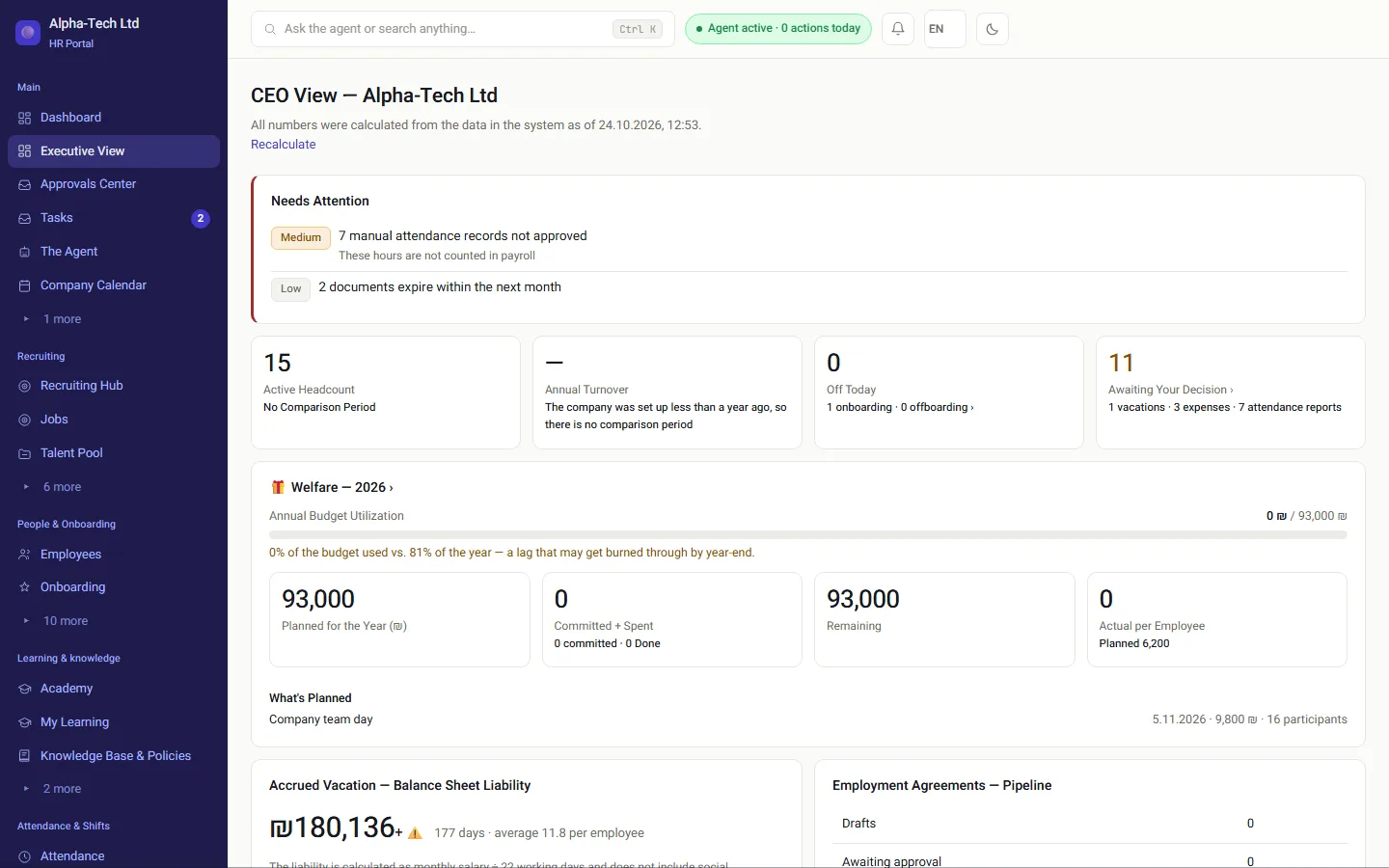
The HRAI management dashboard: who is at work today, open tasks and approvals
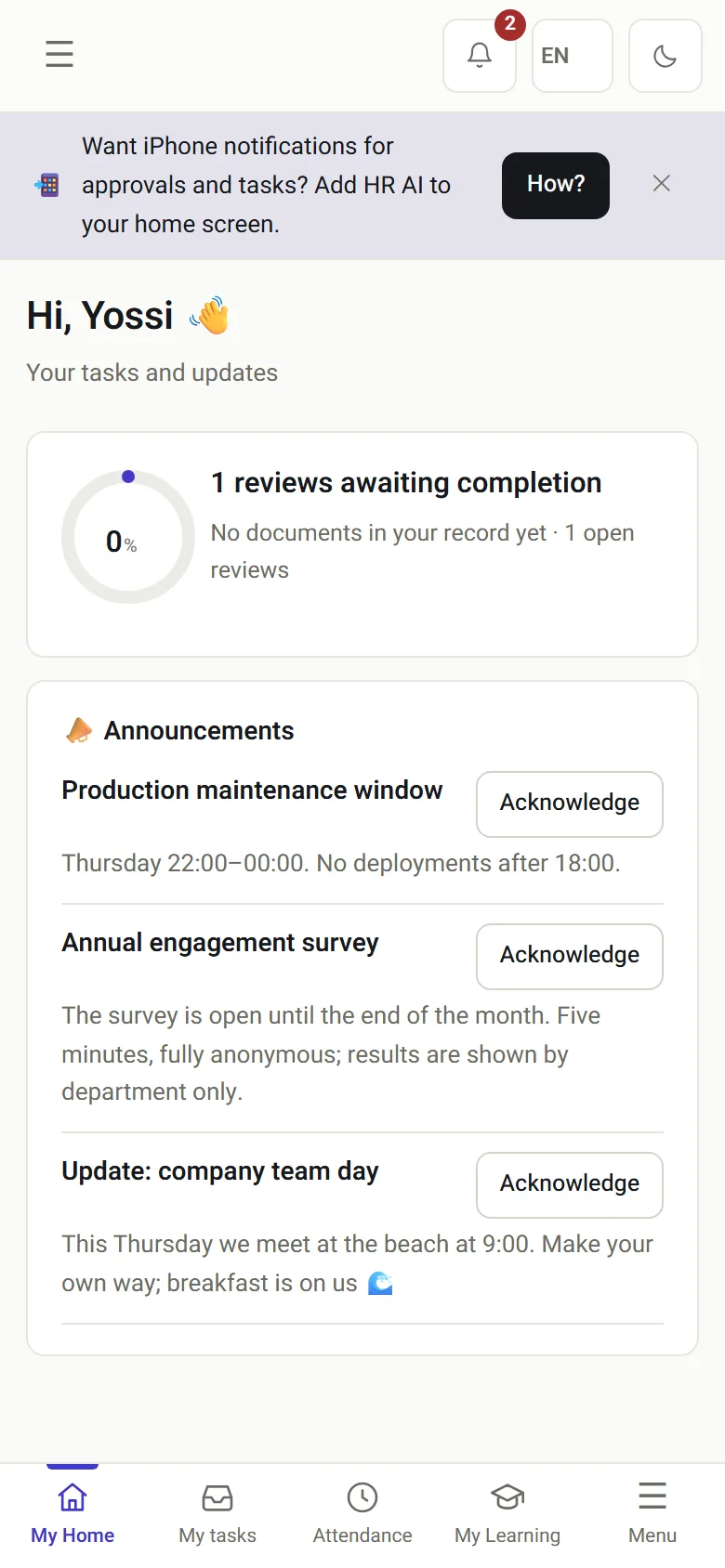
The HRAI employee home screen on a phone

Buying HR software

What usually makes HR software hard to buy?

You cannot see what is insideA module list appears only after a demo request, so you cannot compare before talking to sales.
Paying for a bundleWhole suites priced as one, when you need attendance this quarter and recruiting next year.
Fear of lock-inUncertainty about what happens to the data and the signed documents if you stop.
Prices that do not map to your sizeTiers built for someone else’s headcount, sites or industry.
The usual way
  • A demo before you can see the module list
  • One bundle, one price, whether you use it or not
  • Data that is hard to take with you
The HRAI way
  • Every module in the catalog is listed on this page
  • Start with one module and add as you grow
  • Full export at any time, in the cloud or on your own server

The base

What is always included in every package?

The part without which there is no system — Employees and org structure — is always included and is not sold separately. Every other module is optional, per company, one by one.

41modules in the catalog this page is built from
1core module included in every package
5hubs that group the optional modules
0lead forms needed to see what is in the system

The extensions

Which modules can you add, and how are they grouped?

The optional modules are grouped into five hubs. You can buy a whole hub or a single module from it. This list is not a hand-maintained marketing page: it is derived from the system’s own catalog.

The people

One tidy employee file that everyone works from. Includes: Employees and org structure · Onboarding and offboarding · Leave and absence · Performance reviews · Perks and wellbeing · Personal hardship and individual wellbeing · Internal tasks · Company academy (training) · portal · portal.news · portal.polls · portal.forms · portal.kudos · portal.mcp · retention · retention.pulse · retention.insights · retention.scripts · retention.recognition · retention.mcp.

The day-to-day

Who works, when, where and on what. Includes: Attendance and clock-in · attsync · payroll · Hours by task and project · Projects and workload · Shifts and rosters · Sites and location verification · Equipment · Expenses and reimbursements · Company calendar.

Hiring

From the CV pool to the first day. Includes: Recruiting and candidates · HRAILive: live voice interview (AI) · External recruiters.

Signatures and the employee file

What you will be asked about if there is ever a dispute. Includes: Documents and signatures · Equity grants (Equity/RSU) · Knowledge base and policies · WhatsApp channel · Mail and campaigns · AI assistant connection.

Business modules

Managing customer service in one place. Includes: Garage and ERP · Appointments and services.

Getting started

How do companies usually start with HRAI?

Three ways in, and each one can grow into the next. A module that is switched off keeps its data.

1One moduleMost common: attendance andclock-in verificationThe core comes with itMost common2A whole hubOne area of work end to endAll of hiring, or all of theday-to-day3EverythingFrom the published job tothe payroll fileCloud or your own server4Adjust as you growSwitch modules on or offThe data is kept
1One moduleMost common: attendance andclock-in verificationThe core comes with itMost common2A whole hubOne area of work end to endAll of hiring, or all of theday-to-day3EverythingFrom the published job to thepayroll fileCloud or your own server4Adjust as you growSwitch modules on or offThe data is kept
Each step is a configuration change for your company, not a migration.

Bring your own assistant

Can you connect your own AI assistant to HRAI?

Included in every paid package

Your assistant answers HR questions with your permissions, and no more

Connect Claude or the assistant you already use, and it answers your HR questions with exactly the permissions you have on screen. The connection is included in every paid package with a monthly quota.

  • A personal token per user, with the same permissions that user has on screen
  • Every call is written to the audit log before it runs
  • No master key, and no access to ID numbers or bank accounts: the list of fields the connection knows is closed, not filtered
  • A new token is read-only; write access is chosen when the token is issued
  • A read tool cannot change anything, by structure rather than by setting
  • A sensitive action needs an approval bound to the exact request and checked again before it runs
  • A module that is off for the company is closed here too
Worth checking against your shortlist: as far as we know, few HR systems in Israel let you connect the AI assistant you already use under the permissions of the person using it. Ask each vendor you compare how its connection limits fields, logs calls and handles write access.
Modules active for the companya module that is off is closed here tooThe user’s rolethe same permissions as on screenPersonal policy per domainset per user by the companyThe token’s own scopeborn read-only; write is chosen at issueWhat the assistant may do = the narrowest of the four layers. Every call is logged first.
The narrowest of four layers decides what a connected assistant can do.

The AI agent and channels →

Compare

Which starting point fits your company?

Three ways to start with HRAI compared
One moduleA whole hubEverything
What you getThe core plus one module, for example attendanceOne area of work end to endFrom the published job to the payroll file
Fits whenOne process carries the risk or the painOne team owns a whole area, such as hiringYou want one record from hire to payroll
LaterAdd modules one by oneAdd another hub or single modulesSwitch off what you do not use
DeploymentCloud or on-premisesCloud or on-premisesCloud or on-premises

Who decides what

Who is involved in choosing the modules?

Management and finance

Two variables set the price: headcount and modules. Both can change after signing.

HR

Chooses which processes move first, and which modules each company in a group sees.

Payroll department

Receives the monthly file in its own system’s format. Its calculation stays where it is.

IT and security

Chooses cloud or on-premises, and reviews isolation, roles and export.

The bottom line

What determines the price?

Headcount, and which modules are on. That is all that sets the price, and you control both after signing: a module can be switched off, and its data is kept. Thousands of automated tests run before any change goes live.

Security and trust →

Need people as well as software? Outsourced HR in Israel →

Frequently asked

What people ask before they start

Why are there no prices on this page?

Because the price is set in one call from two variables only: headcount and which modules are switched on. What is transparent already is the full composition. Every module that exists in the system appears here, built from the same configuration that enables modules for real customers. We do not show a dummy price list or ask for a lead form before you can see what is inside.

Can we start with a single module?

Yes, and that is what we recommend. Each module is enabled separately for each company, and a module that is not enabled does not appear in anyone’s menu. The most common start is attendance and clock-in verification, where the legal exposure is highest, and modules are added from there as needed.

What happens to the data when a module is switched off?

The data is kept and comes back if the module is switched on again. Switching a module off removes its screens and its server routes, not the information.

Does connecting our own AI assistant cost extra?

No. The connection is included in every paid package, with a monthly quota of questions. Your assistant, Claude, ChatGPT or another, asks the system on your behalf and only with your permissions, and every call is written to the audit log. A new token is read-only; write access is an explicit choice when the token is issued, has its own quota, and a sensitive action needs an approval bound to the exact request.

Can HRAI be installed on our own server?

Yes. HRAI can be installed fully on-premises, and company isolation is enforced in the database layer as well as in the code. In the cloud and on-premises alike, the data can be exported at any time, and there is no technical lock-in.

Is the interface available in English?

Yes. Each user can switch the interface between Hebrew and English, and the choice is saved to their account. Form 101 itself can be filled in five languages. Some content your company writes, such as policies or job ads, stays in the language it was written in.


Get started

Book a demo

Leave your details and we will get back to you within one business day to set a time for a 30-minute demo on your own processes. If it turns out not to be a fit, we will say so.

About the details you share. Data controller: Career and Content ltd (operator of HR AI), company no. 515523934, [email protected]. You are not legally required to provide them; without a name and email we cannot get back to you, and that is the only consequence. The information is used to respond to your inquiry, kept for up to 24 months, and shared only with our email provider and our sales team. You may review, correct or delete it at any time at the same address — Privacy Policy (Hebrew), English summary.