Onboarding · Digital Form 101 (Tofes 101) · Five languages

Digital Form 101: employees fill it in on their phone, HR approves it

A digital Form 101 is the Israeli employee tax card, completed on a phone instead of paper. In HRAI the employee enters personal and family details, other income and tax credits, attaches documents, and locks the declaration with an SMS code, in one of five languages. HR approves it before payroll uses it.

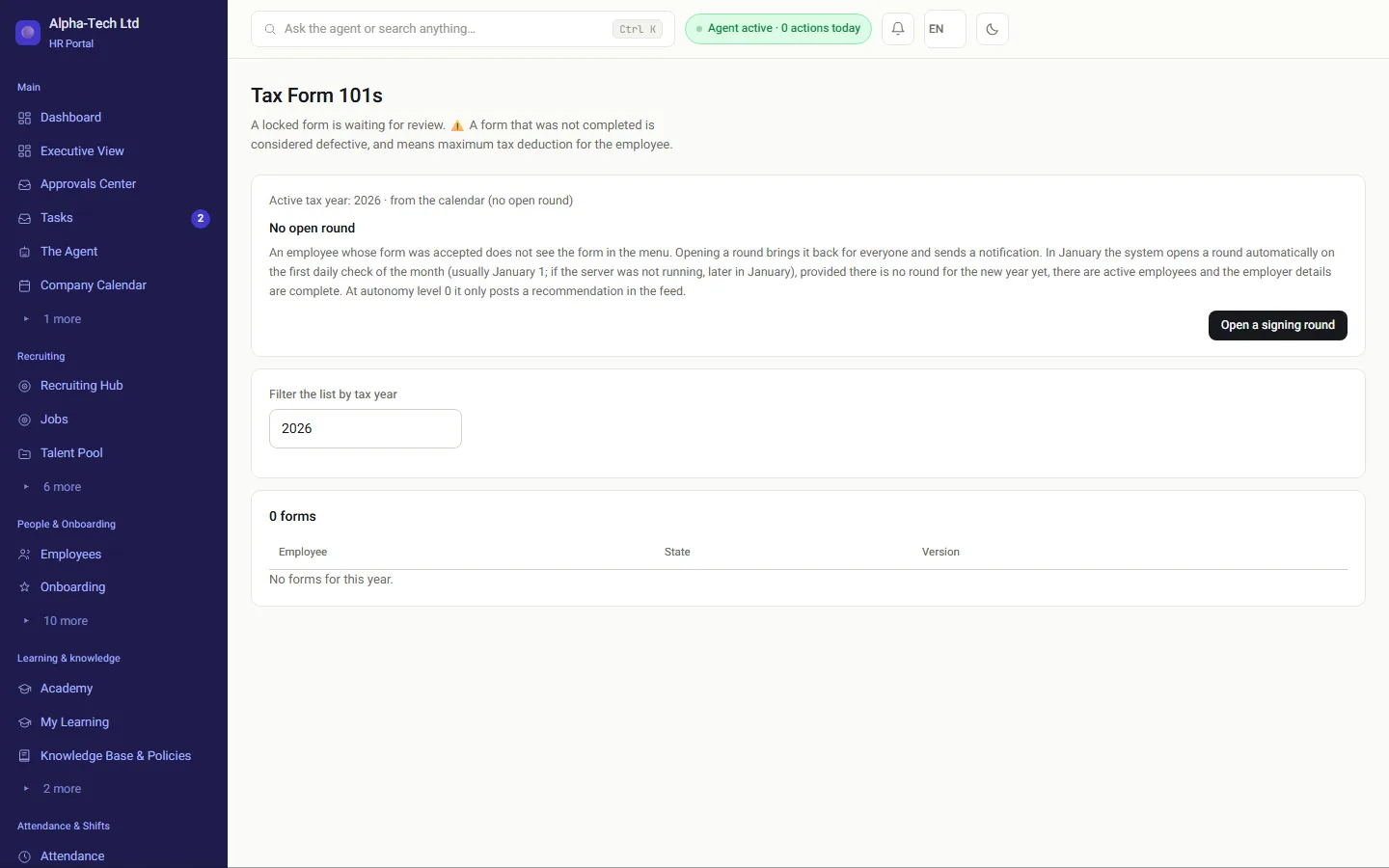
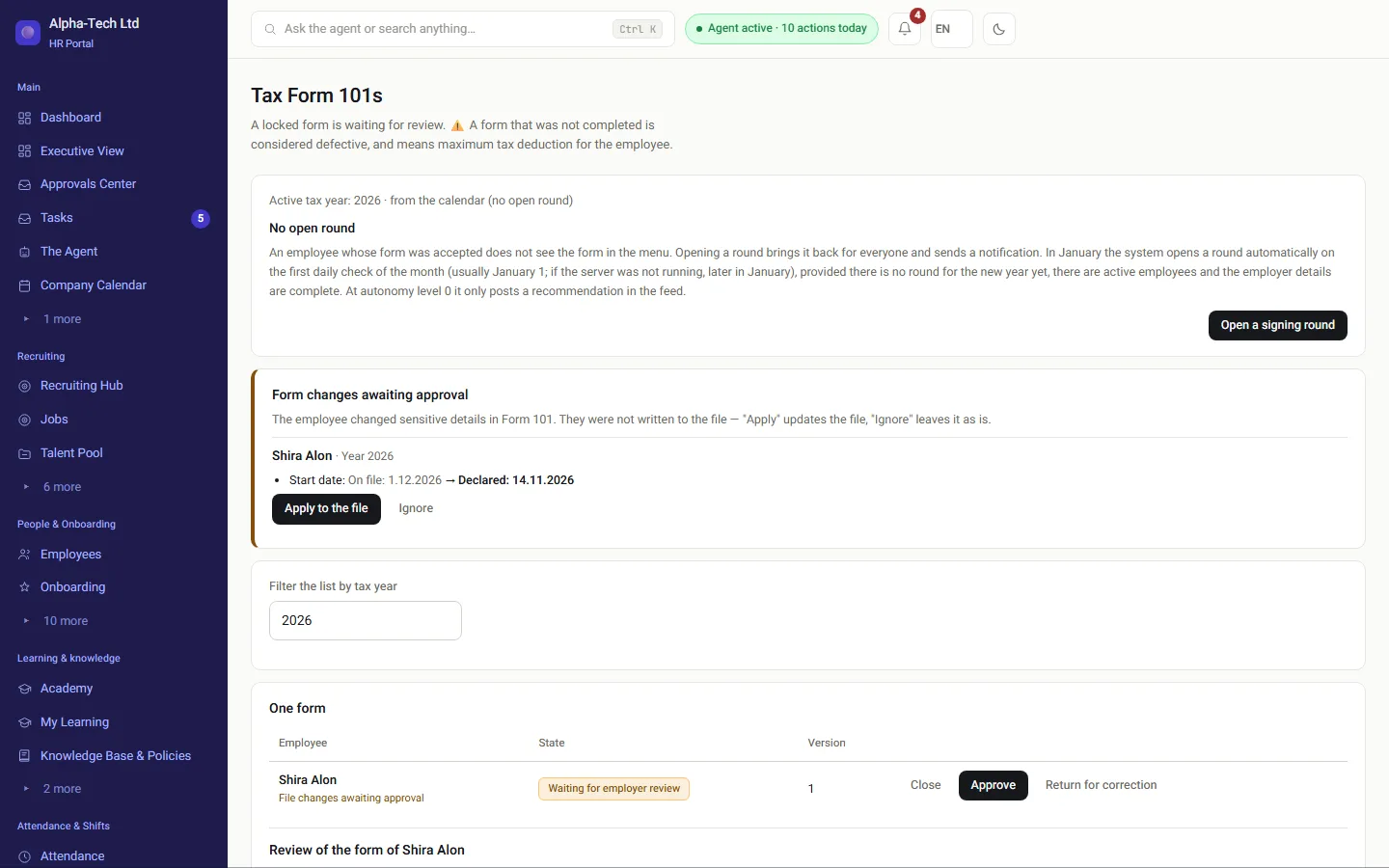
Form 101 list for HR: a form waiting for review, with approve and return-for-correction actions
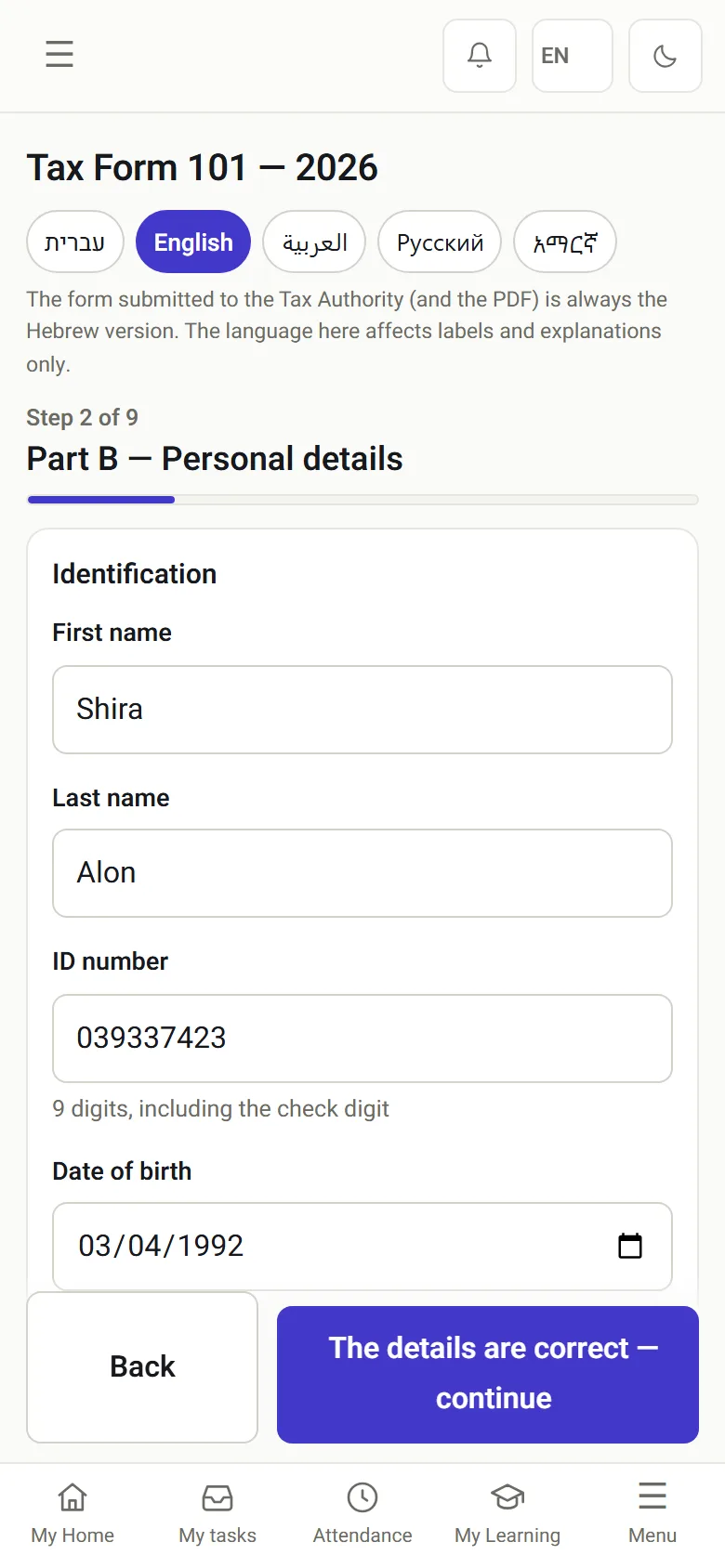
Form 101 on a phone in English: the first screen, bank account details
HR reviews on a desktop, the employee fills in the form on a phone.
5languages to fill in the form
SMSone-time code locks the declaration
No papernothing to print, sign or scan

Last reviewed

Definition

What is Form 101?

In short

Form 101 (Hebrew: Tofes 101), officially the employee card and request for tax relief and tax coordination by the employer, is the Israel Tax Authority form in which an employee declares what affects income tax: family status, children, other income and tax credits. It is filled in within a week of starting work and every January 1.

For a company new to Israel, Form 101 is the closest thing to a W-4 or a starter checklist: without it the payroll department cannot apply the employee's tax credits. It is not a contract and it does not replace the written notice of employment terms. The deadlines come from regulation 2 of the Income Tax (Deduction from Salary and Wages) Regulations (Hebrew).

Also called: Tofes 101, online Form 101, digital employee card. Hebrew: טופס 101.

On paper

Why does a paper Form 101 keep coming back?

On paper, Form 101 returns with empty fields, unreadable handwriting and documents left at home. In the digital version the fields that are already known arrive filled in, an empty required field stops the submission, and supporting documents are photographed on the phone there and then.

Printed and handwrittenThen scanned, when part of what was written is no longer legible.
Fields left emptyThe form goes back to the employee because a section is missing.
Documents left at homeAn immigrant certificate or proof of residence arrives separately, if at all.
A language not everyone readsSomeone who reads Hebrew with difficulty skips sections, and tax credits with them.
On paperOn a phone, in HRAIPrinted and filled in by handFields left emptyDocuments forgotten at homeScanned, then sent backKnown fields already filled inEmpty required field stops sendingDocuments photographed in placeDeclaration locked with an SMS code
On paperPrinted and filled in by handFields left emptyDocuments forgotten at homeScanned, then sent backOn a phone, in HRAIKnown fields already filled inEmpty required field stops sendingDocuments photographed in placeDeclaration locked with an SMS code
The same form, two very different experiences

How it works in HRAI

From a signed agreement to an approved Form 101

The form is a step inside onboarding. It opens by itself, arrives half filled in, and ends with HR.

1AgreementsignedOnboarding opensby itselfAutomatic2Pre-filledName, ID, phoneand address fromrecruitingAutomatic3Filled in on aphoneIn five languages,nothing printed4DocumentsPhotographed andattached on thesame screen5DeclarationLocked with aone-time SMS codeLock6HR reviewApproved, orreturned with anoteReview
1Agreement signedOnboarding opens by itselfAutomatic2Pre-filledName, ID, phone and addressfrom recruitingAutomatic3Filled in on a phoneIn five languages, nothingprinted4DocumentsPhotographed and attached onthe same screen5DeclarationLocked with a one-time SMScodeLock6HR reviewApproved, or returned with anoteReview
Only an approved form goes on to the payroll department

Both sides

Who does what on a digital Form 101?

01 · The employee

Filled in on the phone, nothing to print or scan

A link to the phone, and everything happens on one screen: short questions, an explanation next to each section, and the camera for supporting documents.

  • Fields that are already known arrive filled in from recruiting
  • An empty required field stops the submission
  • A document the form requires, such as an immigrant certificate or proof of residence in an eligible town, is photographed and attached from the same screen
  • At the end: a declaration locked with a one-time SMS code
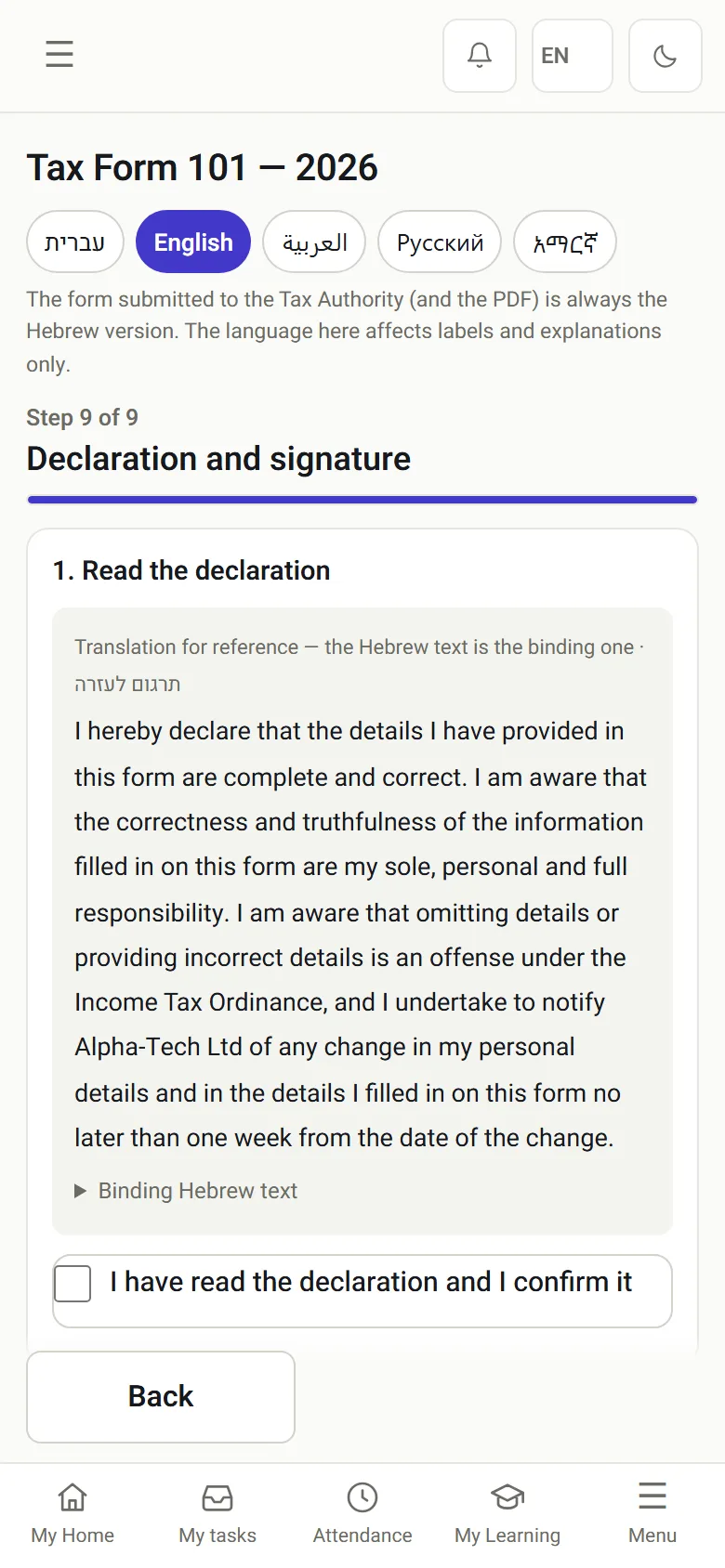
Form 101 on a phone: the declaration text and sending a confirmation code to the phone

Declaration

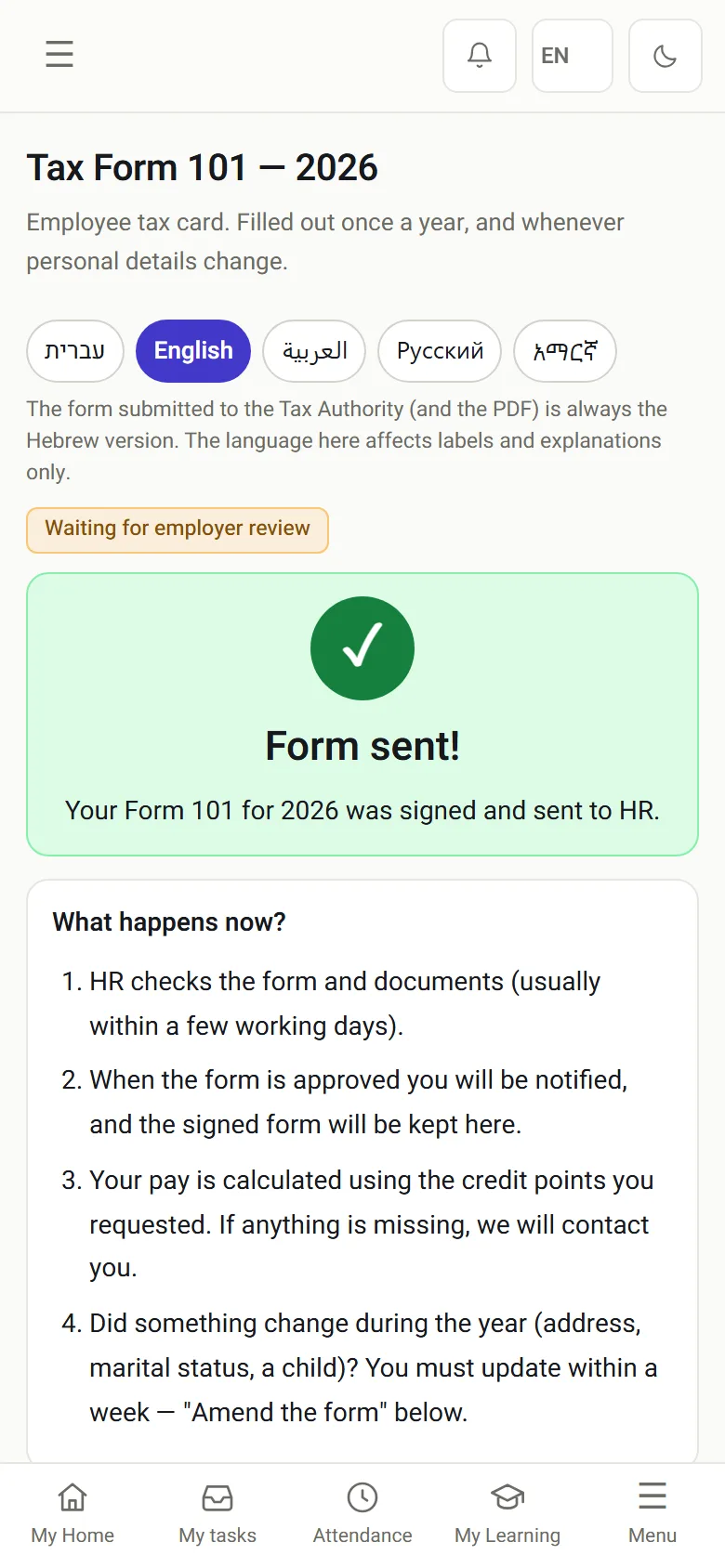
Form 101 on a phone: the form has been sent and is waiting for the employer review

Sent for review

02 · HR

Review, approve or return for correction

All forms in one place, with the status of each. Open one, check the documents, and decide.

  • A form with something missing goes back to the employee with a note explaining what
  • The correction is made on the phone, and the review comes back to HR
  • An approved form leaves with the onboarding details, as CSV and PDF files, to the destination set in the flow
In the demo: you see the form from both sides, from filling it in on a phone to the approval.
Form 101 review screen: an employee form with the form view and the photographed ID documents
The full sequence, step by step

The agreement is signed by both sides

When the employee and the company have signed the employment agreement, onboarding opens by itself, and the form is one of its steps.

Details from recruiting are already in

Name, ID number, phone and address come from what the candidate entered during recruiting, and nobody types them again.

Filled in on a phone, in the chosen language

Hebrew, English, Arabic, Russian or Amharic. Questions and explanations in the employee's language; the form is stored in the same structure in every language.

Documents from the camera

Any document the form requires is photographed and attached from the same screen.

Declaration locked with an SMS code

At the end the employee declares that the details are correct. The declaration is locked with a one-time code sent to the phone.

HR approves or returns for correction

A form with something missing goes back with a note, and the correction is made on the phone. Only an approved form goes on to the payroll department.

✓ on a number: a gate, where the next step waits for a person’s approval

Five languages

Which languages can employees use for Form 101?

An employee who reads Hebrew slowly fills in a Hebrew form slowly, may skip sections, and may give up tax credits they are entitled to. When the explanations are in their language, they understand what is asked and answer on their own, without waiting for someone in the office to translate.

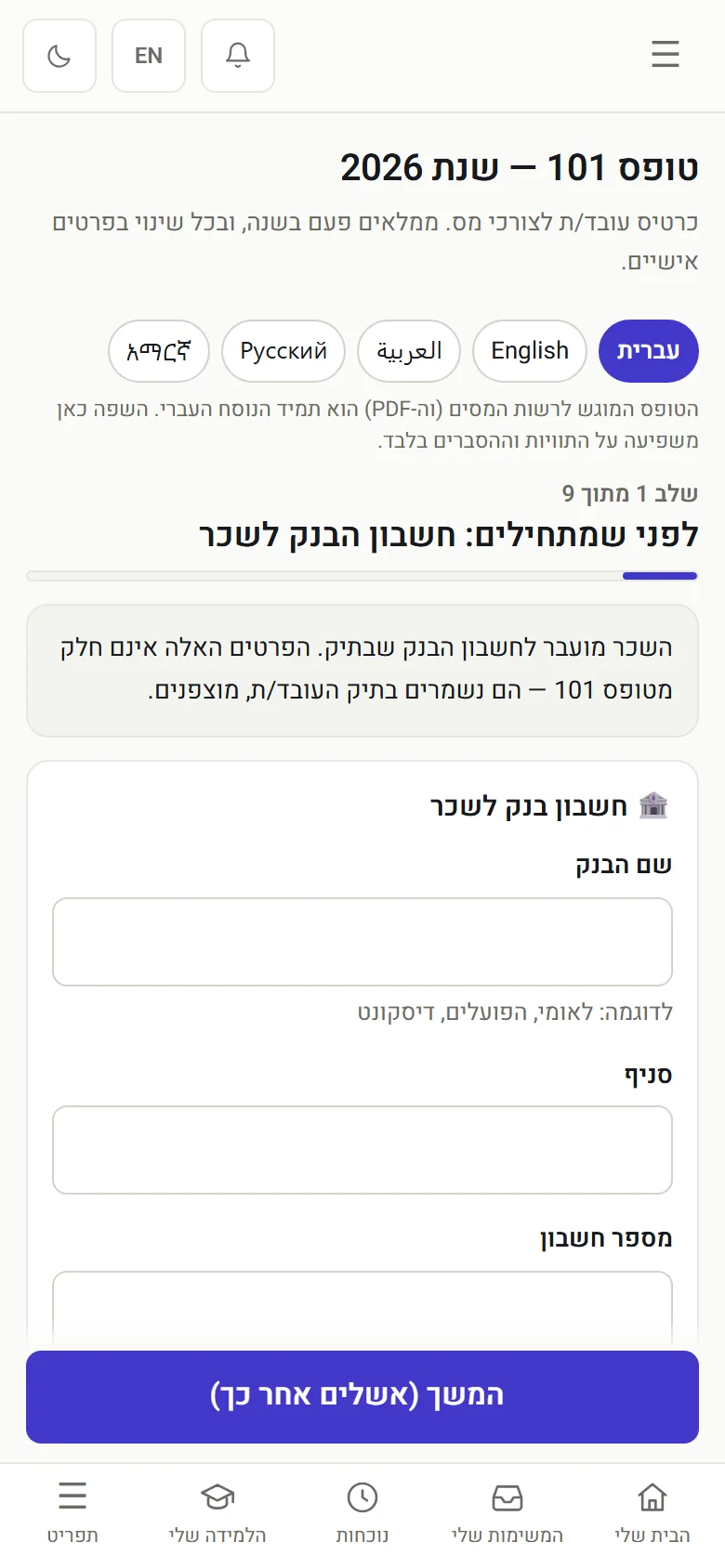
Form 101 on a phone in Hebrew: the first screen, bank account details

Hebrew · the default

Form 101 on a phone in English: the first screen, with the language chips

English

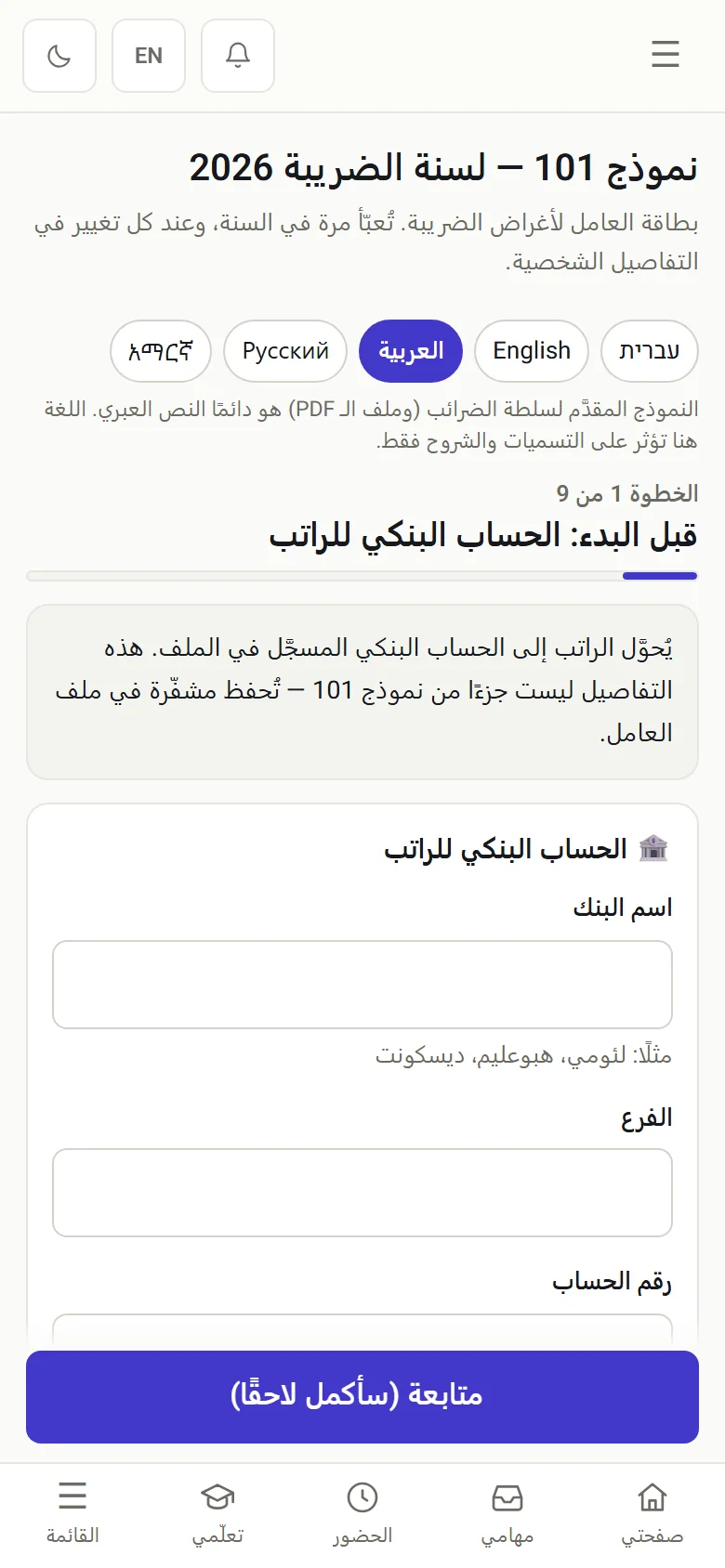
Form 101 on a phone in Arabic: the first screen, bank account details

Arabic · right to left

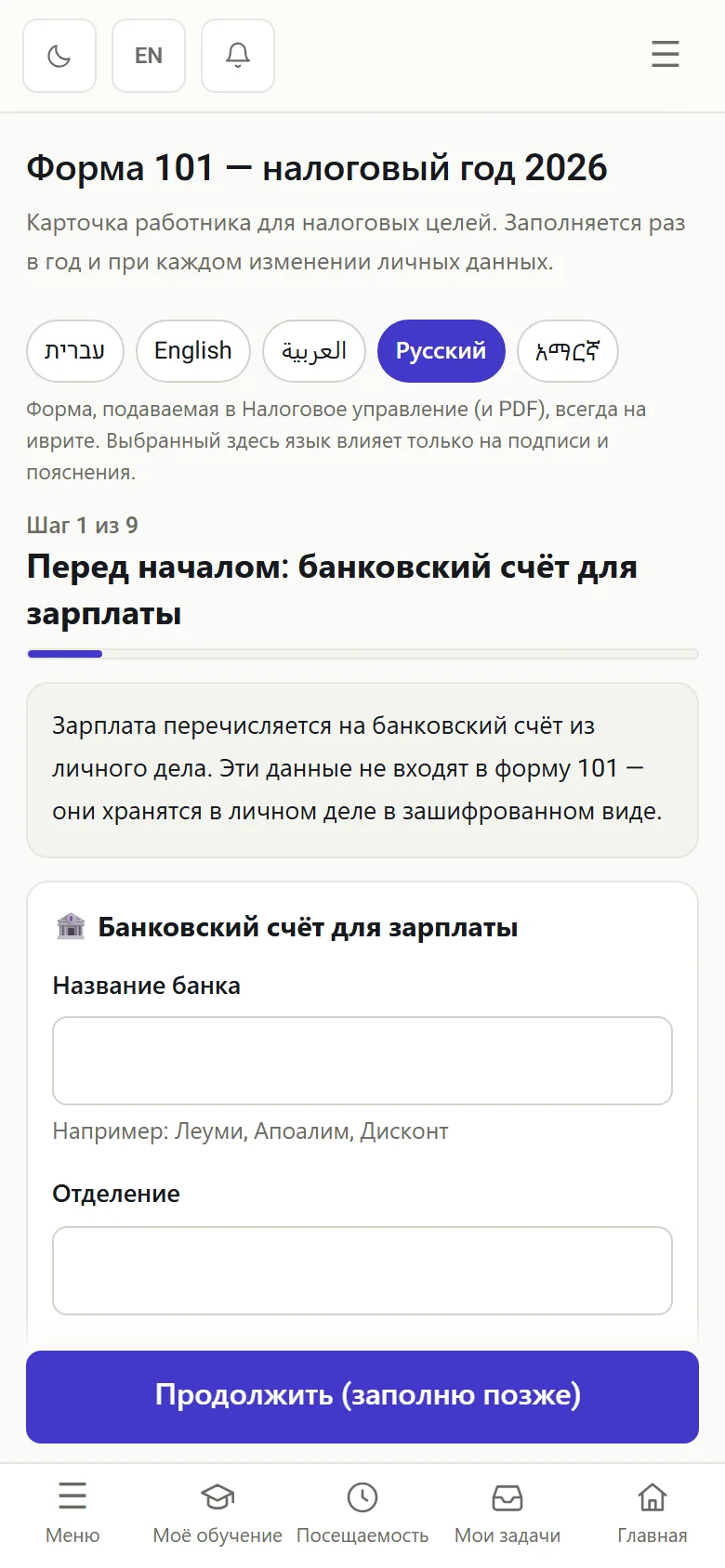
Form 101 on a phone in Russian: the first screen, bank account details

Russian

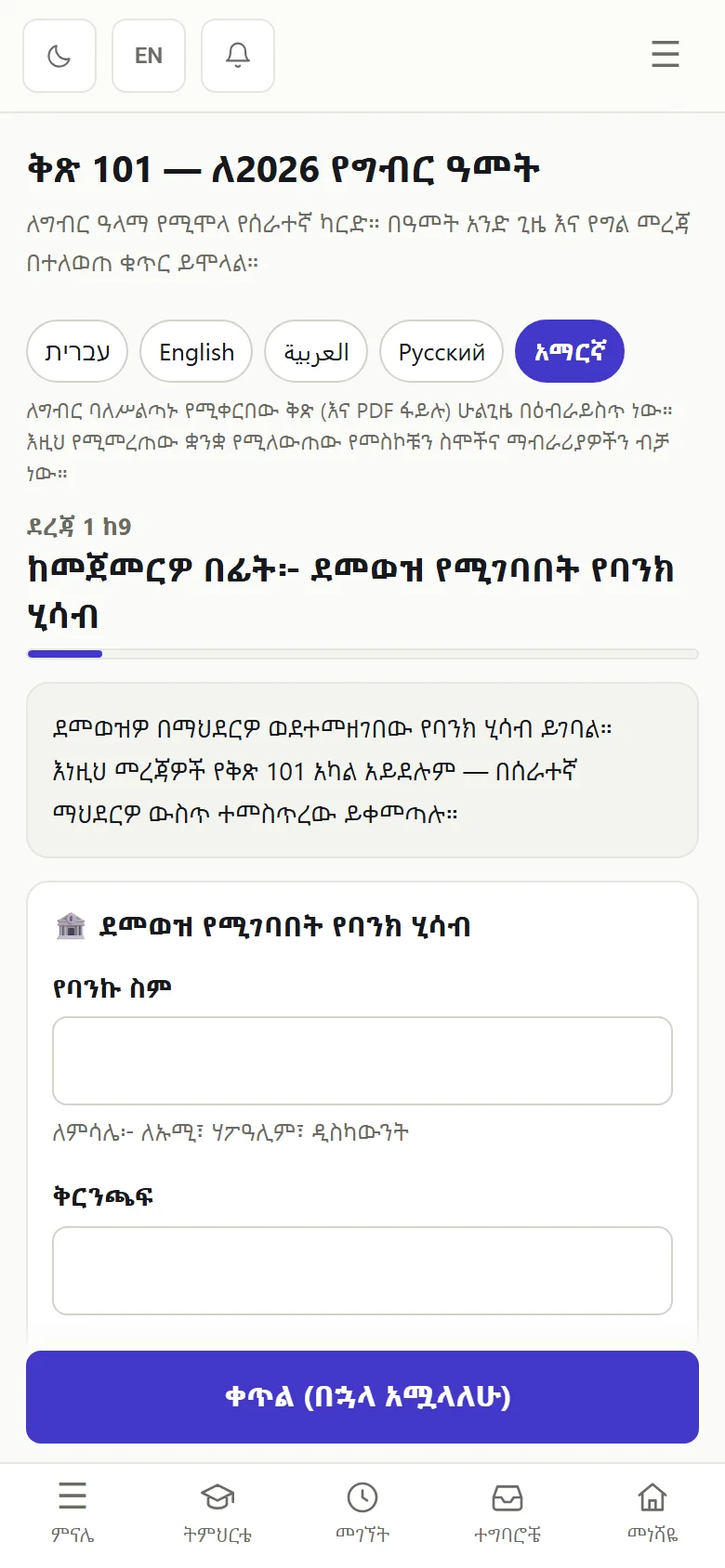
Form 101 on a phone in Amharic: the first screen, bank account details

Amharic

The same first screen in all five languages. HR receives the form for review in the same structure.

Requirement and system

What does Form 101 require, and how does HRAI handle each requirement?

What is required Filled in within a week of starting work What HRAI does The form opens as part of onboarding, once the agreement is signed by both sides
What is required Renewed on January 1 every year What HRAI does The system includes the annual renewal in January
What is required Complete and correct details What HRAI does Details from recruiting are pre-filled, and an empty required field stops the submission
What is required Documents supporting a relief What HRAI does Photographed and uploaded from the phone into the form itself
What is required The employee's declaration What HRAI does The declaration wording, locked with a one-time SMS code
What is required Employer review What HRAI does Approval, or return for correction with a written note
What is required Employer signature on the form What HRAI does For an electronic Form 101, the Tax Authority rules require a certified electronic signature from an external certification authority. That connection has not been completed yet, and the system states this on the form
What is required Transfer to the payroll department What HRAI does The approved form leaves with the onboarding details as CSV and PDF files, to the destination set in the flow

The online form follows the Israel Tax Authority’s filling, declaration and re-identification rules for an electronic Form 101 (circular 2026-000058). It is not yet an approved electronic Form 101: the system approval has not been obtained and the employer’s certified signature is not connected. Official reference: the system approval for producing an electronic Form 101 (Hebrew) (Tax Authority service page).


Paper Form 101, emailed PDF and the guided digital form in HRAI, compared
Paper formEmailed PDFDigital form in HRAI
Who checks that it is completeSomeone in the office, by eyeSomeone in the office, by eyeRequired fields stop the submission; HR reviews
Supporting documentsPhotocopies, often missingSeparate attachmentsPhotographed into the form
LanguageHebrewHebrewHebrew, English, Arabic, Russian, Amharic
DeclarationHandwritten signatureVariesLocked with a one-time SMS code
CorrectionsA new paper formA new fileReturned with a note, corrected on the phone
To the payroll departmentScanned or carriedForwarded emailCSV and PDF files after approval

Roles

Who sees what?

The employee

Fills in the form on a phone in their chosen language, attaches documents and locks the declaration with an SMS code.

HR

Reviews, approves, or returns for correction with a written note.

The payroll department

Receives only an approved form, together with the onboarding details.

Frequently asked

What people ask before they start

What is Form 101 in Israel?

Form 101, the employee card (in full: employee card and request for tax relief and tax coordination by the employer; in Hebrew Tofes 101), is an Israel Tax Authority form in which an employee declares to the employer the details that affect income tax withholding: family status, children, income from other jobs, and the tax credit points or reliefs they are entitled to. The employer withholds tax from wages according to it.

When does an employee fill in Form 101?

Within one week of the day they start work, or of the day they are first paid if that is earlier, and again on January 1 of every year. When a detail on the form changes, for example a birth, a marriage or a move, the employee tells the employer within one week of the change. This is set by regulation 2 of the Income Tax (Deduction from Salary and Wages) Regulations.

Can Form 101 be filled in on a phone?

Yes. In HRAI the employee receives a link, fills in the form on the phone, photographs and attaches the supporting documents from the same screen, and at the end declares that the details are correct. The declaration is locked with a one-time code sent by SMS. Nothing has to be printed, scanned or brought to the office.

Is Form 101 available in English, Arabic, Russian or Amharic?

In HRAI, yes. The employee chooses a language at the start: Hebrew, English, Arabic, Russian or Amharic. The questions and explanations appear in the chosen language, and HR receives the form for review in the same structure whatever language it was filled in. This matters for employees who read Hebrew slowly and might otherwise skip sections or tax credits.

What happens if there is a mistake on the form?

HR returns the form for correction with a note explaining what is missing or wrong. The employee corrects it on the phone and sends it again, and the review returns to HR. The form reaches the payroll department only after it has been approved.

Does the employer sign the digital Form 101?

Under the Tax Authority rules for an electronic Form 101, the employer signature requires a certified electronic signature from an external certification authority, together with a system approval. In HRAI neither has been connected to Form 101 yet: the form carries the system's organizational seal, which is not a certified signature, and the system says so on the form.

How do bank details reach the payroll department?

In the same onboarding flow in which the form is filled in. The employee enters the bank account details, and when onboarding closes they go to the payroll department together with the approved form. A later change of bank details waits for manual approval and is not updated automatically.

Get started

Book a demo

Leave your details and we will get back to you within one business day to set a time for a 30-minute demo on your own processes. If it turns out not to be a fit, we will say so.

About the details you share. Data controller: Career and Content ltd (operator of HR AI), company no. 515523934, [email protected]. You are not legally required to provide them; without a name and email we cannot get back to you, and that is the only consequence. The information is used to respond to your inquiry, kept for up to 24 months, and shared only with our email provider and our sales team. You may review, correct or delete it at any time at the same address — Privacy Policy (Hebrew), English summary.