
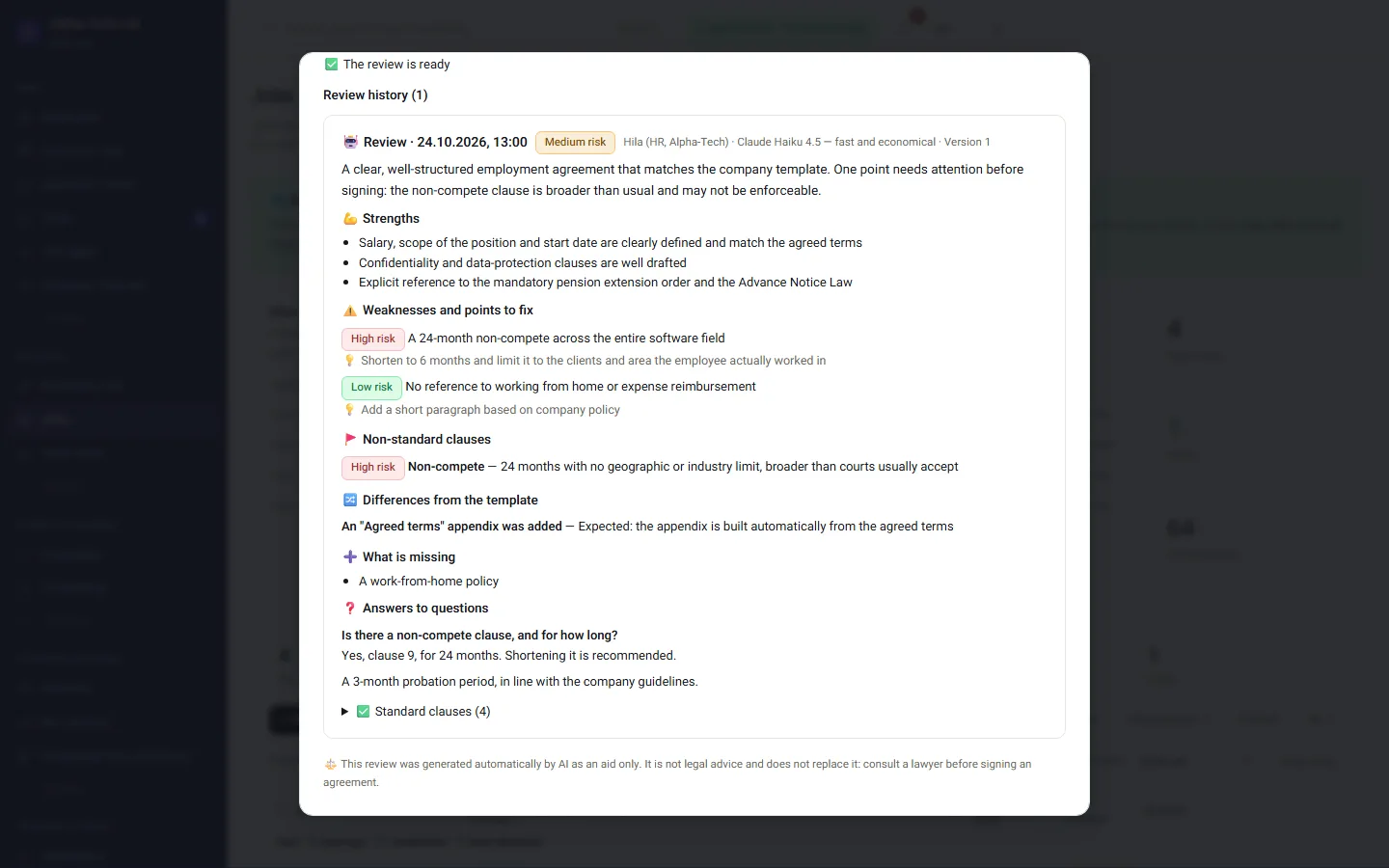
AI review before the company signs
The AI flags what is strong in the agreement, what is unusual and what differs from the template. It is a support tool, not legal advice.

Why HRAI · HR management system for Israel
HRAI is an HR management system that connects every step of employment in Israel: recruiting, the employment agreement signed on a phone, onboarding with a digital Form 101, attendance, shifts and tasks. It follows up, reminds and documents, and sends approved hours to your payroll department, so HR spends its time on people.
How it looks today
How it works
Each station hands the next what is already known. You decide; the system takes care of the next step.
The stations
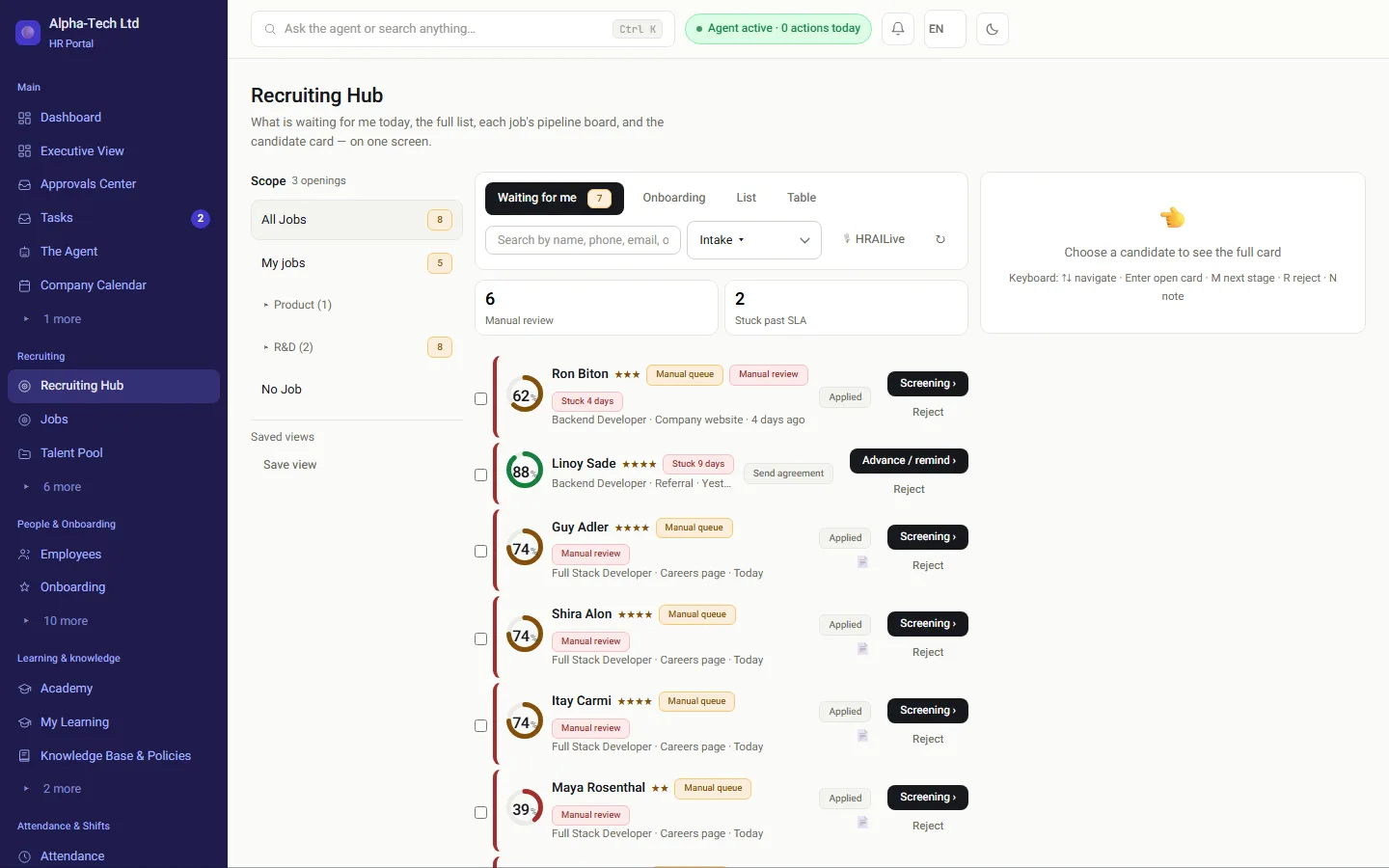
Open a role in four steps, a branded careers page, an email address per role, screening questions and a match score.
Read more →An offer by personal link, an agreement built from the company template and the agreed terms, approvals under policy and signing on a phone with an SMS code.
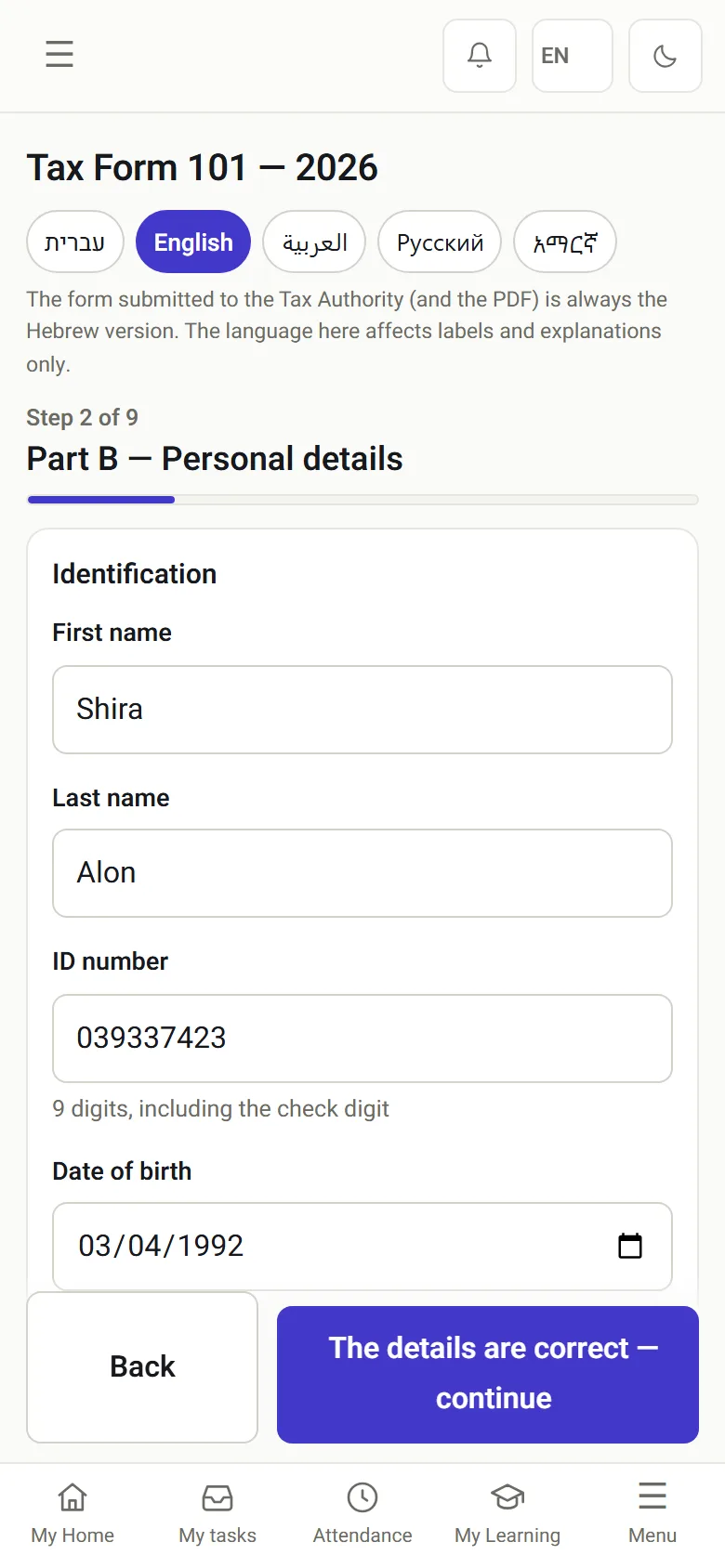
Read more →Onboarding opens by itself once both sides have signed the agreement, and Form 101 arrives pre-filled.
Read more →Clock-in from a phone, WhatsApp, an NFC tag or a QR code, manual fixes by approval only, and a locked month sent to the payroll department.
Read more →Tasks that open and close themselves, one approvals center, a CEO view and an agent that answers questions.
Read more →Entered once
Details candidates give during recruiting move into the agreement, Form 101 and the employee file, and nobody types them again. So there are no two versions of the same person, and from there the data goes to the payroll department in its payroll system's format, for example Michpal or Shiklulit (TAMAL).
Screens from the system
The AI flags what is strong in the agreement, what is unusual and what differs from the template. It is a support tool, not legal advice.
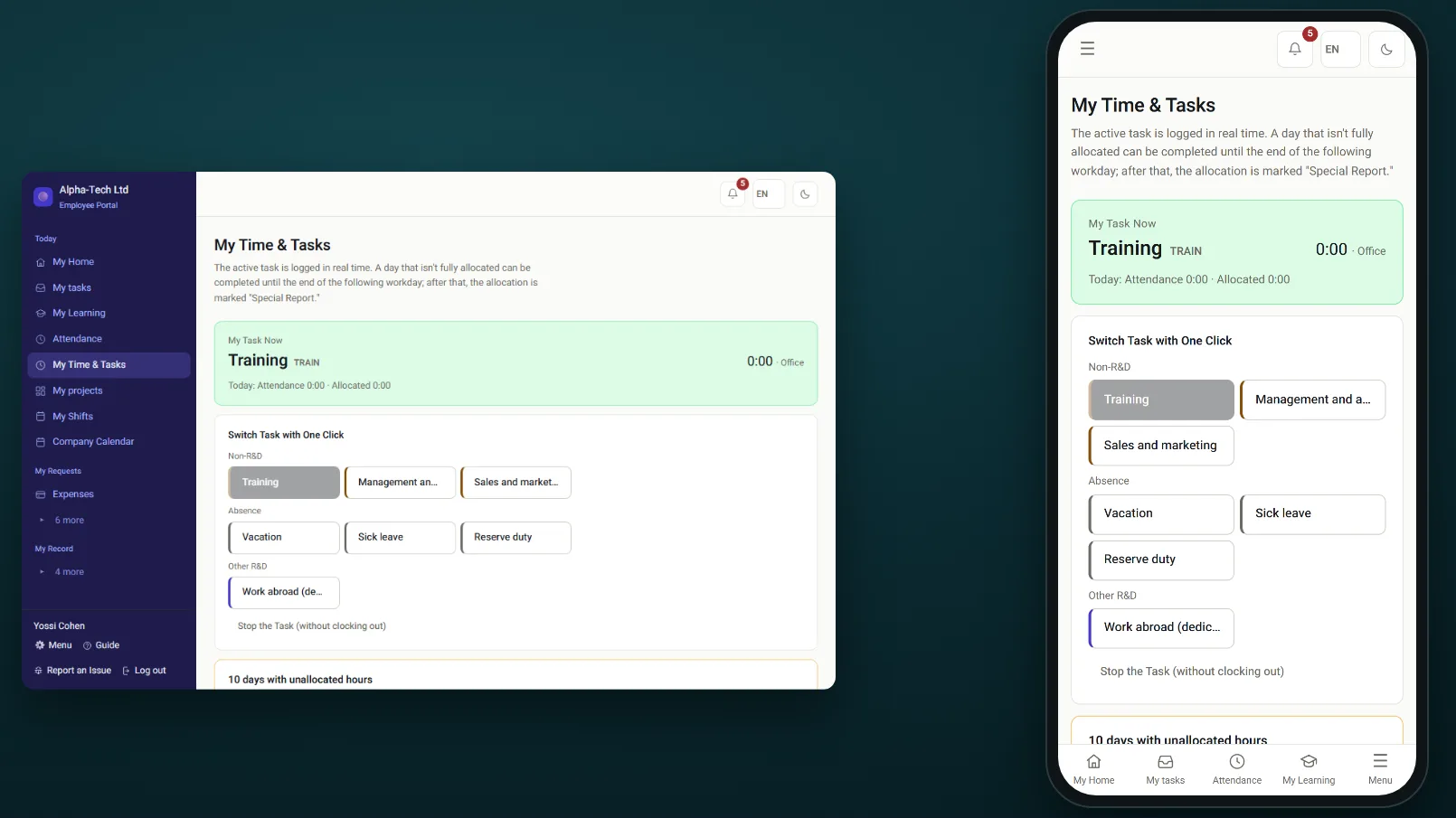
Hours from the time clock are split across the tasks people actually worked on, so you see where the time went.
One hire, start to finish
Follow one hire through HRAI in six steps: what the person does, and what the system does next without being asked.
There is also a two-minute overview film with Hebrew narration and on-screen text: watch the Hebrew-language film.
Why HRAI
A task opens when there is something to do and closes when the work is done, without anyone remembering to tick it.
Signing with an SMS code, a digital fingerprint for every document, and a log of every action.
Form 101 in five languages, a running record of actual working hours as Amendment 24 requires, export in the payroll department's format, and WhatsApp.
The AI screens, summarizes and recommends; a person decides. The agent has no access to pay data or sensitive information.
A practice environment, training tracks by role, and a step-by-step guide from every screen.
| Separate tools (email, Excel, paper) | HRAI | |
|---|---|---|
| Candidate details | Typed again in every document | Entered once, carried into the agreement, Form 101 and the file |
| Agreement version | Unclear which version was signed | Every version kept, signed with an SMS code |
| Form 101 | Paper, scanned, often incomplete | Guided form on the phone, pre-filled, in five languages |
| Attendance fixes | Edited by hand before payroll | Marked as manual and approved by someone else |
| Payroll department | Receives a spreadsheet to re-key | Receives a locked month in its own import format |
Sources
Sources checked on . This page describes the system and is not legal advice.
Frequently asked
HRAI is one system for the whole path: recruiting, offer and agreement, onboarding and Form 101, attendance and payroll input, and tasks. The details given during recruiting fill the agreement, Form 101 and the employee file, so there are no separate tools to connect and no second copy of the same person.
No. HRAI prepares attendance and hours data and sends it to your payroll department in the format it imports: as a file, over SFTP or through an API. The exact structure is checked with the payroll department once, during setup.
No. Start with what is most urgent for you, whether that is recruiting, onboarding or attendance, and add modules when you are ready. Each module is switched on separately and connects to the same employee file.
Everything employees need to do can be done from a phone and from WhatsApp: sign the agreement, fill in Form 101, clock in, request leave and ask questions. The portal saves to the home screen, and there is also an app for iOS and Android.
Take a real open role of yours and follow it all the way: an application from a phone, an agreement signed with an SMS code, onboarding and Form 101 opening by themselves, and a month that is locked and sent to the payroll department in its format. Thirty minutes, no slide deck.
Get started
Leave your details and we will get back to you within one business day to set a time for a 30-minute demo on your own processes. If it turns out not to be a fit, we will say so.
About the details you share. Data controller: Career and Content ltd (operator of HR AI), company no. 515523934, [email protected]. You are not legally required to provide them; without a name and email we cannot get back to you, and that is the only consequence. The information is used to respond to your inquiry, kept for up to 24 months, and shared only with our email provider and our sales team. You may review, correct or delete it at any time at the same address — Privacy Policy (Hebrew), English summary.
Essential cookies run the site and cannot be switched off. Everything else is your choice, and you can change it whenever you like. Cookie policy (Hebrew), English summary.