Onboarding and e-signature

Employee onboarding that actually closes, from signed agreement to the last document

HRAI onboarding starts with an employment agreement signed by both sides, the candidate with an SMS code and then the company signatory, and only then opens the employee file, prefilled from recruiting. Bank details, Form 101 in five languages and documents are completed on the phone, with reminders until the last item returns.

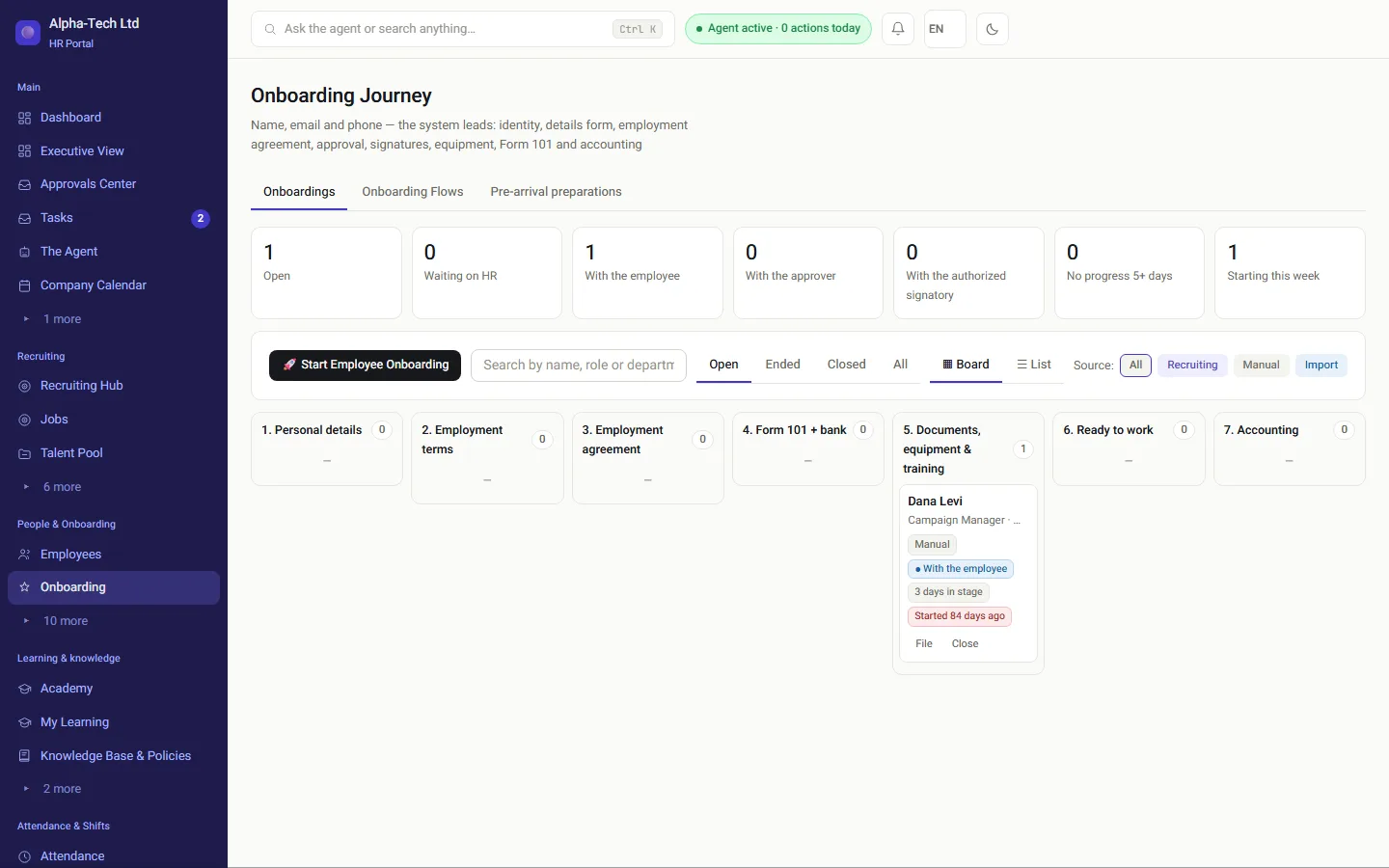
The onboarding journey: a seven-stage board, with counters for what is waiting and with whom
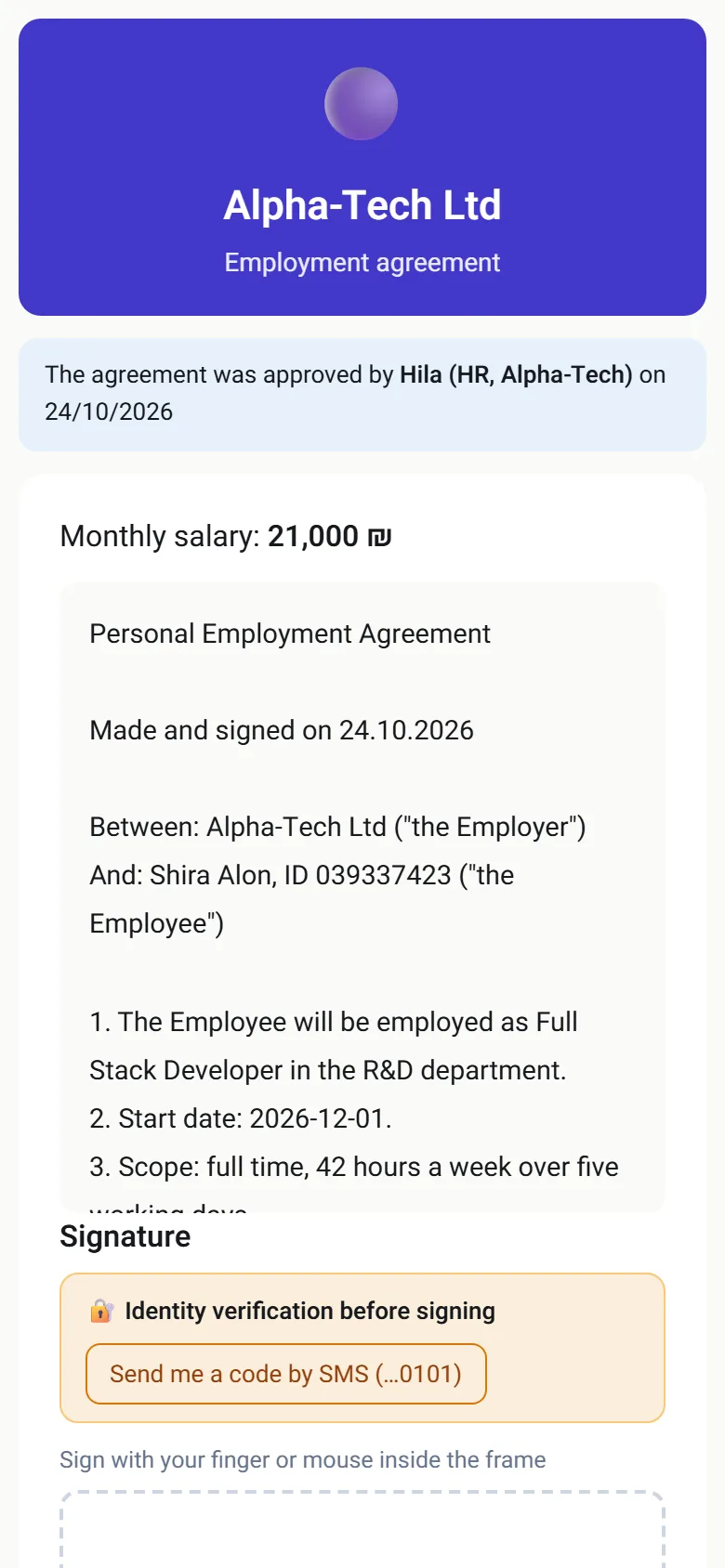
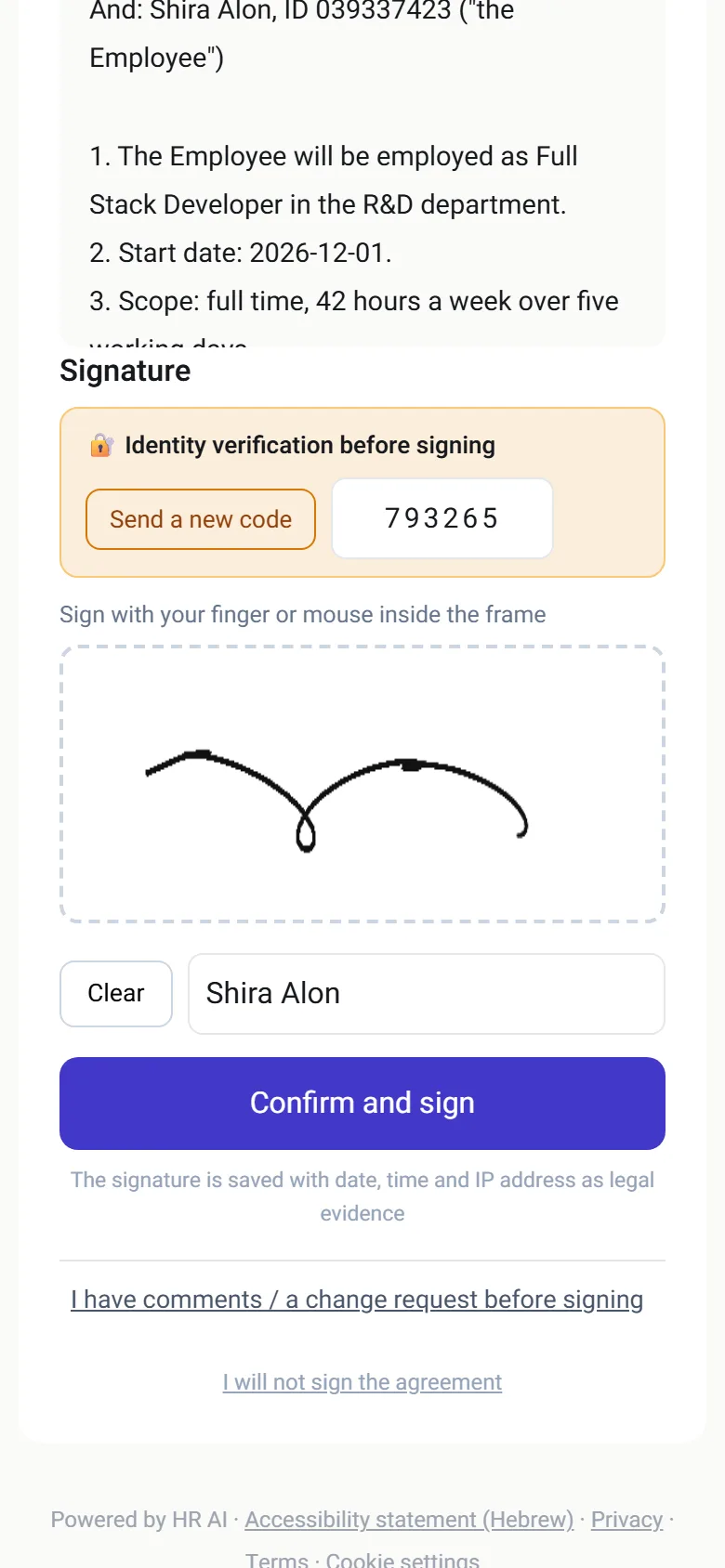
Signing an employment agreement on a phone, with identity verified by an SMS code
The onboarding board on a computer, and the candidate’s signing page on a phone.

Where it gets stuck

Why does onboarding stall?

The wrong version was signedA file by email, a fix by phone, and a third version that got signed.
Typing it twiceThe same name and ID number in the agreement, Form 101, the file and the payroll system.
One document that never came backAnd everyone assumes someone else is chasing it.
An employee without a computerWho has to print, sign, scan and send.
Without a system
  • Agreement sent as an attachment, signed on paper
  • Form 101 printed, filled by hand, scanned
  • A spreadsheet of who still owes what
  • Details retyped into payroll
With HRAI
  • Agreement signed on the phone by both sides, with an SMS code
  • Form 101 prefilled, in five languages
  • A board that shows what is missing, with whom, and for how long
  • Details flow from recruiting to the file and on to accounting

The path

What happens between the signed agreement and accounting?

For a candidate from recruiting, onboarding opens only after both signatures. In manual onboarding, the agreement is a stage on the board.

1AgreementThe candidate,thenthe companysignatory2File opensWith details fromrecruitingno retypingAutomatic3Details andbankA personal linkidentity by code4Form 101Prefilledin five languages5Documents andequipmentKits by rolereminders bythemselves6AccountingCSV and PDFto the destinationyou set
1AgreementThe candidate, thenthe company signatory2File opensWith details from recruitingno retypingAutomatic3Details and bankA personal linkidentity by code4Form 101Prefilledin five languages5Documents and equipmentKits by rolereminders by themselves6AccountingCSV and PDFto the destination you set
Completing onboarding is a manual step for HR, after every mandatory document has returned.

In practice

What do you see at each stage?

01 · The agreement

One agreement, two signatures, and only then a file

The agreement leaves from the candidate card, from a template or a PDF, and goes through approvals according to company policy.

  • The candidate reads it on the phone and verifies identity with an SMS code before signing
  • A change request reaches you by email, if the job allows it
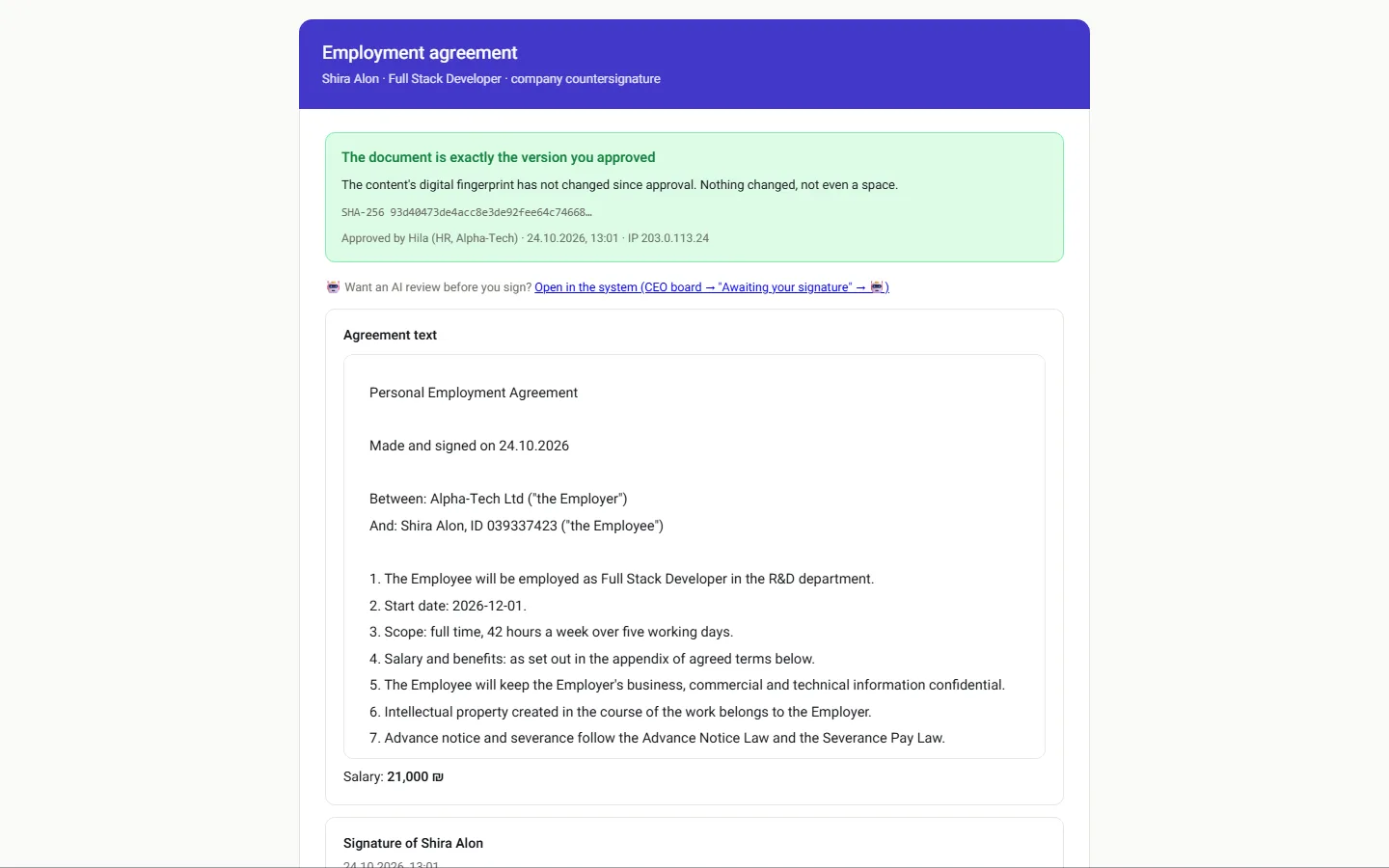
  • The company signatory sees that the text is identical to what was approved, and signs
  • A candidate who chooses not to sign is not onboarded

E-signing an employment agreement →

The company’s signing page: the document is identical to the approved text
The candidate signing on the phone screen
02 · The board

You know exactly where it is stuck

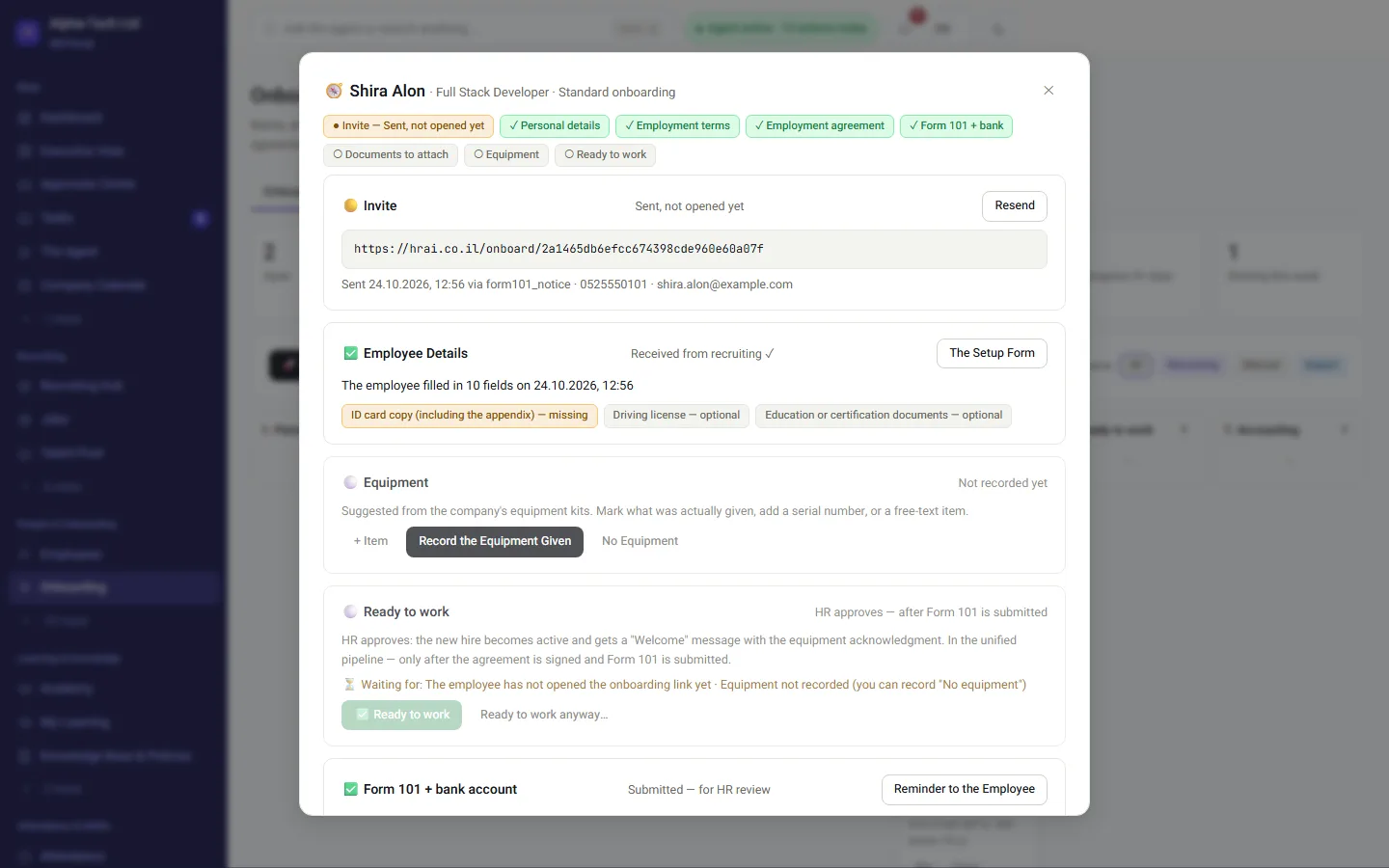
Every new employee is a card on the board: personal details, terms of employment, agreement, Form 101 and bank, documents and equipment, ready to work, accounting.

  • Counters at the top of the board: with the employee, with an approver, with the signatory, no movement for five days
  • Onboarding that has not moved for 24 hours gets an automatic reminder
  • An unsigned document gets a repeat reminder every 48 hours and shows up as a stuck item
In practice: If identity verification never happened, the message says so explicitly, because the link was probably never opened.
The journey drawer of an employee in onboarding: what is done and what is waiting
03 · The employee

Everything on the phone, no install and no password

  • A personal link by WhatsApp, email or SMS, according to the process you set
  • Bank details, health fund, emergency contact and an ID photo, in the same form
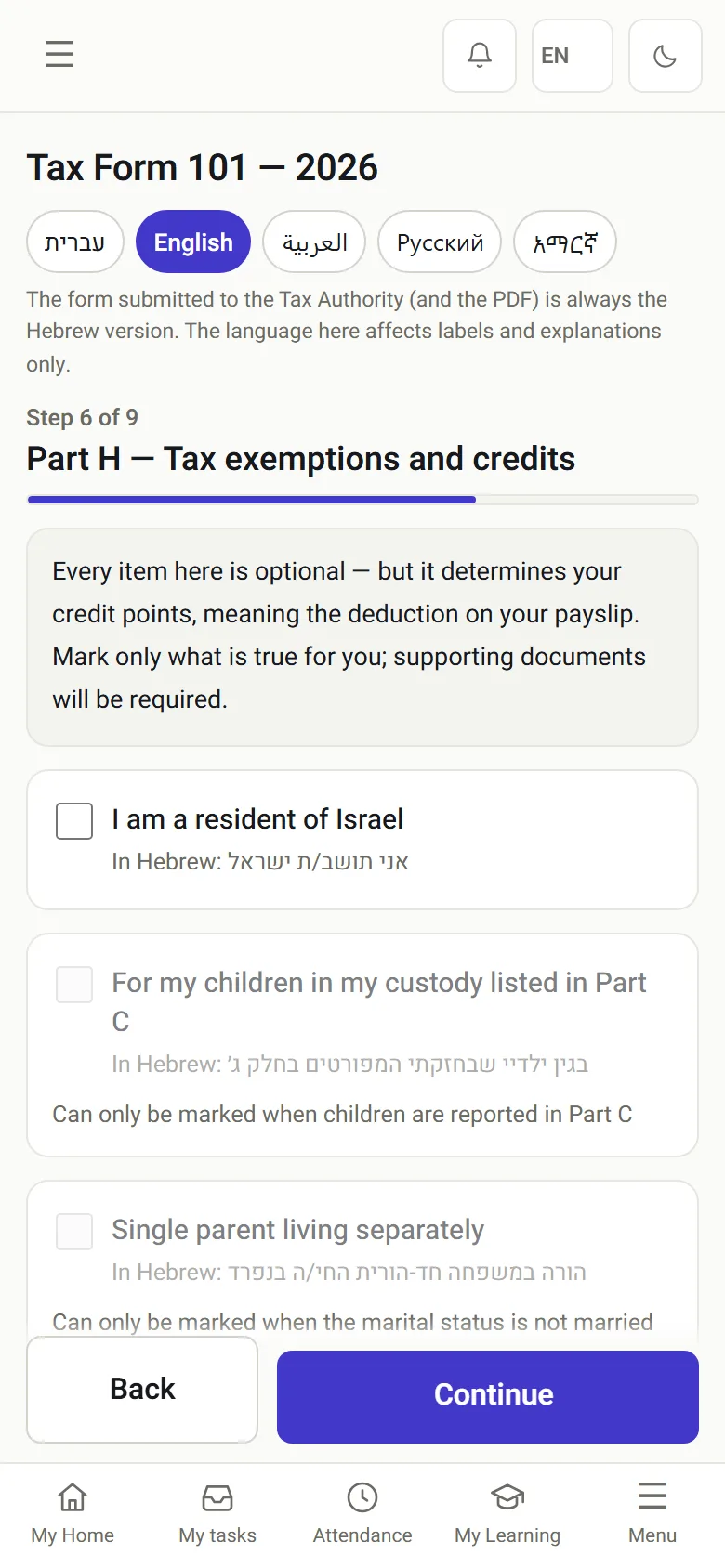
  • Form 101 in five languages, prefilled from the details given in recruiting
  • An employee in onboarding can already clock in, including at a terminal

Digital Form 101 →

Form 101 on a phone: progress by stage

Form 101

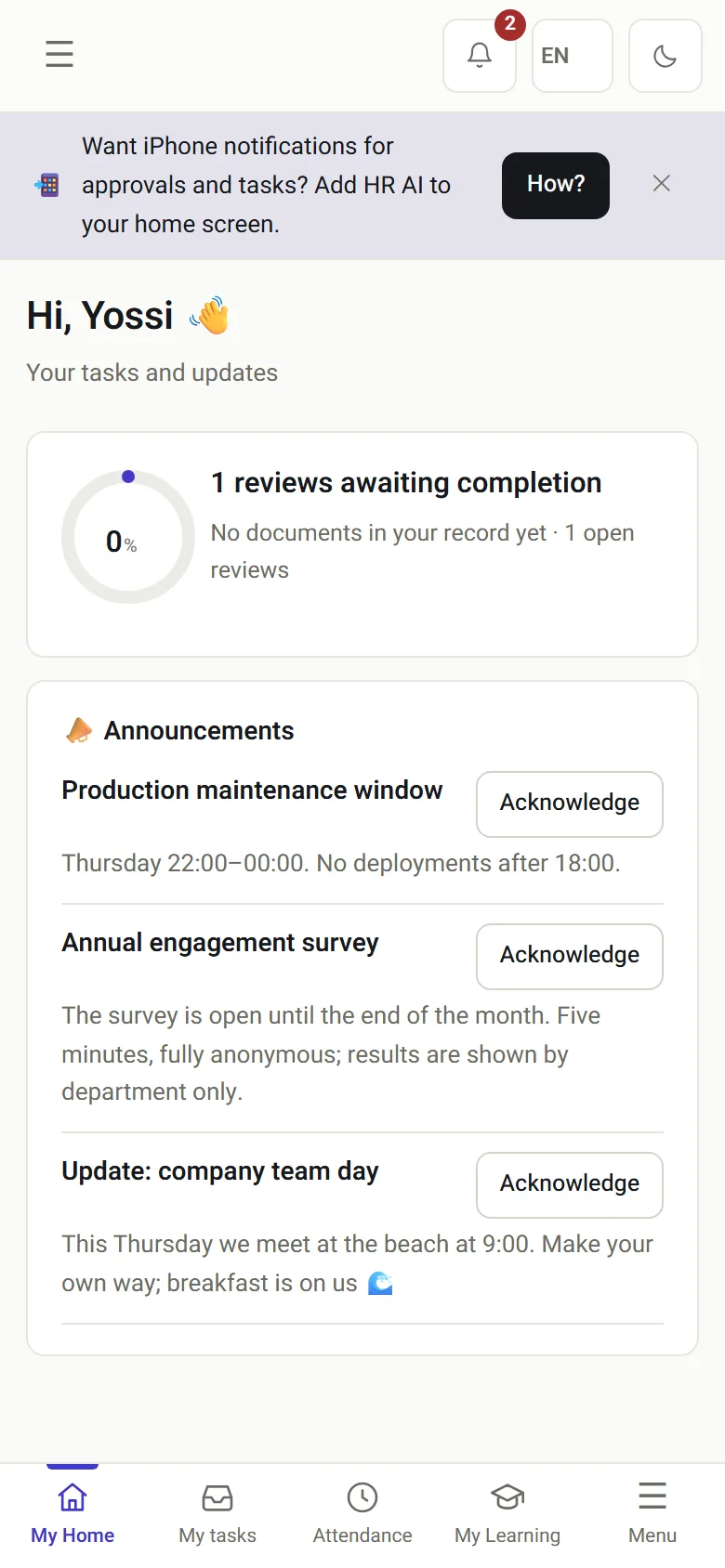
The employee’s home screen on a phone: documents and tasks waiting

Employee home

04 · The file

What remains is a file, not a folder

  • Every send, open, identity check and signature is kept in one documented record
  • The hash is derived from the content of the document that was actually read, not from metadata
  • An uploaded PDF enters the process as a mandatory stage, and the signature applies to the original file
  • An optional document that was not signed is recorded as a refusal, with the reason
Important: The templates are an accurate digital foundation; before binding use, we recommend your lawyer approves them.
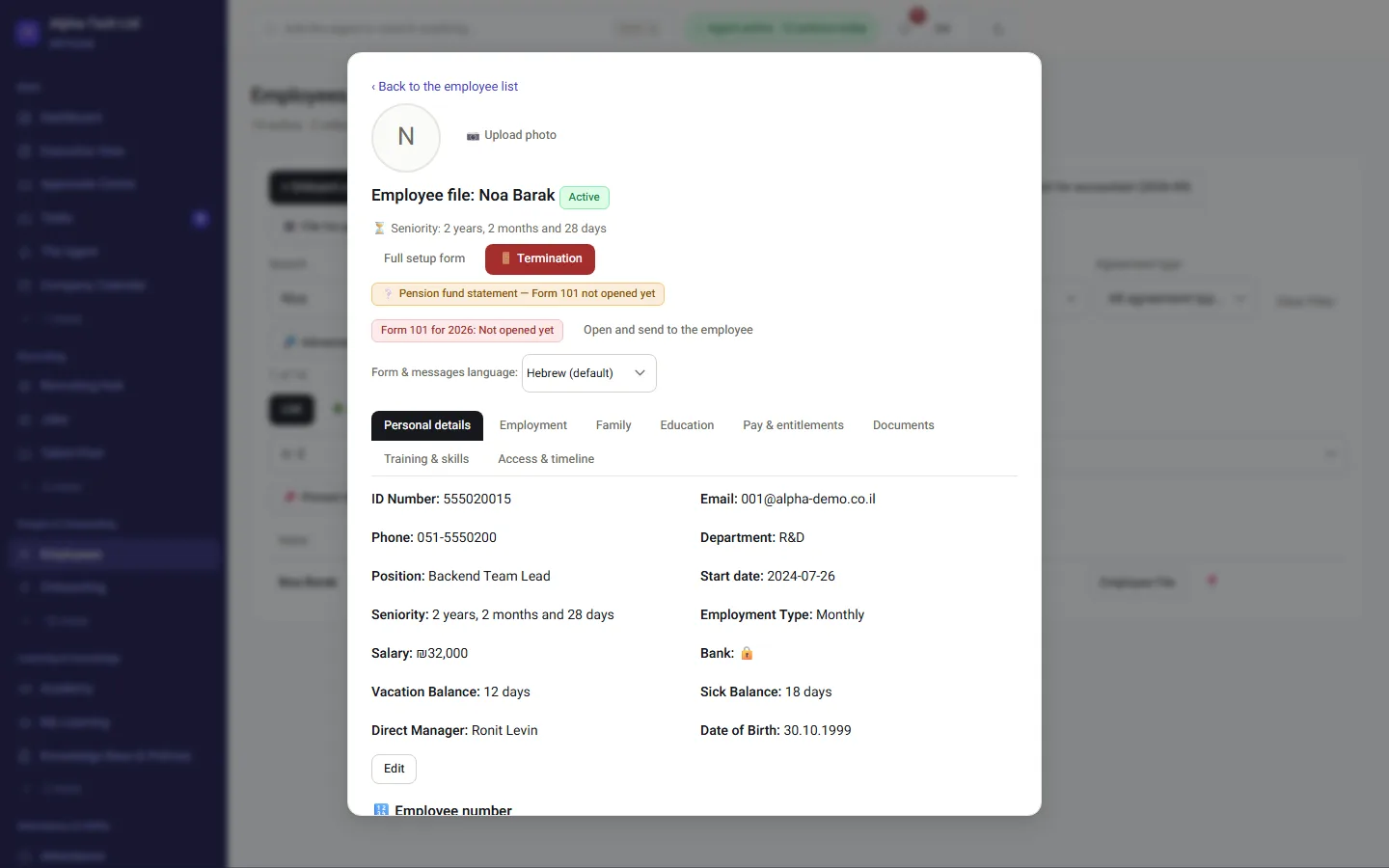
The employee file: details, signed agreement, documents and history

The forms

Which official forms are built from the file?

Notice of working conditions under the Notice to Employee Law (Hok Hoda’a La’oved, חוק הודעה לעובד), the employment contract, an NDA, pension-fund choice, consent to processing personal data, payroll deductions, the sexual-harassment prevention policy, a hearing invitation, Form 161A, final settlement and more. Fields such as name, ID number, salary and start date merge from the file, so no old version circulates by email.

Recruiting detailsName · ID · address · termsEmployment agreementForm 101Employee fileAccountingCSV and PDF to the set destination
Onboarding on paper, by email, and in HRAI
PaperPDF by emailHRAI onboarding
Employment agreementPrinted, signed, scannedSent back and forth; which version was signed?Signed on the phone by both sides; the record shows which text
Identity of the signerA handwritten signatureWhoever had the inboxOne-time code to the candidate’s mobile
Form 101Filled by handA PDF to fill and returnPrefilled, five languages, reviewed by HR
Missing documentsSomeone remembersSomeone remembersAutomatic reminders after 24 hours, then every 48 hours
Data to payrollRetypedRetypedFrom the file, as CSV and PDF

Who does what

Who takes part in onboarding?

HR

Sends the agreement, follows the board and completes onboarding.

Company signatory

Signs after the candidate, seeing the approved text.

New employee

Signs, fills details and Form 101, and uploads documents, on the phone.

Accounting

Receives the file data as CSV and PDF at the destination you set.

2Signatures before the file opens
5Languages for Form 101
24hUntil the first automatic reminder
48hBetween repeat reminders for an unsigned document

Frequently asked

What people ask before they start

When does the employee file open?

For a candidate who came through recruiting, only after both the candidate and the company’s authorized signatory have signed the agreement. A candidate who chooses not to sign is not onboarded. When onboarding is opened manually, the agreement is a stage inside the onboarding board.

What exactly is recorded with the electronic signature?

Identity verified with a one-time code, a timestamp, the IP address, browser details and a SHA-256 hash of the signed document’s content, all sealed with an asymmetric organizational seal. To be precise about what it is not: it is not a certified electronic signature as defined in the Electronic Signature Law, 5761-2001; that status is granted by a registered certification authority, not by software.

What if the new employee has no computer?

The whole process works on a phone, including signing on the screen. It can also start from a WhatsApp message, an email or an SMS, according to the process you set, with no app to install and no password.

Can we use the agreements we already have?

Yes. Upload your PDF as an approved template, and its fields fill from the details given in recruiting. An agreement drafted for one person is sent as a one-off PDF with a written reason, and follows the same approval and signing path.

What is Form 101, for a company new to Israel?

Form 101 (Tofes 101) is the Israeli employee tax card: the employee declares personal details, other income and the tax credits they claim, and the employer uses it for income tax withholding. In HRAI it arrives prefilled from recruiting and can be completed in five languages.

Will employees really complete it on their own?

That is what it is built for: a personal link, no install, no password, from the phone. What is not completed does not disappear. The agent reminds after 24 hours, repeats every 48 hours for an unsigned document, and tells you exactly who is stuck and at which stage.


Get started

Book a demo

Leave your details and we will get back to you within one business day to set a time for a 30-minute demo on your own processes. If it turns out not to be a fit, we will say so.

About the details you share. Data controller: Career and Content ltd (operator of HR AI), company no. 515523934, [email protected]. You are not legally required to provide them; without a name and email we cannot get back to you, and that is the only consequence. The information is used to respond to your inquiry, kept for up to 24 months, and shared only with our email provider and our sales team. You may review, correct or delete it at any time at the same address — Privacy Policy (Hebrew), English summary.