Recruiting · Applicant tracking for Israeli teams

An applicant tracking system that keeps every candidate moving, all the way to a signed agreement

HRAI recruiting is an applicant tracking system built for Israeli teams. Every application, from the careers page, a dedicated email address per job or the existing talent pool, lands in one queue and gets a fit score. A recruiter decides, and the employment agreement is sent from the same candidate card.

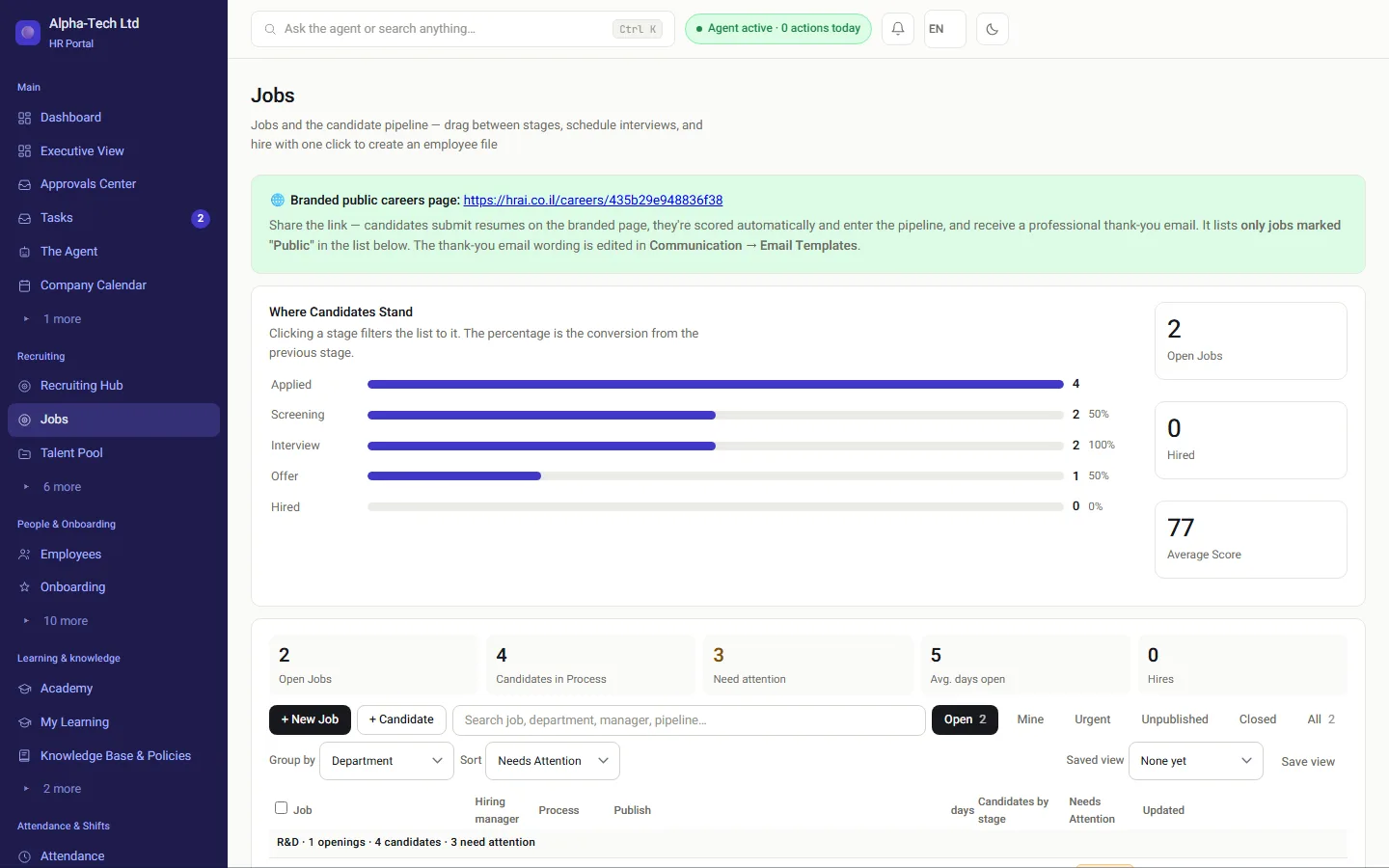
Jobs screen: where candidates stand at each stage, and jobs by department with what needs attention
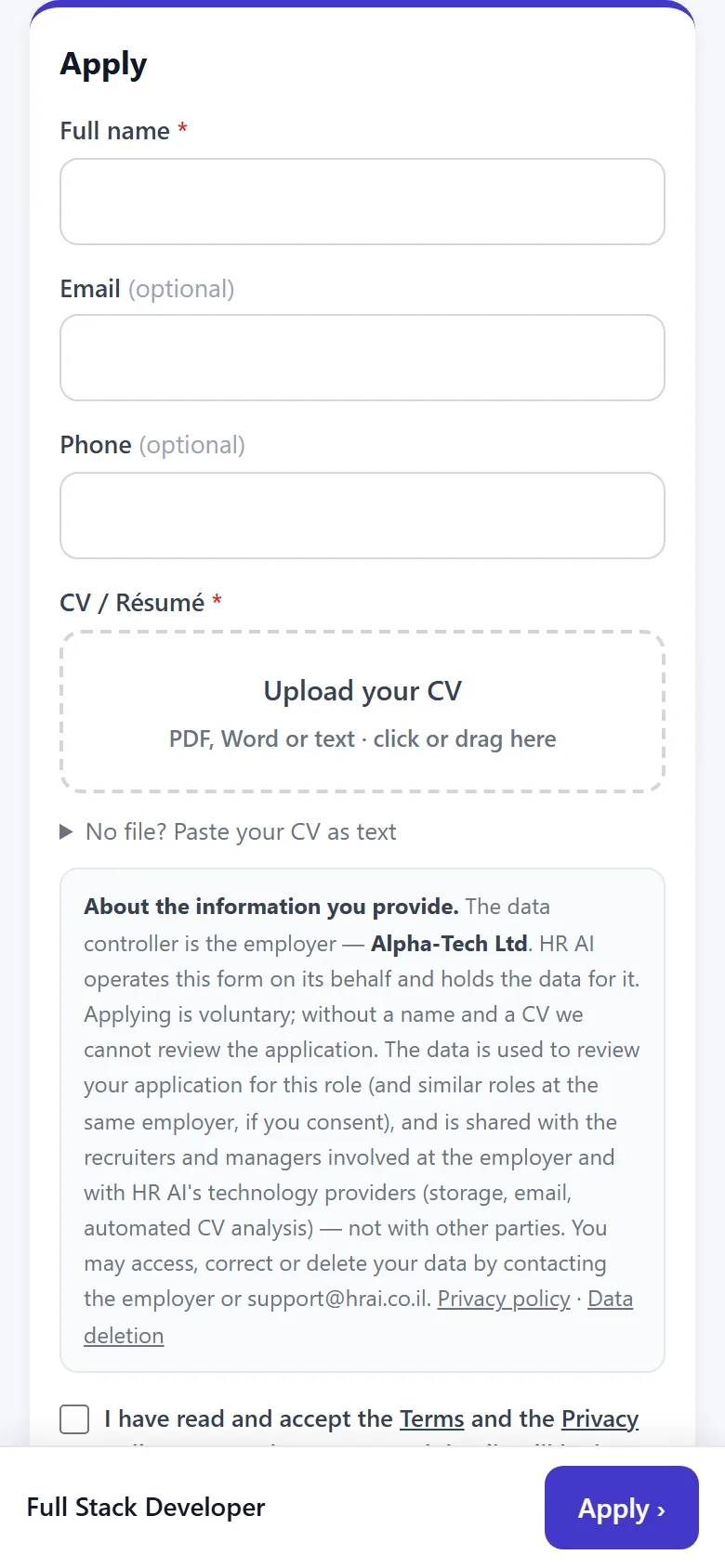
The application form on the careers page, on a phone
The jobs screen on a computer, and the candidate’s application form on a phone.

Where it breaks

Where do candidates get lost?

CVs in several inboxesEmail, WhatsApp and job sites, with no single list of who applied.
No replyA candidate who hears nothing for two weeks has already taken another offer.
Screening by gut feelA famous company name jumps the queue while real achievements sink to the bottom.
An agreement that stallsAfter a great interview, days pass before the contract reaches the candidate.
Without a system
  • Applications scattered across email, WhatsApp and job boards
  • Replies depend on someone remembering
  • The contract is a Word file that travels by email
  • HR retypes the same details into the employee file
With HRAI
  • One queue per job, from every source, with a fit score
  • Thank-you, invitation and rejection emails you edit yourself
  • The agreement goes out from the candidate card, signed with an SMS code
  • After both signatures, the employee file opens with the details already in it

How it works

How does a candidate get from application to signed agreement?

One candidate card follows the whole way. After the interviews the default is to send the agreement; an offer stage is optional.

1ApplicationCareers page, jobemailor the talent pool2Fit scoreAgainst the jobBelow threshold:manual review3InterviewsInvitations andemailsedited on screen4Agreement sentStraight from thecardOffer first:optionalDefault5Two signaturesCandidate, with anSMS codethen the companysignatory6Employee fileOpens by itselfwith onboarding
1ApplicationCareers page, job emailor the talent pool2Fit scoreAgainst the jobBelow threshold: manual review3InterviewsInvitations and emailsedited on screen4Agreement sentStraight from the cardOffer first: optionalDefault5Two signaturesCandidate, with an SMS codethen the company signatory6Employee fileOpens by itselfwith onboarding
A candidate who chooses not to sign is not onboarded, and the reason is kept on the card.

In practice

What does a recruiter see on screen?

01 · The way in

Three ways in, one queue

Every application, from every source, enters the job’s queue and gets a fit score.

  • A careers page in your company’s colors, which you can design yourselves
  • A dedicated email address for every job, also for CVs forwarded from external job boards
  • Internal posting: a new job starts internal, and publishing it externally is a deliberate action
  • Screening questions on the application form, and a tracking source for every posting link
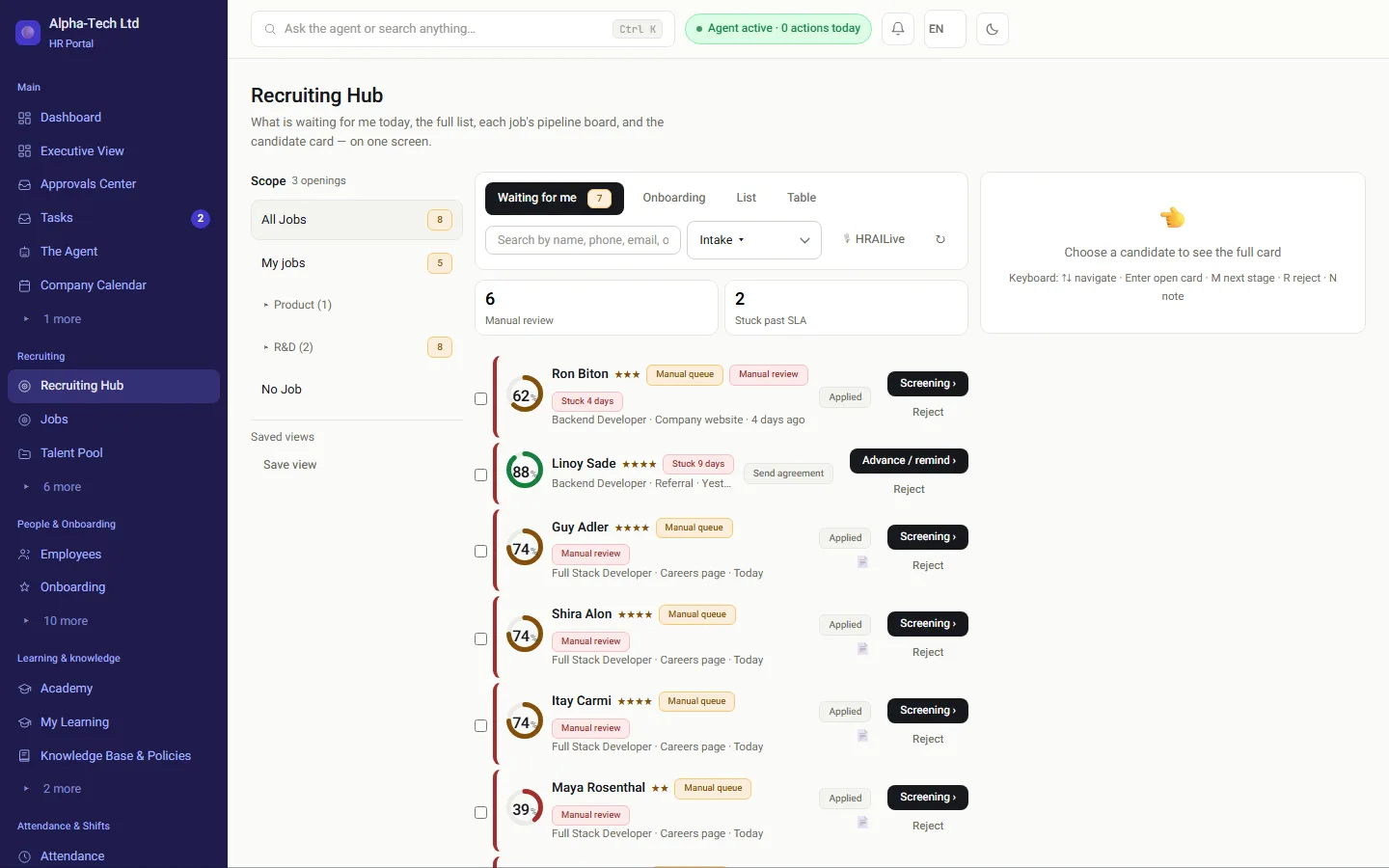
The recruiting center: screened and ranked candidates waiting for review
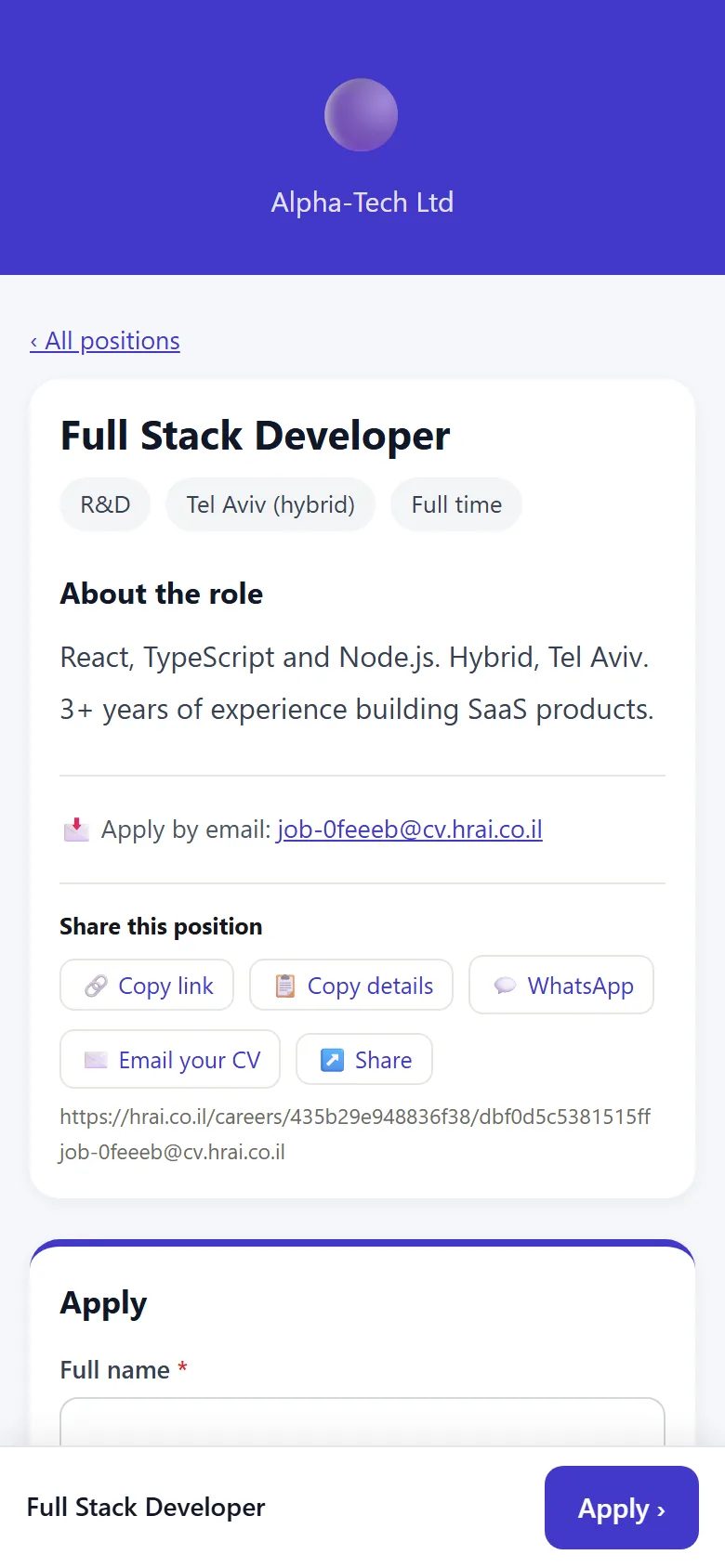
The branded careers page on a phone
02 · The score

A score that is hard to inflate

The scoring engine weighs three layers: technical fit and structure (40%), content quality with measurable achievements (35%), and business impact and career progression (25%).

  • An impressive employer name is worth no points
  • Thin or generic CVs hit a ceiling even when the structure is perfect
  • The score sorts and a recruiter decides; below the threshold means a review queue, not a rejection
Example: “Led a team of 8 and grew revenue by 45%” scores high. “Helped with tasks” is routed to manual review.
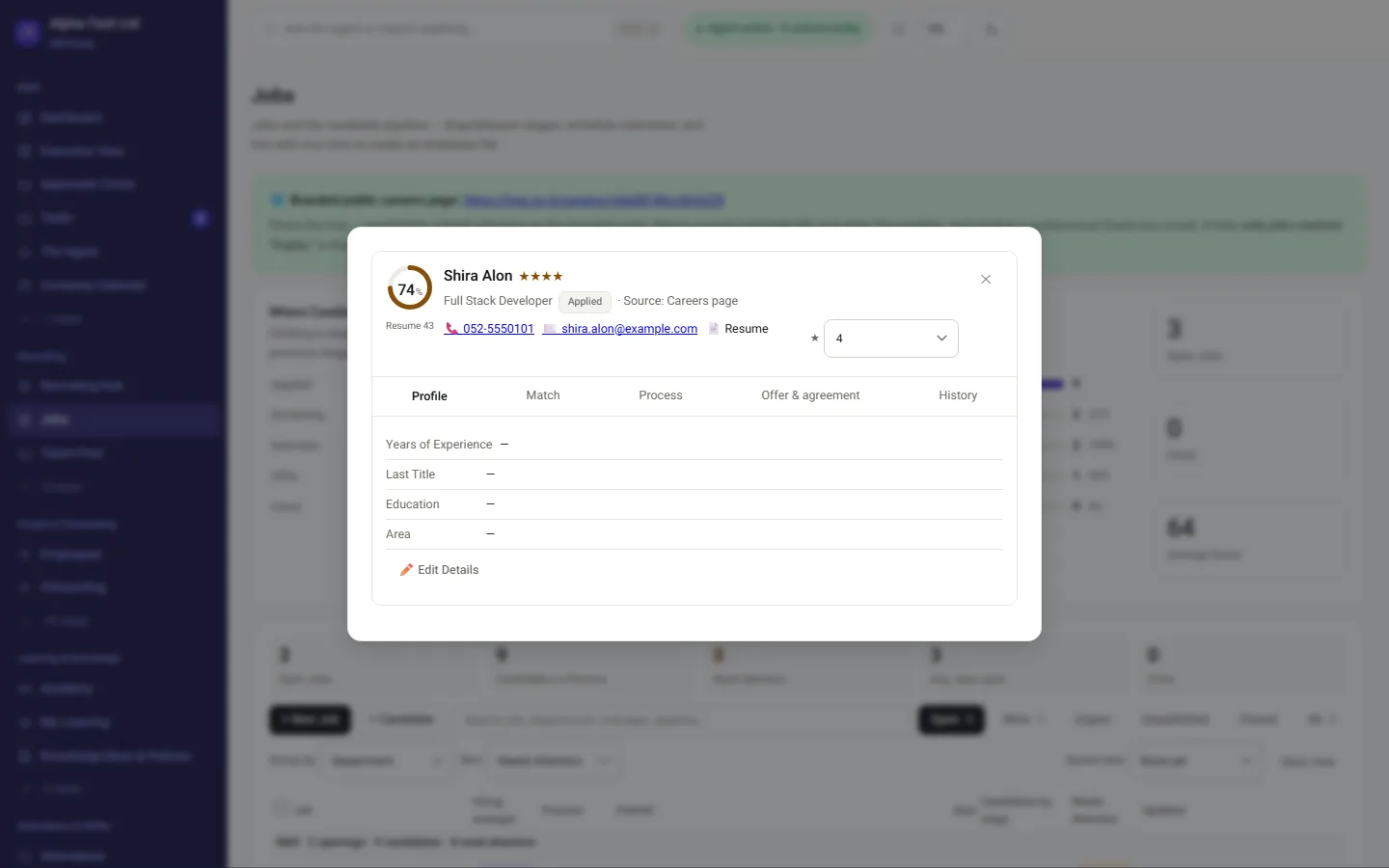
Candidate card: profile, fit, process, offer and agreement, and history
03 · Communication

Every candidate gets an answer, even a no

  • Thank-you, rejection and interview emails are edited by the recruiting lead, without a developer
  • Preview with real data, and a draft never goes out to candidates
  • By default, a non-operational email waits in a review queue before it is sent
Note: A rejection letter is not sent automatically by default. An organization that wants automatic sending switches it on explicitly.
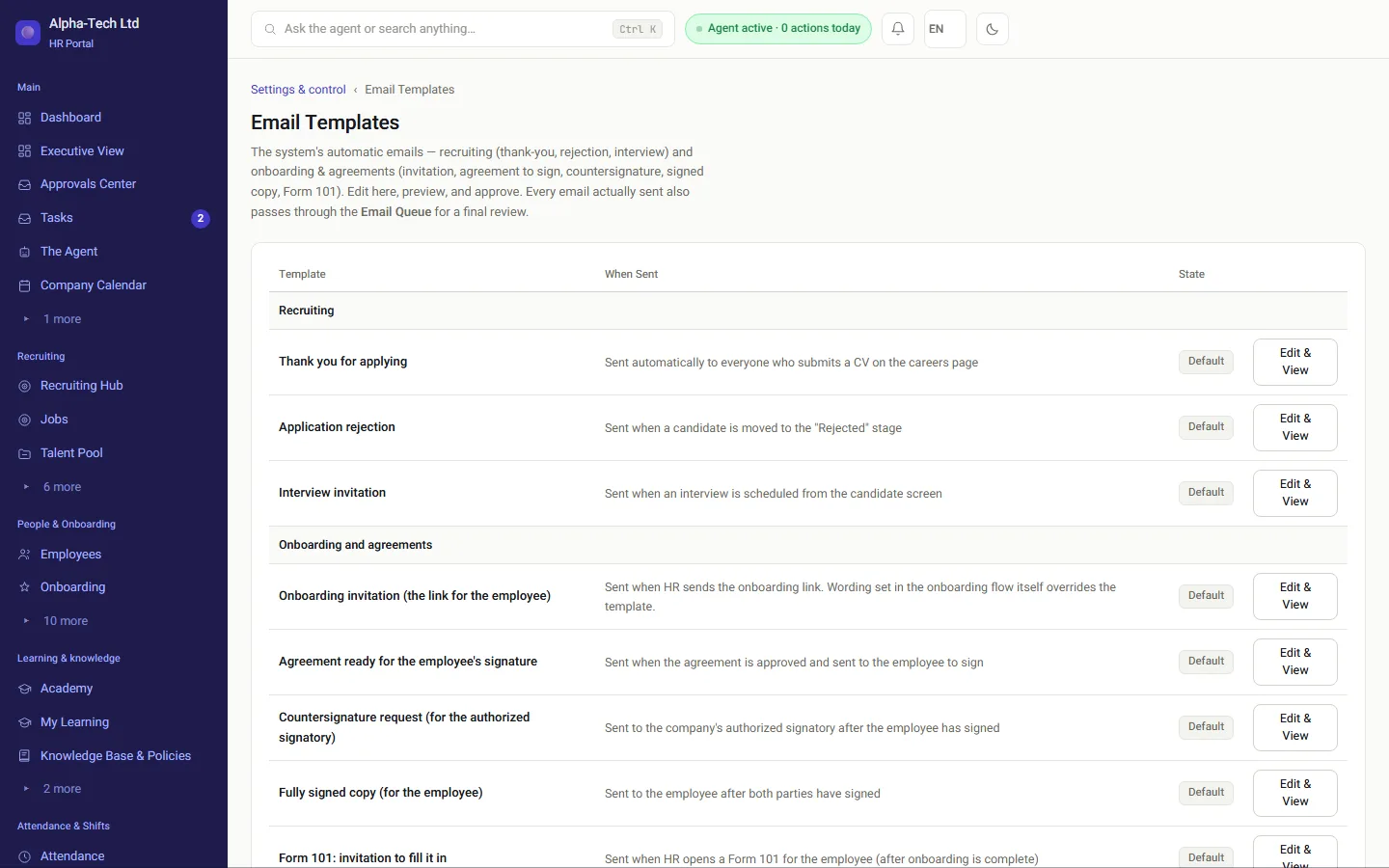
Candidate email templates: edit, preview and approve
04 · Sending the agreement

After the interviews, the agreement leaves from the card

On the “Offer and agreement” tab you choose where the agreement comes from and send it. An offer before the agreement is added only when you need one.

  • The onboarding-process template, a text template, an approved PDF template, or a one-off PDF with a written reason
  • Approvals according to company policy, then the candidate signs with an SMS code
  • You see when it was sent and whether and when the link was opened; after two days without opening, the system suggests a phone call
  • Per job: a switch for change requests from the candidate, and a switch for the team’s internal comments

E-signing an employment agreement →

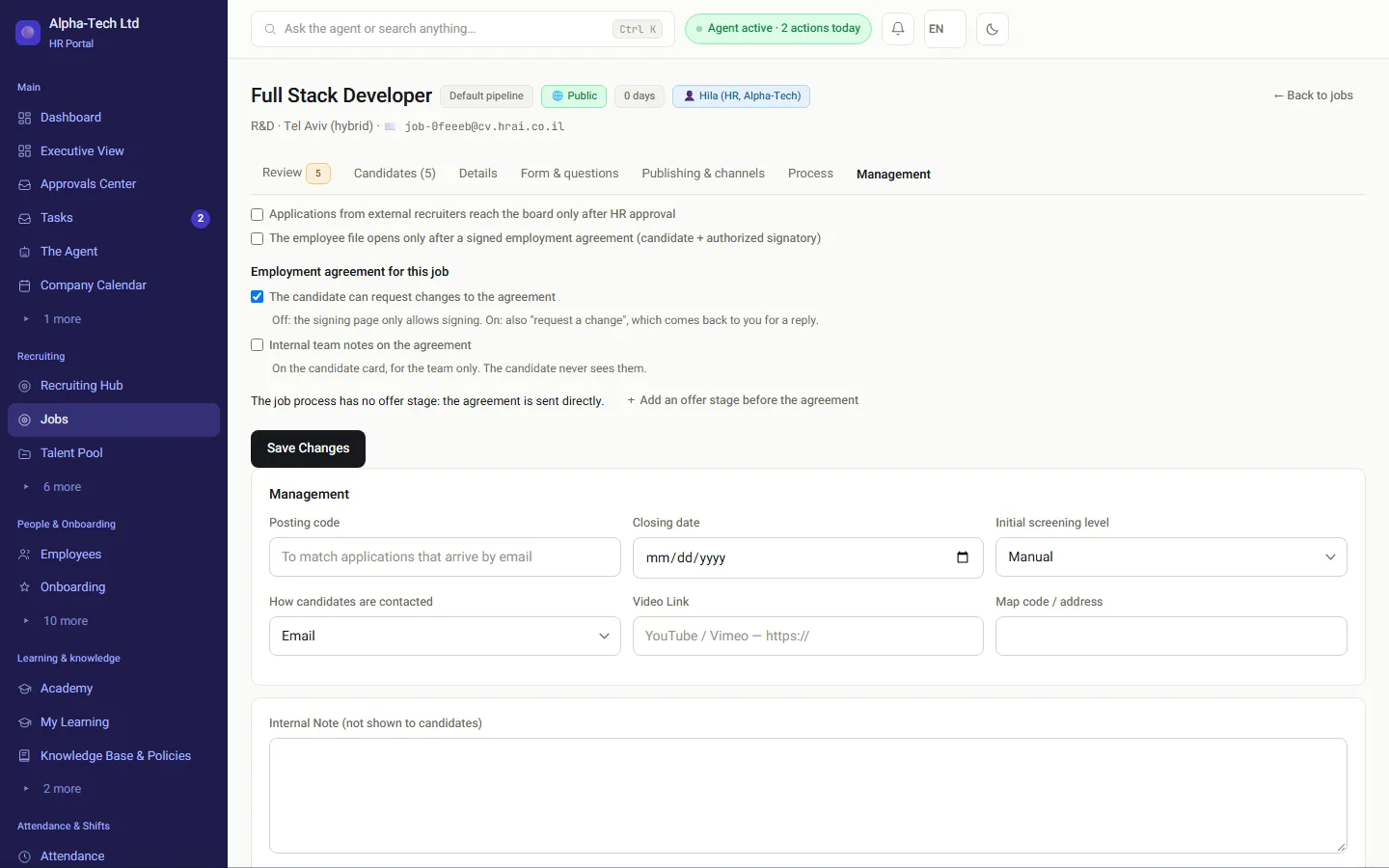
Job settings: the employment agreement for this job, change requests, internal comments, and an optional offer stage before the agreement
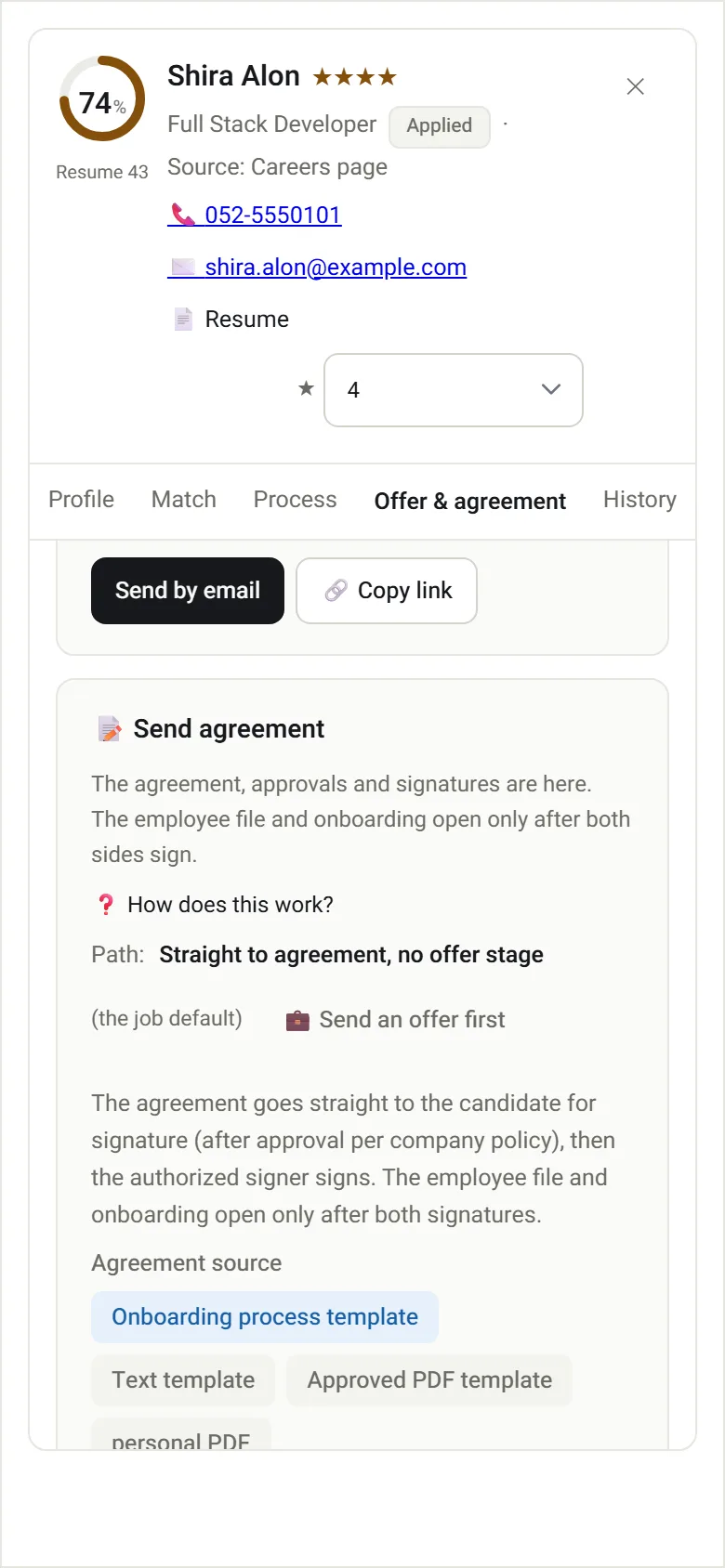
The candidate card on a phone: straight to the agreement, choosing the agreement source

Candidate identity

Why does every candidate need a mobile number?

Every action a candidate takes from a link, accepting an offer, signing the agreement, asking for a change or declining, happens only after a one-time code sent by SMS to the candidate’s own mobile phone. There is no email-only entry and no way to waive the code.

  • Adding a candidate manually requires a valid Israeli mobile number
  • Sending an offer or an agreement to a candidate without one stops, with an explanation and a link to edit the card
  • A CV that arrived on its own (by email, as a lead or from the job board) without a number is still saved, flagged “Missing mobile”, and completed before the agreement stage
Recruiting with scattered tools compared with HRAI recruiting
Inbox, spreadsheet and WordHRAI recruiting
Where applications landSeveral inboxes and chatsOne queue per job, from every source
First screeningWhoever has time reads CVsFit score against the job; below the threshold goes to manual review
Candidate emailsWritten each time, or not sentTemplates you edit, previewed with real data
The agreementA file sent by emailSent from the card, approved by policy, signed with an SMS code
After signingDetails retyped into the employee fileEmployee file and onboarding open with the details already in them

Filtering candidates by sex, age or birth-year range is prohibited discrimination under the Equal Employment Opportunities Law, 5748-1988 (Hok Shivyon Ha’hizdamnuyot Ba’avoda, חוק שוויון ההזדמנויות בעבודה), and a recruiting system should refuse to do it. Four checks you can run on any recruiting system today: what a good system refuses to do (Hebrew).

Who does what

Who uses recruiting, and for what?

Recruiter

Jobs, the candidate queue, fit scores and email templates.

Hiring manager

Sees only their own jobs and boards, and comments on candidates.

HR

Sends the agreement, manages approvals and opens onboarding.

Company signatory

Signs last, with an optional AI review of the agreement.

40 · 35 · 25Score weights: structure, content, impact (%)
3Publishing states per job: internal, public, closed
2Signatures before an employee file opens
SMSOne-time code for every candidate action

Frequently asked

What people ask before they start

Do we have to send a job offer before the agreement?

No. After the interviews the default is to send the employment agreement straight from the candidate card. If your process needs an offer first, add an offer stage to the job’s hiring process, or choose to send an offer to a single candidate. Either way, the candidate signs with an SMS code to their mobile phone.

Can we advertise a role to current employees only?

Yes. Every job has three publishing states: internal only, also on the public careers page, or closed. A new job starts as internal, so going public is a deliberate step, and the change of publishing channel is written to the audit log.

Does the automatic score replace the recruiter?

No. The score sorts and flags. A candidate below the job’s threshold goes to a manual review queue, not to rejection, and the decision stays with a person. A big company name on a CV earns no points; measurable achievements do.

Does it read CVs in Hebrew and in English?

Yes. CVs arrive in both languages in Israel, and the scoring engine reads either. The candidate card shows the profile, the fit to the job, the process so far, the offer and agreement, and the full history of what was sent and when.

We already have an ATS. Why another one?

If it works well for you, keep it. The difference starts after the interviews: the agreement goes out from the same card, and once both sides sign, the candidate becomes an employee with an open file and an onboarding process, without exporting and re-importing between two systems that each hold half of the truth.


Get started

Book a demo

Leave your details and we will get back to you within one business day to set a time for a 30-minute demo on your own processes. If it turns out not to be a fit, we will say so.

About the details you share. Data controller: Career and Content ltd (operator of HR AI), company no. 515523934, [email protected]. You are not legally required to provide them; without a name and email we cannot get back to you, and that is the only consequence. The information is used to respond to your inquiry, kept for up to 24 months, and shared only with our email provider and our sales team. You may review, correct or delete it at any time at the same address — Privacy Policy (Hebrew), English summary.