

Shift scheduling

A roster that sets the expectation for attendance and payroll

HRAI shift scheduling builds weekly rosters that respect Israel’s Hours of Work and Rest Law: 8 hours of rest between shifts, 42 weekly hours and night shifts of up to 7 hours. Swaps need a colleague and a manager, and the published roster drives attendance checks, personal calendars and the hours sent to payroll.

Last reviewed

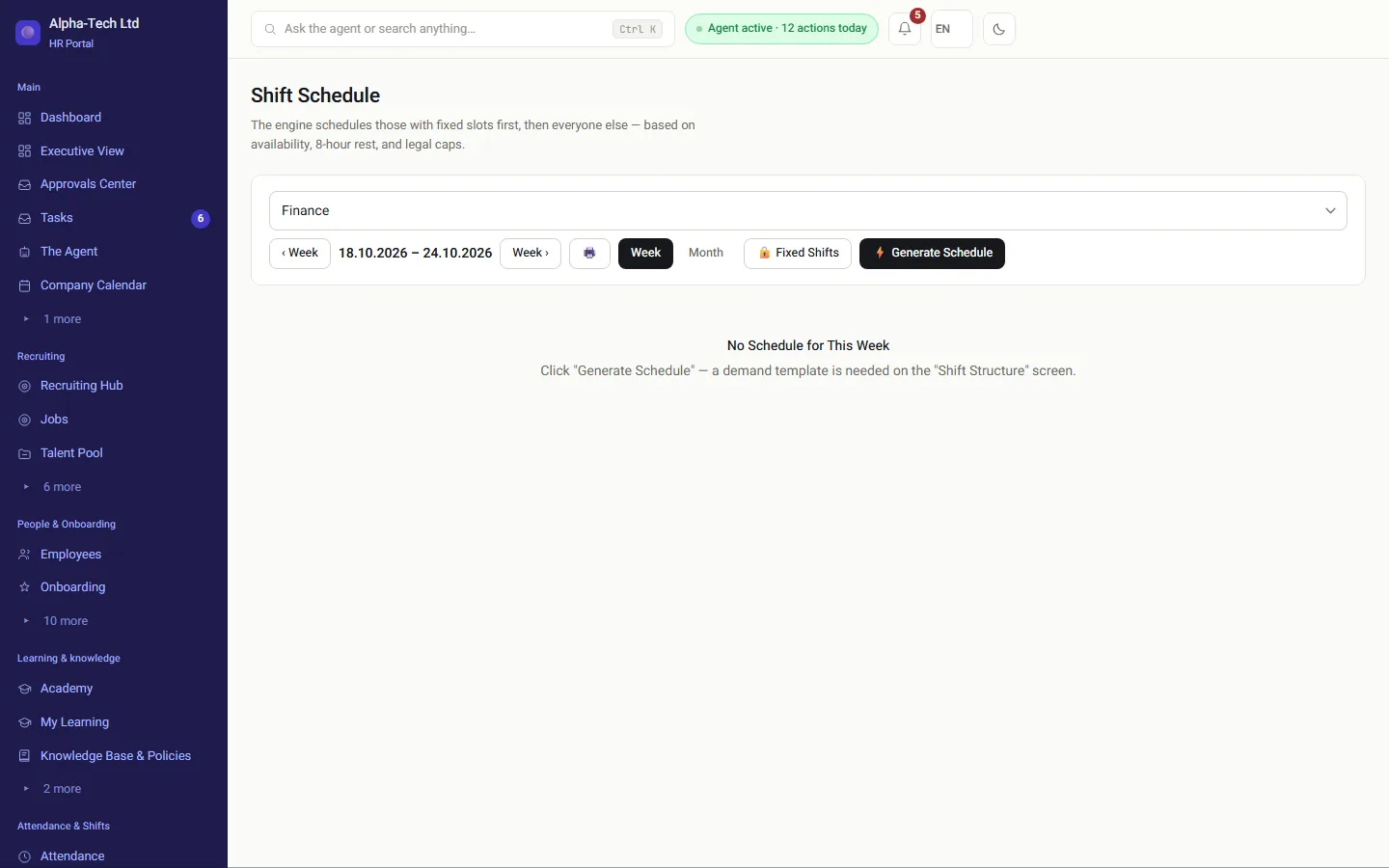
Weekly shift roster by department, with the people assigned to each shift
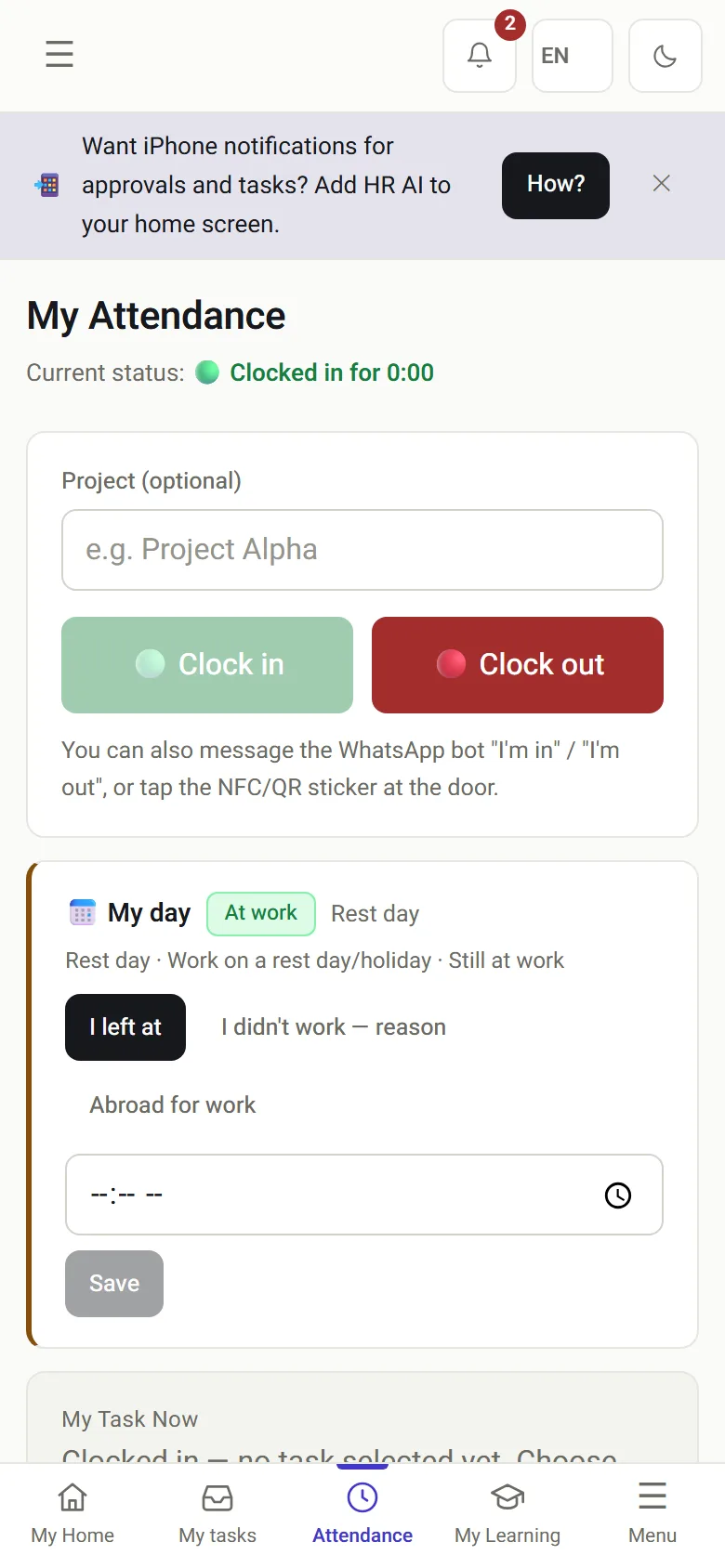
My attendance on the phone: clocking in against today’s shift
The shift roster on desktop, and the employee’s attendance on the phone.

The problem

What does a spreadsheet roster not know?

In most organizations the roster lives in Excel, attendance in a time clock, and payroll in a third place, and the three tell different stories. Here the roster is the source: attendance expectations, calendars and the payroll split all come from it.

Rest that was skippedDana finished a shift six hours ago, and the spreadsheet has no idea.
A shift on approved leaveAn employee on approved vacation appears on tomorrow’s roster.
The WhatsApp groupSwaps, pick-ups and cancellations that nobody records.
Hours nobody splitsNight and past-midnight shifts calculated once, by hand.
Without a system
  • Rest and weekly limits checked by memory
  • Swaps agreed in a chat
  • No-shows discovered at month end
  • Overtime split by hand before payroll
With HRAI
  • Legal limits checked before anyone is assigned
  • A swap needs the colleague and the manager
  • A no-show is asked about the same day
  • One hours engine splits every shift

The law as code

From weekly demand to the payslip

The engine never suggests a schedule that breaks the Hours of Work and Rest Law, even when a shift is understaffed.

1DemandHow many of eachrolein each shift2DraftIn one clickby availability3Legal checksRest, weekly capand night shifts4PublishA message toeveryoneand their calendar5SwapsEmployee,colleagueand manager6Attendance andpayrollThe roster is thebaselinehours are split
1DemandHow many of each rolein each shift2DraftIn one clickby availability3Legal checksRest, weekly capand night shifts4PublishA message to everyoneand their calendar5SwapsEmployee, colleagueand manager6Attendance and payrollThe roster is the baselinehours are split
An exception is possible only with explicit approval, which is written to the audit log.

In practice

What happens on and around the roster?

01 · The law

Checked before anyone is assigned, not on the payslip

  • 8 hours of rest between shifts
  • A cap of 42 weekly hours
  • Night shift up to 7 hours
  • An employee who marked unavailability or reported sick is not assigned
Important: a manager’s explicit choice overrides an availability block, but not the law. Breaking a legal limit needs explicit approval and is recorded.
Weekly shift roster
02 · Day to day

What replaces the team WhatsApp group

  • Publishing the roster sends everyone their own shifts
  • Shifts flow into Google Calendar and Outlook as timed events
  • An open slot is offered for pick-up, under the same rules
  • A swap takes three steps: the employee asks, a colleague agrees, a manager approves
1Employee asks2Colleague agrees3Manager approvesNobody decides on a swap they are part of
A shift swap
03 · Commands

“Assign Dana to the morning shift on Tuesday”

A typed command is read by a deterministic parser, not a language model, and executed under the same rules. A command that was not understood comes back with the accepted wording.

  • An overview of all departments: staffed versus required, two weeks ahead
  • Understaffing raises an alert by itself a week in advance
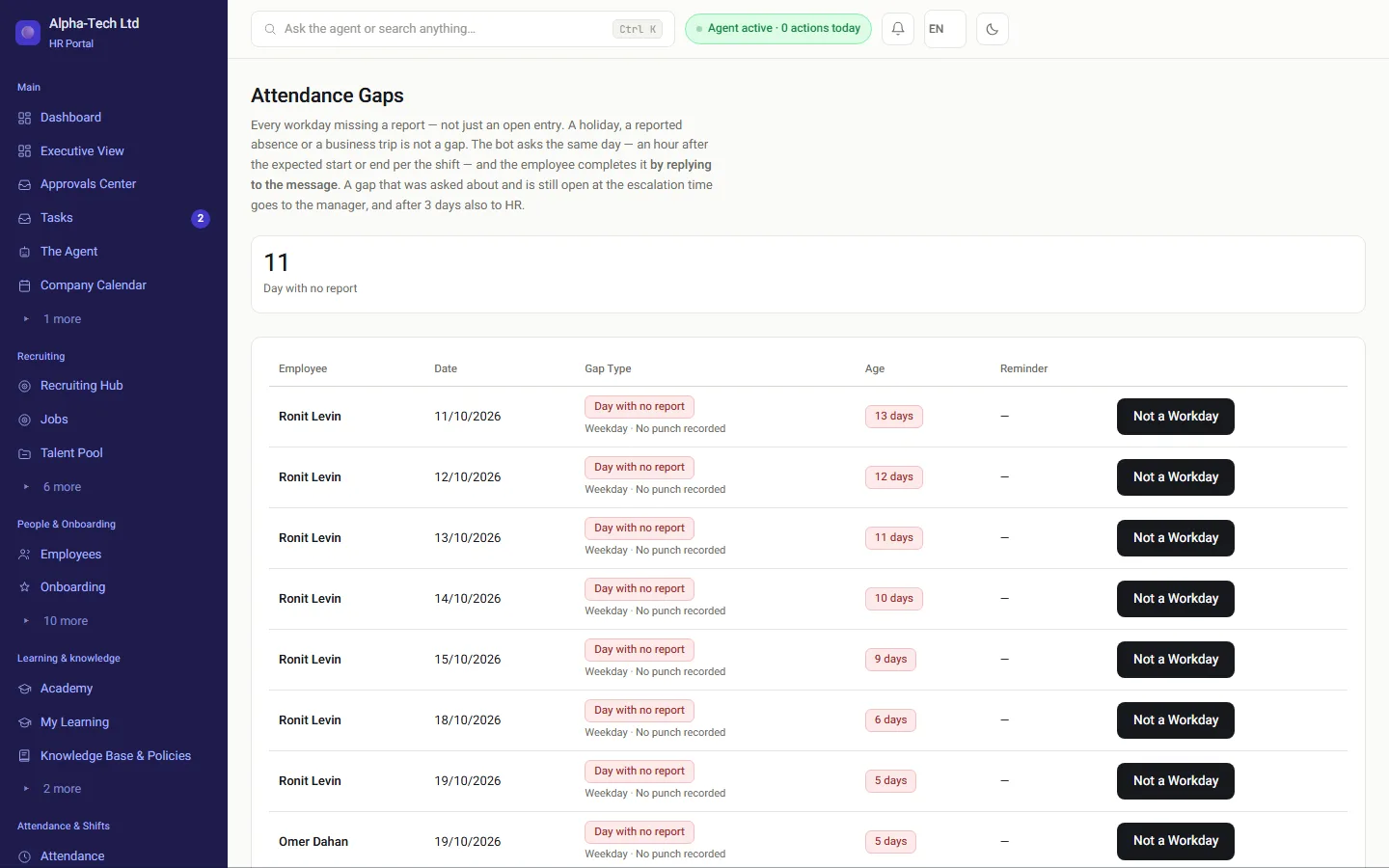
  • A shift that started with no clock-in sends the employee a question the same day
The link to payroll: one hours engine splits what was actually worked: base, 125% and 150% overtime, rest-day and night hours, including shifts that cross midnight.
Attendance gaps: shifts that started without a clock-in and open cards, the same day

The rules

Which Hours of Work and Rest Law limits does the roster check?

Limits the HRAI roster engine checks before assigning a shift
RuleLimit in the engineWhat happens on a manual override
Rest between shifts8 hoursExplicit approval, written to the audit log
Weekly hours42 hoursExplicit approval, written to the audit log
Night shift lengthUp to 7 hoursExplicit approval, written to the audit log
Weekly rest36 hoursExplicit approval, written to the audit log
Unavailability or sick reportNot assignedA manager’s explicit choice can override it

For the full background on rosters and the law, read Shift rosters under Israel’s Hours of Work and Rest Law.

Published rosterafter the legal checksAttendanceexpectationPersonal calendarsHours split by typePayroll departmentapproved hours only
Published rosterafter the legal checksAttendance expectationPersonal calendarsHours split by typePayroll departmentapproved hours only

Who uses it

What does each role do with the roster?

Shift managers

Define demand, build the draft, approve swaps and overrides.

Employees

See their shifts in the portal and calendar, offer or pick up shifts.

HR

An overview of all departments and the audit log of exceptions.

Payroll department

Receives hours already split by type, from the roster and the clock.

The numbers

Which limits come straight from the law?

8hours of rest between shifts
42weekly hours cap
7maximum hours in a night shift
36hours of weekly rest

Sources

Official sources for this page

  1. Hours of Work and Rest Law, 5711-1951, Nevo (Hebrew)
  2. Extension order on shortening the working week, 2018, Ministry of Labor, gov.il (Hebrew)
  3. Wage Protection Law (Amendment No. 24), 5768-2008, Book of Laws 2162, Knesset website (Hebrew)

Sources checked on . This page describes the product and general Israeli rules. It is not legal advice.

Frequently asked

What people ask before they start

Does HRAI prevent a roster that breaks the Hours of Work and Rest Law?

The automatic engine never suggests a schedule that breaks the law: 8 hours of rest between shifts, 42 weekly hours and a night shift of up to 7 hours. A manual assignment that breaks a limit requires explicit approval and is written to the audit log. An exception with approval is possible; a silent violation is not.

Where do employees see the roster?

In the portal (“My shifts”), in a WhatsApp message when the roster is published, and in their personal calendar on the phone: an ICS feed for Google, Outlook or Apple calendars, with each shift as a timed event. A shift that changes after publication updates in the calendar too.

What happens when an employee does not show up for a shift?

A WhatsApp question goes to the employee and an alert to the manager one hour after the shift’s planned end, so the same day rather than at month end. The answer, such as vacation, sick leave or actual hours, is recorded and routed for approval under Amendment 24.

Our managers live in Excel. Will they really switch?

They do not have to drop their habits. Weekly demand is defined once, and the draft is built in one click. Managers who prefer typing write “assign Dana to the morning shift on Tuesday”, and a fixed parser reads it and returns the accepted wording when it did not understand. The difference from Excel is underneath: Excel does not know Dana finished a shift six hours ago.

Get started

Book a demo

Leave your details and we will get back to you within one business day to set a time for a 30-minute demo on your own processes. If it turns out not to be a fit, we will say so.

About the details you share. Data controller: Career and Content ltd (operator of HR AI), company no. 515523934, [email protected]. You are not legally required to provide them; without a name and email we cannot get back to you, and that is the only consequence. The information is used to respond to your inquiry, kept for up to 24 months, and shared only with our email provider and our sales team. You may review, correct or delete it at any time at the same address — Privacy Policy (Hebrew), English summary.